SQL Server Full Text Search – The FullTextCatalogProperty Function

There is a useful function built into SQL Server for dealing with Full Text Search Catalogs: FullTextCatalogProperty . It takes two parameters, the first is the name of the catalog, the second is the name of the property you want. While there are quite a few properties in the list, most of them have been depreciated. However, there are still a handful that can provide valuable information.

For todays examples, I am using the AdventureWorks database. I’ve created a catalog named AdvWorksCatalog, using the following command:

create fulltext catalog AdvWorksCatalog as default;

I then created one index, using this command:

create fulltext index on Production.ProductDescription

  ([Description])

  key index PK_ProductDescription_ProductDescriptionID

  on AdvWorksCatalog

  with change_tracking auto

For more info on these commands, see my original series on Full Text Search which began in June of last year. (See the Arcane Lessons page for links to all the lessons).

The first property we will look at is IndexSize. You can call it up with the following command:

select FullTextCatalogProperty(‘AdvWorksCatalog’, ‘IndexSize’)

This will return the size, in megabytes (MB) of the indexes in the catalog. Since we only have one in this example, it is still quite tiny and thus will return a 0 for the result.

Next, let’s say you’d like to monitor the growth of the catalog by monitoring the number of items. To help with that, SQL Server provides a property named ItemCount.

select FullTextCatalogProperty(‘AdvWorksCatalog’, ‘ItemCount’)

In my case, it returned a value of 762 items in the catalog. An item is the same thing as a row in the source table. In my example, a select count from the Production.ProductDescription table also has a count of 762. These match since I’ve only created a full text index on one table in the database. In your system it will be the grand total number of rows for all the tables you have created indexes for.

A similar statistic is the UniqueKeyCount property, produced with this command:

select FullTextCatalogProperty(‘AdvWorksCatalog’, ‘UniqueKeyCount’)

This will tell you how many unique words were found in the catalog. In the Adventure Works database I’m using for SQL Server 2005, the count was 3,195. This would be like doing a select distinct word on the full text catalog. Each word may appear multiple times (once for each row it was found in) but will only be counted once in the UniqueKeyCount total.

The final property that is useful is PopulateStatus. This returns a value from 0 to 9 indicating what the full text engine is doing right now.

select FullTextCatalogProperty(‘AdvWorksCatalog’, ‘PopulateStatus’)

Since I didn’t want to constantly reference the on-line help to decipher the value, I added a little case statement to my SQL and will let it do the work:

select case FullTextCatalogProperty(‘AdvWorksCatalog’, ‘PopulateStatus’)

          when 0 then ‘Idle’

          when 1 then ‘Full population in progress’

          when 2 then ‘Paused’

          when 3 then ‘Throttled’

          when 4 then ‘Recovering’

          when 5 then ‘Shutdown’

          when 6 then ‘Incremental population in progress’

          when 7 then ‘Building index’

          when 8 then ‘Disk is full. Paused.’

          when 9 then ‘Change tracking’

          else ‘Error reading FullTextCatalogProperty PopulateStatus’

        end

There, much more user friendly. I would envision this would be most useful when preparing to do upgrades to the server. You’d want to be sure all full text activity had ceased before doing a server reboot, or applying a lot of SQL Scripts that altered the full text index structures.

In all of these examples, be aware SQL Server will return a NULL if there is an error. For example, you pass in the name of a catalog that does not exist, or the property is incorrect.
BarCamp Birmingham 2 Presentations

At last Saturday’s BarCamp Birmingham, I gave three presentations. The first was on Virtual PC 2007. For more info on it just look to my previous post, which has the first video on VPC. I’m currently working on the other videos in the series and should have them up this week.

My second presentation was “The Developer’s Experience”. As promised in the session, here’s the complete PDF of my slides: The Developer Experience. This has hyperlinks to all of the tools I presented.

My final presentation was on Full Text Searching on SQL Server 2005.  First, here is a PDF of the PowerPoint slides: Full Text Search Power Points

Next, most of the demos used SQL statements. This PDF file has all of the SQL plus some associated notes. Full Text Search Demo Scripts

Finally, I didn’t get to demo this at BarCamp due to time, but I do have a WPF project that demonstrated how to call a full text search query from a WPF Windows application. Annoyingly enough WordPress (who hosts my blog) won’t let me upload ZIP files, so I renamed the extension to pdf. After you download the file to your drive, remove the .pdf and put the zip extension back on, then it should expand all the source for you correctly. (Yes, I know, I really need to get a host server for binaries, one of these days I’ll get around to it, but for today…) Source for WPF Demo

See you at the next BarCamp!

Atlanta Code Camp – Introduction to SQL Server 2005 Integration Services (SSIS)

Thanks to everyone who stuck with me during my Saturday morning presentation at the Atlanta Code Camp. For those who didn’t make it, I had come down with either food poisoning or some sort of virus on Thursday night and was extremely sick on Friday. I had recovered enough Saturday to make the camp, even though my voice was just about gone. I promised to post my materials, so without further delay here they are:

First off, here’s the power point slides, in PDF format: Intro to SSIS Slide Deck

Next, here is the script I used to generate my demo: Intro to SSIS Script. If anyone has issues with the directions, please e-mail me and let me know, this is my first pass at this format and I want to ensure it’s usable for everyone.

Finally, here is the project:

SSIS Test 1_zip

I am feeling a bit better today, slept most of Sunday and while I’ve totally lost my voice my fingers still work so I wanted to get this out here.

Thanks to the folks in Atlanta for a great code camp, and thanks again to everyone who attended my session it was a great crowd.

Atlanta Code Camp

I just wanted to let everyone know I will be speaking at the Atlanta Code Camp, on Saturday March 29th 2008. My subject will be Introduction to SQL Server 2005 Integration Services (SSIS). From the preliminary schedule I’ve seen, this looks like an awesome code camp, eight tracks this time! The SQL Server track concentrates a lot on BI (Business Intelligence). Three of the five sessions are on SSIS, so if you are looking to learn more about this subject this is the place to be!

The camp fills up quick, I’m surprised it hasn’t reached it’s limit yet. Just a little over a week away so head over to their site and register now!

The Virtual Meeting

We had an interesting event last week during our BSDA meeting. Doug Turnure from Microsoft was presenting at our BSDA group. I decided to Twitter the high points as Doug went through his presentation on SIlverlight. (I loved Doug’s line about the DLR being the Woodstock of programming languages.) During the event Shawn Wildermuth, The ADO Guy (who should probably take on the new name The Silverlight Guy) tweeted back with some interesting comments and links.

At the same time Doug was also recording the presentation using Camtasia. I’m hopeful the quality will be sufficient to distribute as we were using a new microphone in new surroundings.

My goal is to take as many of the BSDA’s meetings as I can to the virtual community. To record the presentations for later playback, and to provide an interactive experience for those who can’t attend. What about your user group?

Doug Turnure MS Developer Evangelist To Speak at BSDA on Silverlight 2.0

Just thought I’d share some exciting news, Doug Turnure the Microsoft Developer Evangelist for our South East area will be in Birmingham on Thursday, March 13th. He will be at the Birmingham Software Developers Association and will be telling us about Silverlight 2.0 and other cool stuff that was announced at Mix 08 this week. Afterward we’ll be having a geek dinner at Jim and Nicks on Oxmoor.

The BSDA meeting will take place at New Horizons in Homewood, beginning at 6:30 pm. I’d suggest getting there a bit early to get a good seat, then be sure to join us afterward for food and more geekery at Jim and Nicks.

Avoiding Burnout OR How I learned to stop worrying and love the PowerShell

Most geeks I know tend to be workaholics. We go and go and go on a subject, spending long hours in front of our PC’s until we’ve conquered whatever we’ve been working on. It’s important though to avoid getting burned out. When we’ve exceeded our capacities, we’re depressed, dread looking at things, our productivity goes to near zero and stress wreaks havoc on our health.

For the last two months I’ve been hammering away at SQL Server, getting ready for my presentations at the recent code camp. While I’m not quite at the burn out stage, I recognize it’s just around the corner and decided I needed a break. At the same time I came away from code camp energized and wanting to learn something “techy”. The answer then was obvious, to find some technology that was new to me, and that I could use in conjunction with my SQL Server work, but was not directly SQL Server.

I twittered about going to the bookstore on Sunday, what I was actually looking for was a book on F#. (Yes, I’m an old fogey and still like books as a good platform for learning.) F# seems to fit well with processing sets of data. Sadly the stores lacked any tomes on the subject.

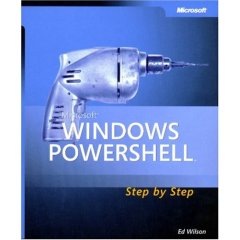
powershellstepbystep I did find, however, a book called “Windows PowerShell Step By Step”. This looked like a great fit for my needs. It’s small, around 220 pages so it’s something I can easily read in a short amount of time. It’s on a subject I was interested in, PowerShell. I believe PowerShell will soon become an integral part of all Server based technologies, and we’ll be able to perform remarkable amounts of maintenance and more with PowerShell.

Over the next few days I’ll give some more resources for PowerShell that I’ve already found, but I can tell you I love PowerShell already. My post for today is not so much about PowerShell but about burnout. When you’ve spent a lot of time hammering away, don’t forget to come up for air every so often. Look around, see what other tools are available for you to learn. You’ll find yourself refreshed, and have new skills to boot!

SQL Server 2005 Full Text Searching at the Huntsville Alabama Code Camp

My third and final presentation for the Alabama Code Camp 6 is “Introduction to SQL Server Full Text Searching”. Here are the materials I’ll be using during the demo.

First, here is a PDF of the PowerPoint slides:

Full Text Search Power Points

Next, most of the demos used SQL statements. This PDF file has all of the SQL plus some associated notes.

Full Text Search Demo Scripts

Finally, I did a WPF project that demonstrated how to call a full text search query from a WPF Windows application. Annoyingly enough WordPress (who hosts my blog) won’t let me upload ZIP files, so I renamed the extension to pdf. After you download the file to your drive, remove the .pdf and put the zip extension back on, then it should expand all the source for you correctly. (Yes, I know, I really need to get a host server for binaries, one of these days I’ll get around to it, but for today…)

Source for WPF Demo

Introduction to SQL Server Integration Services – Huntsville Alabama Code Camp

My second post of the day at Alabama Code Camp 6 in Huntsville is “Introduction to SQL Server Integration Services”.

The slide deck is here: Intro to SSIS Slide Deck

The “cheat sheet” or script I used to do the demo is here: Script for doing the SSIS Demo You can step through it to recreate all of the things I did in the demo today.

Finally here is the finished project. It’s actually zipped, but my current host doesn’t like zip extensions so when you download it change the extension from txt back to ZIP. Finished SSIS Project

The Developer Experience

In case you’re wondering why the slowdown in the blog this week, I’ve been spending all my free time getting ready for Alabama Code Camp 6. My first presentation of the day is “The Developer Experience”. It’s chock full of practical, low cost (or even free!) ways to make your life as a programmer more productive.

As promised in the session, here’s the complete PDF of my slides:  The Developer Experience

Steel City SQL Server Users Group – SQL Server 2005 Full Text Searching

Tonight I’ll be presenting at the Steel City SQL Users Group “Introduction to SQL Server Full Text Searching”. Here are the materials I’ll be using during the demo.

First, here is a PDF of the PowerPoint slides:

Full Text Search Power Points

Next, most of the demos used SQL statements. This PDF file has all of the SQL plus some associated notes.

Full Text Search Demo Scripts

Finally, I did a WPF project that demonstrated how to call a full text search query from a WPF Windows application. Annoyingly enough WordPress (who hosts my blog) won’t let me upload ZIP files, so I renamed the extension to pdf. After you download the file to your drive, remove the .pdf and put the zip extension back on, then it should expand all the source for you correctly. (Yes, I know, I really need to get a host server for binaries, one of these days I’ll get around to it, but for today…)

Source for WPF Demo

Look forward to seeing you at the New Horizons Training center tonight, 6:00 PM!

Don’t Uninstall Visual Studio 2005 Yet!

One of the great benefits of Visual Studio 2008 is the ability for it to target multiple .Net Frameworks. This means, in theory you could go ahead and begin using Visual Studio 2008 even though you still need to write apps that are 2005 / .Net 2.0 compliant. You might be tempted to go ahead and uninstall 2005. And that would be fine if you are only doing .Net development. But wait…

If you are still doing SQL Server BIDS (Business Intelligence Developer Studio) then don’t uninstall Visual Studio 2005! Currently there’s no support in VS2008 for doing SQL Server 2005 BIDS Development. If you uninstall VS2005 you won’t be able to do any more BIDS work. Trust me, I found out the hard way.

After uninstalling VS2005, I went to do a BIDS project and that’s when I got hit with the nasty surprise. The uninstall had also removed the Dev Environment that was shared with BIDS. I tried to rerun the install of my SQL Server Developer Edition, but for some reason it thought I wanted to upgrade. It kept giving me the message “You cannot upgrade a version of SQL Server from the GUI, you must use the command line.”

I finally had to reinstall VS2005, along with all it’s service packs. After that I was able to work on my BIDS projects again. So take it from me, if you are still doing SQL Server 2005 Business Intelligence projects, Visual Studio 2005 still has some life in it yet.

Huntsville User Group – SQL Server 2005 Full Text Searching

Tonight I’ll be presenting at the Huntsville Users Group “Introduction to SQL Server Full Text Searching”. Here are the materials I’ll be using during the demo.

First, here is a PDF of the PowerPoint slides:

Full Text Search Power Points

Next, most of the demos used SQL statements. This PDF file has all of the SQL plus some associated notes.

Full Text Search Demo Scripts

Finally, I did a WPF project that demonstrated how to call a full text search query from a WPF Windows application. Annoyingly enough WordPress (who hosts my blog) won’t let me upload ZIP files, so I renamed the extension to pdf. After you download the file to your drive, remove the .pdf and put the zip extension back on, then it should expand all the source for you correctly. (Yes, I know, I really need to get a host server for binaries, one of these days I’ll get around to it, but for today…)

Source for WPF Demo

Look forward to seeing you in Huntsville tonight!

Allowing SQL Server 2005 Developer Edition to Receive Remote Connections

I was working with another developer on a SQL Server project, and we decided to copy his database changes to my box. The simplest thing would be to just connect to my instance of SQL Server 2005 Developer Edition from his, and then apply the changes. When we tried though we kept getting the error:

“An error has occurred while establishing a connection to the server. When connecting to SQL Server 2005, this failure may be caused by the fact that under the default settings SQL Server does not allow remote connections. “

Huh? I’m scratching my head thinking the developer edition is supposed to be the same as the enterprise edition, and what good is a SQL Server that won’t allow connections? So I do a little digging and found a great knowledge base article 914277. According to it the Express and Developer editions are configured to NOT allow remote connections. When you think about it, there is some logic behind it. The Express edition is designed for light weight applications used locally and the Developer Edition is designed for a single developer to create test and prototype databases and then connect to the main development servers that will be used.

There are times though when it makes sense to turn on the ability to remote connect. Collaboration is one of the main reasons I can point out, as was the case with my co-worker and I. Another is testing, you may want to install and test your new application in a clean virtual PC and let it connect to your developer instance of SQL Server 2005.

The instructions from the knowledge base article are very well laid out and simple, so I won’t bother to reiterate them here. I did want to get the word out however so others could find this as well. We didn’t find it necessary to have to complete the firewall pieces of the instructions, only the first two parts. However we are behind a pretty heavy duty firewall at work, so your environment may be different.

Alabama Code Camp

The sixth Alabama Code Camp is coming up February 23rd, 2008. Registration is now open, as is the call for speakers. Many, including myself have submitted, you can see them by going to the Alabama Code Camp site and clicking on the speakers link. The list of speakers is very impressive, no less than eight MVPs, and at least two authors. I’m humbled to be amongst such distinguished company!

Here’s the synopsis for my two sessions, in case you are curious:

Introduction to SQL Server Integration Services

Whether you are creating a full blown data warehouse, doing a data conversion from an old system to a new one, or integrating applications together SQL Server Integration Services can help. Get an overview of this powerful tool built into SQL Server.

The Developer Experience

Learn about tips and tricks to enhance your experience as a developer both in the physical world and the virtual world. See hardware that can make your life easier, software additions for Windows and Visual Studio, even how just a few tweaks in the Visual Studio options can make your experience as a developer more pleasant and productive.

This is shaping up to be an impressive code camp, so don’t hesitate and get registered today!