Busy Week

I’m in a training class this week put on by Dunn Training. Our instructor is Mark Berry, and he really knows his stuff. I’ve learned a lot about BizTalk in just one day. Downside though is the days are long, which is going to leave me little time for blogging so if my posts are spotty, that’s why.

I found a really great post by Keith Elder on good communications. It’s one of the better written articles on the subject with clear cut examples. Well worth the read.

Don’t forget Atlanta Code Camp this Saturday, March 29th! Tons of great sessions.

Arthur C. Clarke Died Tomorrow

I was sitting in front of my computer the other night, it was about 11 p.m. local time on March 18th, 2008 when I saw a Twitter message that the great Arthur C. Clarke had passed away. Included was a link to his Wikipedia article which detailed his life and his passing away at age 90, on March 19th, 2008.

Yes, you read that correctly, from my perspective Arthur C. Clarke died tomorrow.

Of course I did a double take, shook the sleep out of my eyes and quickly realized it was all due to time zones and that pesky international date line. Like a lot of young geeks I grew up on a steady diet of science fiction from Sir Arthur C. Clarke, along with others like Issac Asimov and Robert Heinlein. Their visions of the future helped in large part to inspire the creativity of a technological generation and contributed to many of the things we enjoy today, including these really cool gizmos we call computers.

I must admit though, when I first read the news I was a bit rattled. From my perspective, I was reading about someone who had already died, in the future. Somehow I think Sir Clarke would have found that fitting.

Happy Birthday Visual Studio

According to this article in Platinum Bay, today March 19th 2008 is Visual Studio’s 11th birthday. I have used many IDE’s over the years for development, but I would argue all day long that Visual Studio is the best, period. Everyone who contributed to that original1997 product and put their sweat into it since deserves a round of applause and a hearty thank you from the development community.

Happy Birthday Visual Studio!

Atlanta Code Camp

I just wanted to let everyone know I will be speaking at the Atlanta Code Camp, on Saturday March 29th 2008. My subject will be Introduction to SQL Server 2005 Integration Services (SSIS). From the preliminary schedule I’ve seen, this looks like an awesome code camp, eight tracks this time! The SQL Server track concentrates a lot on BI (Business Intelligence). Three of the five sessions are on SSIS, so if you are looking to learn more about this subject this is the place to be!

The camp fills up quick, I’m surprised it hasn’t reached it’s limit yet. Just a little over a week away so head over to their site and register now!

The Virtual Meeting

We had an interesting event last week during our BSDA meeting. Doug Turnure from Microsoft was presenting at our BSDA group. I decided to Twitter the high points as Doug went through his presentation on SIlverlight. (I loved Doug’s line about the DLR being the Woodstock of programming languages.) During the event Shawn Wildermuth, The ADO Guy (who should probably take on the new name The Silverlight Guy) tweeted back with some interesting comments and links.

At the same time Doug was also recording the presentation using Camtasia. I’m hopeful the quality will be sufficient to distribute as we were using a new microphone in new surroundings.

My goal is to take as many of the BSDA’s meetings as I can to the virtual community. To record the presentations for later playback, and to provide an interactive experience for those who can’t attend. What about your user group?

Arcane Saturday SQL Tip

I was lucky enough to escape the grip of the dread meeting monster this week and actually got to do some T-SQL coding. I needed to know what sever my T-SQL code was running on. It made a difference as I would be taking one action if we were on a production instance, another if we were on a test box. SQL Server 2005 has some nice system information views built into the master database. All you have to do is use:

Select [name] as CurrentServerName from sys.servers where server_id = 0;

That’s all there is to it, according to books online the row with server id 0 is always the current server. You may find it useful to look through the other rows in the table, as any linked servers are recorded here as well.

Bug.Net, Zune TV, and My Sony MiniDV Handycam

Tonight’s Bug.Net meeting was sort of weird, when I got there I was the only one there. Not sure where everyone got to, but 3 other guys showed up while I was there, so we had an impromptu meeting. I wound up giving my “Developer Experience” presentation for the small group. I want to thank the three for hanging in there with me during the hastily put on demonstration. It was fun to do something for a small group.

When I got home I decided to give hooking my Zune up to my TV a try and see how it handled video. I don’t have my official Zune cable for hooking up the TV (yet), but I do have a cable that I got with my Sony Mini-DV Handicam. The two looked identical, at least from what I could see of the Zune cable on the web, so I decided to give it a try. Hooked up the various colors correctly, plugged the other end into the Zune and… nuthin. Butkis. Squat. Static filled the display. My first thought was “oh well I’ll need to wait”, but then some of the things I’d studied getting my ham radio license kicked in. Hmm, the cables LOOKED identical, and electrons flow the same, so perhaps the problem wasn’t with the cable exactly, maybe the Zune just used a different output than the Sony to carry the video signal.

So I unhooked the 3 RCA plugs, and this time plugged the red end of the Sony cable into the Yellow video In port of my TV. Eureka! I hooked up the other two to the audio and now I’m watching the Mix keynote on my small office TV, from the Zune. Sweet. My moral is if you have a spare cable from a Sony or other manufacturer, give it a try (at your own risk of course) and if it’s not working right off the bat, try swapping the ends as I suggested until you get some output.

Speaking of video, I already mentioned Doug Turnure will be speaking Thursday night (March 13) at the BSDA. We’re planning to record the session and make it available via the Silverlight Live site. Be patient with me, will likely be next week before I get the editing worked out and get it uploaded.

Doug Turnure MS Developer Evangelist To Speak at BSDA on Silverlight 2.0

Just thought I’d share some exciting news, Doug Turnure the Microsoft Developer Evangelist for our South East area will be in Birmingham on Thursday, March 13th. He will be at the Birmingham Software Developers Association and will be telling us about Silverlight 2.0 and other cool stuff that was announced at Mix 08 this week. Afterward we’ll be having a geek dinner at Jim and Nicks on Oxmoor.

The BSDA meeting will take place at New Horizons in Homewood, beginning at 6:30 pm. I’d suggest getting there a bit early to get a good seat, then be sure to join us afterward for food and more geekery at Jim and Nicks.

The Arcane Internet

I know, I promised to get you up to speed with SQL Server 2008 after my Virtual PC post yesterday. Sadly a nasty thing called work got in the way, and I’ve had  couple of late nighters. It’s coming, I promise. Meanwhile, a few tidbits from around the web.

If you’re a developer, you’re probably aware that MIX 08 has kicked off in Vegas. Sadly, I ain’t there, and am insanely jealous of everyone who is, but that’s life. That doesn’t mean we can’t join in virtually though. The keynote was broadcast live, it was really cool to be able to watch it as it happened (or as much as I could, as I did have to work and wound up listening more than watching). If you did miss it, you can still catch the recording at http://visitmix.com/blogs/Joshua/Day-1-Keynote/ . There were a lot of big announcements, including the release of Silverlight 2.0 Beta 1 and talk about Silverlight for Mobile apps. In addition all the sessions will be available as videos 24 hours after they are presented, so tomorrow (Thursday) we should start seeing some content.

But Microsoft isn’t the only ones producing Mix video on the web. The folks at CodeBetter.com are using Qik to stream live video to the web. I watched a good interview with Miguel de Icaza earlier, I see another one since I left work. Check them out on their Qik site at http://qik.com/codebetter .

The Mix conference isn’t the only place producing video. Earlier tonight the North Dallas .Net Users Group streamed their meeting over the web. I got to watch a few minutes of it but needed to get back to my late night work. But wow, what a concept, a local user group streaming their sessions live over the net. Kudos to them for doing something cool. If I can get all the bugs worked out, and of course get the presenters consent I may very well stream our next Birmingham Software Developers Association meeting live on the web. No promises yet though, lots to work out.

Finally, you may ask how did I learn of all this wonderful content? Twitter! Boy I have to thank Keith Elder, I’ve picked up a lot of good tips since I started. From now on I’m going to be like Jeff Barnes and do everything The Elder says!

Hey, I guess they’re wrong. With all this great Mix content flowing out on the web, what happens in Vegas DOESN’T stay in Vegas!

Differencing Disks in Virtual PC 2007

Yesterday I mentioned I was going to get SQL Server 2008 installed in a Virtual PC (VPC). Now, I could have setup a virtual machine from scratch, or copied an existing one. But there’s a better way: differencing disks. Differencing disks allow you to create a virtual machine, then use it as a base for new machines. Much like you would create a base class and then let new classes inherit from your base.

My first step was to create a brand new virtual PC. I chose Windows Server 2003, using the one from my MSDN license. I could also have gone with XP, or the advanced versions of Vista licenses you to install up to four virtual machines in addition to itself as the host. So I get my VPC setup with Windows Server 2003, and make sure all of the windows updates have been applied, service packs, etc. In addition, if there are any additional tools / utilities I’d like to have available for every machine I’ll be wanting create from it I’ll install those as well. I’m thinking of things like UltraEdit / Notepad++, IE7, AllSnap, etc. I finally conclude by shutting down the machine.

Exit Virtual PC, and go to the folder where your virtual PC’s reside. First delete the VMC file (the small one) of your Virtual PC. You won’t need it any more, as you’ll never open this VPC directly. If you did, you would break all the machines that inherit from it. Again, not unlike changing the signature of a base class.

Next, mark the VHD, the hard drive as Read Only. Again this is for your protection, to keep you from doing something accidental to the base. At this point we have our base machine created, and can now make new machines from it.

Launch Virtual PC again. Click on File, Virtual Disk Wizard. You are given a simple dialog that lets you know you’re in the Virtual Disk Wizard. Click Next to move along.

[Picture 1 - Welcome to Virtual Disk Wizard]

Next it asks if we want to create a new disk or edit an existing one. We’ll want to create a new one, so just click Next.

[Picture 2 - Create a new virtual disk]

Now it wants to know what kind of disk to create. We’re doing a hard disk, so just take the default of virtual hard disk and click next.

[Picture 3 - Disk Type]

Now it asks where you want to put your virtual hard disk. I keep mine on my D drive, and use a naming convention. I start with the OS, then the main software I am using. I then use either the word Working, to indicate it’s alright to launch and work in it, or Base, to show the vhd should only be used to inherit from and not be launched. In this case I will be using this as a working area for my SQL Server 2008 CTP6, so I used Working. You are free of course to name it whatever you want, use a name like “Hanselman is cool.vhd” if you like I just prefer something a bit more logical.

[Picture 4 - Disk Location]

OK, this is where you need to pay attention, as this is the first time you’ll need to change a default. Here you are asked what type of virtual hard drive to create. The default is dynamically expanding, and it’s what you’d want to use if you are installing an OS from scratch or are creating a second hard drive for your virtual machine. Fixed size would be used if you are creating a disk for something like a USB drive and want to make sure it won’t get too big. Again, this would be used when you need an empty drive.

In our case we want the third option, Differencing. What this does is tell the Virtual PC application to base the new hard drive on an existing one. From here on out, only the changes you make to the virtual drive will be recorded. This has a lot of benefits. First it saves you disk space, in that you can use the same base with multiple virtual machines. Second, it lets you install the base OS only once, and not have to keep recreating it over and over. Finally, you can create multiple generations of disks. For example, I could create a base of Windows 2003, then another base with Visual Studio added. I could then use that base to inherit from, and create two drives. One could be used with SQL Server 2008, the other with SQL Server 2005. In our case we’re keeping it simple, so pick Differencing and click next.

[Picture 5 - Hard Disk Options]

Next we need to pick the virtual hard drive we want to base our new machine on. In this case I am selecting my Windows Server 2003 core base, and clicking next.

[Picture 6 - Pick Base Hard Drive]

Next we are told it has all the info it needs. All we have to do is click Finish and we’ll have our new Virtual Hard Disk.

[Picture 7 - Complete Disk Creation]

Virtual PC thoughtfully tells us it was successful.

[Picture 8 - Confirmation Message]

OK, we have a new disk, but now we need to tell Virtual PC we want to use it. Back on the Virtual PC Console, Select File, New Virtual Machine Wizard OR click the New… button on the console. Virtual PC has a need to tell us what we just picked, so just click Next.

[Picture 9 - Create Machine Wizard]

This time we are creating a new virtual machine, which will be based on the virtual hard drive we just created, so take the default and click next.

[Picture 10 - Create a machine]

Next we need to give our machine a name. I usually give it the same name as the hard drive, except for the vmc extension. Name yours and click next.

[Picture 11 - Macine name and location]

Now it asks what OS we’ll be using. Note it has automatically detected that I’m using Windows Server 2003, so all I have to do is click next.

[Picture 12 - Confirm Operating System]

Now it asks what my default RAM size will be. I figure 256 MB is a bit small, since I have the ram I upped it to 768 MB. Set yours according to the free space you can spare and click next.

[Picture 13 - Select default amount of memory]

Now we’re asked if we want to use an existing disk or create a new one. Obviously we want to use the differencing one we just created, so click next.

[Picture 14 - Existing Disk or New Disk - We want existing]

Next it asks where our existing drive is, pick it out using the Browse… button or type it in.

[Picture 15 - Pick name of existing disk]

Let me call your attention to the Check Box, “Enable undo disks”. If you leave this unchecked, your virtual machine will behave like a normal computer. Any changes you make are applied and saved. If you check the undo option on, then during your session any changes are written to a temporary file. When you exit the VPC, you are asked if you want to save any changes you made. If you say yes, they will be permanently applied to the virtual machine. If you say no, they are discarded, lost forever. Undo disks are ideal for test situations where you want to run the same changes over and over but not save them. Testing software installs, for example, or in a classroom where you want the students to do labs but not save them.

While Undo Disks can be very helpful, in this situation I don’t really need them as I want to keep all my changes so I will leave this unchecked and click next.

[Picture 16 - Complete Machine Wizard]

OK, we’re at the finish line. All we have to do is click Finish to complete the creation of our new virtual machine.

Let me call your attention to the file sizes of our new machine. Take a look at them in explorer…

[Picture 17 - Explorer snapsho showing small size of vhd]

Note how tiny the vhd file is right now. That’s because it’s based on another drive, where all the OS bits are. As we open it and apply changes (such as installing SQL Server 2008) it will grow in size, but we’ll always be able to save the disk space of the OS as it’s coming from another file.

The down side to differencing disks is speed, because they are in multiple files the performance won’t be as great. Additionally you can’t update the base machine without breaking its descendants. However, differencing disks offer several advantages as well. They save you time, in that you can create a base OS once and use it over and over. As you can see above they can also save you disk space, in that the core OS only takes up space once on your drive and not over and over.

Consider Differencing Disks, and whether they might be appropriate to your development environment.

SQL Server 2008 February CTP 6 Released

By now you’ve probably heard the news that the latest SQL Server 2008 CTP is out. This release has a lot of new BI functionality included, such as:

  • Full Text Search
  • Support for Word export in Reporting Services
  • Data Visualization Enhancements
  • Report Design Enhancements in BIDS

I intend to install the latest CTP in a virtual environment and start testing out some of the cool new functionality. If you want to follow along, head over to http://connect.microsoft.com and sign up to play with the SQL Server 2008 CTP! Now if you’ll excuse me I need to get started installing!

The Best Intentions

Well, I set out tonight to do some more studying of PowerShell, my new love in life. Then I intended to create a blog entry, but a Twitter post reminded me of something I’d seen on the Hanselman Forums, and next thing I know I’d sucked up my alloted time over there.

So if you want to see what I’ve been up to tonight, check out the Hanselman Forums at
http://www.hanselman.com/forum/default.aspx

Most of what I posted was in these threads: Productivity Tools, Hanselminute Shows, Off Topic and Philosophy of Software.

I can’t leave without passing along at least one PowerShell related tip: I’ve been listening to the PowerScripting Podcast all week. They’ve had 19 shows so far, I started at 0 and am up to number 8. Very good stuff, lots of links to PowerShell tools and tips. One reason it’s taking me so long is I keep stopping to make notes or check out some link they give.

Avoiding Burnout OR How I learned to stop worrying and love the PowerShell

Most geeks I know tend to be workaholics. We go and go and go on a subject, spending long hours in front of our PC’s until we’ve conquered whatever we’ve been working on. It’s important though to avoid getting burned out. When we’ve exceeded our capacities, we’re depressed, dread looking at things, our productivity goes to near zero and stress wreaks havoc on our health.

For the last two months I’ve been hammering away at SQL Server, getting ready for my presentations at the recent code camp. While I’m not quite at the burn out stage, I recognize it’s just around the corner and decided I needed a break. At the same time I came away from code camp energized and wanting to learn something “techy”. The answer then was obvious, to find some technology that was new to me, and that I could use in conjunction with my SQL Server work, but was not directly SQL Server.

I twittered about going to the bookstore on Sunday, what I was actually looking for was a book on F#. (Yes, I’m an old fogey and still like books as a good platform for learning.) F# seems to fit well with processing sets of data. Sadly the stores lacked any tomes on the subject.

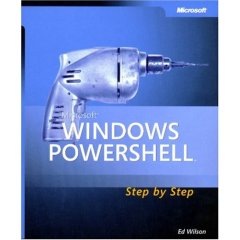
powershellstepbystep I did find, however, a book called “Windows PowerShell Step By Step”. This looked like a great fit for my needs. It’s small, around 220 pages so it’s something I can easily read in a short amount of time. It’s on a subject I was interested in, PowerShell. I believe PowerShell will soon become an integral part of all Server based technologies, and we’ll be able to perform remarkable amounts of maintenance and more with PowerShell.

Over the next few days I’ll give some more resources for PowerShell that I’ve already found, but I can tell you I love PowerShell already. My post for today is not so much about PowerShell but about burnout. When you’ve spent a lot of time hammering away, don’t forget to come up for air every so often. Look around, see what other tools are available for you to learn. You’ll find yourself refreshed, and have new skills to boot!

I’m all a Twitter

I love code camps. They are nerd nirvana combined with the glorification of geekdom in one fabulous fun filled day. I always come away energized and ready to dive into the tech world. The recent Alabama Code Camp in Huntsville was no exception. Big public congrats to the Huntsville User Group for putting on a great camp!

My favorite part of code camp is the speakers dinner, traditionally held the night before. It’s a chance for the organizers to go over any last minute details with the folks who will be speaking the next day, and a chance for us to catch up or meet new people and generally geek out. After the speaker dinner a group of us went over to… well let’s just say the place is known as being “delightfully tacky yet unrefined”. We wanted to grab a few adult beverages and continue some of the discussion.

You know, I never thought that particular chain of all places would be “closed down” by a bunch of geeks, but sure enough by 1:30 am the girls in the orange shorts and white tank tops were gently pushing us toward the exit. At some point, I think it was around 12:45, I sort of realized we were the only group left in the place but there was a rather spirited debate going about SOAP vs REST as well as some discussion of LINQ so I wasn’t paying too close attention to the surroundings.

It was an interesting crowd, Doug Turnure (who to his credit had enough brains to leave about 11 and get some sleep), Jim Wooley, Michael Neal, Alan Stevens, Keith Elder and myself. Keith and Alan were giving Doug and I grief about not being on Twitter. I had taken a look at it some point back and guess I didn’t invest enough time with it to see the benefit. That night I believe it was Keith who described it as “being in the speaker’s lounge, all the time”. After that and a bit more verbal “nudging” Doug and I both dusted off our accounts. I spent a few minutes when I got back to the hotel actually reading the on-line instructions (what a concept, reading the fine manual) on how to use Twitter. Now after following it for a day or so I’m getting an inkling of how this could be useful. I’m going to give it a shot during the week and see what happens.

As you can see, I’ve added my Twitter feed to the blog (see to the left), or you can go to my Twitter page and see the same conversational threads I’m following. I promise to keep my Tweets technical in nature (for the most part). I’ve always worked to make sure I add value when I do something, whether it’s a blog post, comment to someone else’s post, or another form of social web interaction. (I wonder how many billions of bits of storage are being sucked up by “Me too” posts?)

If you don’t know anything about Twitter, head over to http://twitter.com and take a look. Be sure to read the FAQ so you get an idea of how to use it, then jump on in. I’ll pretty much follow anyone who is following me, so feel free to add me or leave a comment below with your twitter info.

Now if you’ll excuse me, I need to Twitter the fact I just updated my blog!