PDC2008 – What’s in a name?

As many of you know, the Microsoft PDC (Public Deveopers Conference) 2008 took place last week. Lots of new announcements, and in a class move Microsoft has made all of the sessions available for download from their site.

However, navigating the site, as pretty as it is, and downloading all of the sessions can be a bit time consuming. One of my twitter friends, Luciano Guerche (@guercheLE ) has posted a series of blog posts for each day with quick hyperlinks to everything for faster download. He’s even done a post on how to bulk download using Firefox and DownThemAll.

PDC 2008 – Day 1 (46 matching sessions)

PDC 2008 – Day 2 (50 matching sessions)

PDC 2008 – Day 3 (60 matching sessions)

PDC 2008 – Day 4 (49 matching sessions)

How to download PDC Sessions using DownThemAll! Firefox addon

While this makes it much easer to download, my one complaint, regardless of where you download from, is knowing what you have. Microsoft simply named each file for it’s session number, leaving you with files such as PC47.wmv or BB08.wmv. Come on folks, what’s the point of having long file names if we’re not going to use them?

So I wrote a series of batch files that will rename each file, adding the name of the session after the session number. This will make it much easier to determine what you have when browsing with explorer or when watching on your Zune. Simply copy the text below into your favorite text editor and save them as one or more .bat files.


RenamePDC2008Day1.bat
rename TL02.wmv "TL02 Under the Hood- Advances in the .NET Type System.wmv"
rename TL47.wmv "TL47 Microsoft Visual Studio Team System- A Lap Around VSTS 2010.wmv"
rename BB08.wmv "BB08 Microsoft Dynamics CRM- The Appealing Business Application.wmv"
rename TL29.wmv "TL29 Live Labs Web Sandbox- Securing Mash-ups, Site Extensibility, and Gadgets.wmv"
rename BB53.wmv "BB53 SharePoint Online- Extending Your Service.wmv"
rename BB48.wmv "BB48 Microsoft Advertising Platform- A Lap Around.wmv"
rename BB11.wmv "BB11 Identity Roadmap for Software plus Services.wmv"
rename PC12.wmv "PC12 Deep Dive- The New Rendering Engine in Microsoft Internet Explorer 8.wmv"
rename ES16.wmv "ES16 A Lap Around Windows Azure.wmv"
rename TL46.wmv "TL46 Microsoft Visual C Sharp IDE- Tips and Tricks.wmv"
rename BB58.wmv "BB58 Case Study- Bridging On-Premises with the Cloud.wmv"
rename ES30.wmv "ES30 Datacenters and Resilient Services.wmv"
rename PC47.wmv "PC47 Microsoft Expression Blend- Tips and Tricks.wmv"
rename BB56.wmv "BB56 Showcase- Industry Leaders Moving to the Cloud.wmv"
rename BB49.wmv "BB49 Microsoft Advertising Platform- A Day in the Life of a Click.wmv"
rename TL40.wmv "TL40 Dublin and .NET Services- Extending On-Premises Applications to the Cloud.wmv"
rename PC53.wmv "PC53 Building High Performance JScript Applications.wmv"
rename PC17.wmv "PC17 Developing for Microsoft Surface.wmv"
rename PC20.wmv "PC20 ASP.NET 4.0 Roadmap.wmv"
rename BB42.wmv "BB42 Identity- Geneva Server and Framework Overview.wmv"
rename BB09.wmv "BB09 Microsoft Office Communications Server and Exchange- Platform Futures.wmv"
rename TL33.wmv "TL33 Managed Extensibility Framework- Overview.wmv"
rename TL19.wmv "TL19 Microsoft Visual Studio- Bringing out the Best in Multicore Systems.wmv"
rename TL30.wmv "TL30 Microsoft Sync Framework Advances.wmv"
rename TL16.wmv "TL16 The Future of C Sharp.wmv"
rename TL52.wmv "TL52 Team Foundation Server 2010- Cool New Features.wmv"
rename PC21.wmv "PC21 ASP.NET MVC- A New Framework for Building Web Applications.wmv"
rename PC27.wmv "PC27 Microsoft Silverlight, WPF and the Microsoft .NET Framework- Sharing Skills and Code.wmv"
rename PC59.wmv "PC59 Commerce Server Mojave- Overview.wmv"
rename TL25.wmv "TL25 Parallel Programming for Cplusplus Developers in the Next Version of Microsoft Visual Studio.wmv"
rename TL10.wmv "TL10 Deep Dive- Dynamic Languages in Microsoft .NET.wmv"
rename TL03.wmv "TL03 Microsoft Visual Studio Team System- Software Diagnostics and Quality for Services.wmv"
rename BB29.wmv "BB29 Identity- Connecting Active Directory to Microsoft Services.wmv"
rename BB01.wmv "BB01 A Lap Around the Azure Services Platform.wmv"
rename TL17.wmv "TL17 WF 4.0- A First Look.wmv"
rename TL48.wmv "TL48 Microsoft Visual Studio- Web Development Futures.wmv"
rename PC58.wmv "PC58 Framework Design Guidelines.wmv"
rename BB45.wmv "BB45 Office Communications Server 2007 R2- Enabling Unified Communications.wmv"
rename TL13.wmv "TL13 Microsoft Visual Cplusplus- 10 Is the New 6.wmv"
rename BB15.wmv "BB15 SQL Server- Database to Data Platform - Road from Server to Devices to the Cloud.wmv"
rename TL49.wmv "TL49 Microsoft .NET Framework- Overview and Applications for Babies.wmv"
rename TL45.wmv "TL45 Microsoft Visual Studio Team System Database Edition- Overview.wmv"
rename TL09.wmv "TL09 Agile Development with Microsoft Visual Studio.wmv"
rename ES32.wmv "ES32 Microsoft Application Virtualization 4.5.wmv"
rename TL44.wmv "TL44 IronRuby- The Right Language for the Right Job.wmv"
rename ES01.wmv "ES01 Developing and Deploying Your First Windows Azure Service.wmv"


RenamePDC2008Day2.bat
rename BB36.wmv "BB36 FAST- Building Search-Driven Portals with Microsoft Office SharePoint Server 2007 and Microsoft Silverlight.wmv"
rename TL39.wmv "TL39 Coding4Fun- Windows Presentation Foundation Animation, YouTube, iTunes, Twitter, and Nintendo's Wiimote.wmv"
rename TL54.wmv "TL54 Natural Interop with Silverlight, Office, and Python in Microsoft Visual C Sharp and Microsoft Visual Basic.wmv"
rename BB57.wmv "BB57 Microsoft Dynamics AX- Building Business Process into Your Application.wmv"
rename ES29.wmv "ES29 Showcase- Windows Azure Enables - Nsoftware and Full Armor.wmv"
rename PC44.wmv "PC44 Windows 7- Programming Sync Providers That Work Great with Windows.wmv"
rename TL59.wmv "TL59 Visual Studio Debugger Tips and Tricks.wmv"
rename BB52.wmv "BB52 SQL Services- Tips and Tricks for High-Throughput Data-Driven Applications.wmv"
rename BB41.wmv "BB41 Live Services- What I Learned Building My First Mesh Application.wmv"
rename TL38.wmv "TL38 WCF- Zen of Performance and Scale.wmv"
rename PC24.wmv "PC24 Windows 7- Welcome to the Windows 7 Desktop.wmv"
rename TL07.wmv "TL07 Developing Applications Using Data Services.wmv"
rename BB04.wmv "BB04 Live Services- A Lap around the Live Framework and Mesh Services.wmv"
rename TL14.wmv "TL14 Project Velocity- A First Look.wmv"
rename BB16.wmv "BB16 SQL Server 2008- Beyond Relational.wmv"
rename ES13.wmv "ES13 How to Develop Supercomputer Applications.wmv"
rename TL55.wmv "TL55 The Concurrency and Coordination Runtime and Decentralized Software Services Toolkit.wmv"
rename PC52.wmv "PC52 Windows 7- Writing World-Ready Applications.wmv"
rename BB07.wmv "BB07 SQL Server 2008- Developing Large Scale Web Applications and Services.wmv"
rename PC51.wmv "PC51 Windows 7- Best Practices for Developing for Windows Standard User.wmv"
rename ES04.wmv "ES04 Windows Azure- Essential Cloud Storage Services.wmv"
rename BB26.wmv "BB26 SQL Server 2008- Business Intelligence and Data Visualization.wmv"
rename PC46.wmv "PC46 WPF Roadmap.wmv"
rename TL23.wmv "TL23 A Lap around Oslo.wmv"
rename TL27.wmv "TL27 Oslo- The Language.wmv"
rename PC11.wmv "PC11 Microsoft Silverlight Futures- Building Business Focused Applications.wmv"
rename TL56.wmv "TL56 Project Velocity- Under the Hood.wmv"
rename PC50.wmv "PC50 Windows 7- Using Instrumentation and Diagnostics to Develop High Quality Software.wmv"
rename PC33.wmv "PC33 Microsoft Visual Studio- Easing ASP.NET Web Deployment.wmv"
rename PC10.wmv "PC10 Microsoft Silverlight 2 for Mobile- Developing for Mobile Devices.wmv"
rename BB43.wmv "BB43 Identity- Geneva Deep Dive.wmv"
rename BB20.wmv "BB20 Live Services- Making your Application More Social.wmv"
rename BB23.wmv "BB23 A Lap around SQL Services.wmv"
rename PC23.wmv "PC23 Windows 7- Integrate with the Windows 7 Desktop.wmv"
rename BB02.wmv "BB02 Architecture of the .NET Services.wmv"
rename TL20.wmv "TL20 Entity Framework Futures.wmv"
rename PC06.wmv "PC06 Deep Dive- Building an Optimized, Graphics-Intensive Application in Microsoft Silverlight.wmv"
rename ES10.wmv "ES10 Developing Solutions for Windows Server 2008 Hyper-V Using WMI.wmv"
rename PC31.wmv "PC31 ASP.NET and JQuery.wmv"
rename BB22.wmv "BB22 Identity- Live Identity Services Drilldown.wmv"
rename TL12.wmv "TL12 Future Directions for Microsoft Visual Basic.wmv"
rename BB40.wmv "BB40 Sync Framework- Enterprise Data in the Cloud and on Devices.wmv"
rename PC04.wmv "PC04 Windows 7- Writing Your Application to Shine on Modern Graphics Hardware.wmv"
rename ES11.wmv "ES11 Developing Connected Home Applications and Services for Windows Home Server.wmv"
rename TL50.wmv "TL50 Research- BAM, AjaxScope, and Doloto.wmv"
rename BB05.wmv "BB05 Live Services- Building Applications with the Live Framework.wmv"
rename ES20.wmv "ES20 Developing Applications for More Than 64 Logical Processors in Windows Server 2008 R2.wmv"
rename PC16.wmv "PC16 Windows 7- Empower users to find, visualize and organize their data with Libraries and the Explorer.wmv"
rename ES02.wmv "ES02 Windows Azure- Architecting and Managing Cloud Services.wmv"


RenamePDC2008Day3.bat
rename TL06.wmv "TL06 WCF 4.0- Building WCF Services with WF in Microsoft .NET 4.0.wmv"
rename BB19.wmv "BB19 Live Services- Live Framework Programming Model Architecture and Insights.wmv"
rename TL57.wmv "TL57 Panel- The Future of Programming Languages.wmv"
rename BB38.wmv "BB38 .NET Services- Connectivity, Messaging, Events, and Discovery with the Service Bus.wmv"
rename ES14.wmv "ES14 IIS 7.0 and Beyond- The Microsoft Web Platform Roadmap.wmv"
rename BB14.wmv "BB14 SQL Services- Futures.wmv"
rename ES12.wmv "ES12 Exposing Connected Home Services to the Internet via Windows Home Server.wmv"
rename ES31.wmv "ES31 Showcase- How HP Built their Magcloud Service on Windows Azure.wmv"
rename TL58.wmv "TL58 Research- Concurrency Analysis Platform and Tools for Finding Concurrency Bugs.wmv"
rename PC27.wmv "PC27-R Microsoft Silverlight, WPF and the Microsoft .NET Framework- Sharing Skills and Code [REPEAT].wmv"
rename PC25.wmv "PC25 Windows 7- The Sensor and Location Platform- Building Context-Aware Applications.wmv"
rename TL26.wmv "TL26 Parallel Programming for Managed Developers with the Next Version of Microsoft Visual Studio.wmv"
rename TL42.wmv "TL42 Microsoft SQL Server 2008- Powering MSDN.wmv"
rename PC48.wmv "PC48 Research- Designing the World Wide Telescope.wmv"
rename PC35.wmv "PC35 Silverlight Controls Roadmap.wmv"
rename TL61.wmv "TL61 Panel- The Future of Unit Testing.wmv"
rename ES25.wmv "ES25 Showcase- Windows Azure Enables Live Meeting.wmv"
rename TL37.wmv "TL37 Microsoft Visual Studio Team System- Leveraging Virtualization to Improve Code Quality with Team Lab.wmv"
rename TL60.wmv "TL60 Improving Code Quality with Code Analysis.wmv"
rename TL43.wmv "TL43 Microsoft XNA Game Studio- An Overview.wmv"
rename TL46-R.wmv "TL46-R Microsoft Visual C Sharp IDE- Tips and Tricks [REPEAT].wmv"
rename BB37.wmv "BB37 SQL Server 2008- Developing Secure Applications.wmv"
rename BB59.wmv "BB59 Behind the Scenes- How We Built a Multi-Enterprise Supply Chain Application.wmv"
rename PC22.wmv "PC22 Windows 7- Design Principles for Windows 7.wmv"
rename TL18.wmv "TL18 Oslo- Customizing and Extending the Visual Design Experience.wmv"
rename TL24.wmv "TL24 Improving .NET Application Performance and Scalability.wmv"
rename ES07.wmv "ES07 Windows Azure- Modeling Data for Efficient Access at Scale.wmv"
rename ES22.wmv "ES22 Extending Terminal Services and Hyper-V VDI in Windows 7.wmv"
rename PC18.wmv "PC18 Windows 7- Introducing Direct2D and DirectWrite.wmv"
rename TL22.wmv "TL22 Concurrency Runtime Deep Dive- How to Harvest Multicore Computing Resources.wmv"
rename PC39.wmv "PC39 Inside the Olympics- An Architecture and Development Review.wmv"
rename BB51.wmv "BB51 Live Services- Programming Live Services Using Non-Microsoft Technologies.wmv"
rename PC03.wmv "PC03 Windows 7- Developing Multi-touch Applications.wmv"
rename BB25.wmv "BB25 SQL Server 2008- New and Future T-SQL Programmability.wmv"
rename BB39.wmv "BB39 .NET Services- Logging, Diagnosing, and Troubleshooting Applications Running Live in the Cloud.wmv"
rename TL28.wmv "TL28 Oslo- Repository and Models.wmv"
rename BB06.wmv "BB06 Live Services- Mesh Services Architecture and Concepts.wmv"
rename PC40.wmv "PC40 SQL Server Compact- Embedding in Desktop and Device Applications.wmv"
rename BB18.wmv "BB18 Dublin- Hosting and Managing Workflows and Services in Windows Application Server.wmv"
rename BB24.wmv "BB24 SQL Server 2008- Deep Dive into Spatial Data.wmv"
rename PC43.wmv "PC43 Deep Dive- What's New with user32 and comctl32 in Win32.wmv"
rename TL08.wmv "TL08 Offline-Enabled Data Services and Desktop Applications.wmv"
rename BB55.wmv "BB55 .NET Services- Access Control In Microsoft .NET Services.wmv"
rename ES23.wmv "ES23 Windows 7- Optimizing Applications for Remote File Services over the WAN.wmv"
rename PC30.wmv "PC30 ASP.NET Dynamic Data.wmv"
rename PC55.wmv "PC55 Oomph- A Microformat Toolkit.wmv"
rename TL16.wmv "TL16-R The Future of C Sharp [REPEAT].wmv"
rename ES06.wmv "ES06 Developing with Microsoft .NET and ASP.NET for Server Core.wmv"
rename ES03.wmv "ES03 Windows Azure- Cloud Service Development Best Practices.wmv"
rename PC14.wmv "PC14 Windows 7- New Shell User Experience APIs.wmv"
rename BB30.wmv "BB30 Live Services- Building Mesh-Enabled Web Applications Using the Live Framework.wmv"
rename TL15.wmv "TL15 Architecture without Big Design Up Front.wmv"
rename BB32.wmv "BB32 Microsoft Dynamics CRM- Building Line-of-Business Applications.wmv"
rename ES15.wmv "ES15 Web Application Packaging and Deployment.wmv"
rename TL21.wmv "TL21 WF 4.0- Extending with Custom Activities.wmv"
rename TL33.wmv "TL33-R Managed Extensibility Framework- Overview [REPEAT].wmv"
rename PC56.wmv "PC56 Windows Embedded Quebec- Developing for Devices.wmv"
rename TL23.wmv "TL23-R A Lap around Oslo [REPEAT].wmv"
rename BB28.wmv "BB28 .NET Services- Access Control Service Drilldown.wmv"
rename PC54.wmv "PC54 Mono and .NET.wmv"


RenamePDC2008Day4.bat

rename TL04.wmv "TL04 Microsoft Visual Studio Team System Team Foundation Server- How We Use It at Microsoft.wmv"
rename BB31.wmv "BB31 Live Services- FeedSync and Mesh Synchronization Services.wmv"
rename BB09-R.wmv "BB09-R Microsoft Office Communications Server and Exchange- Platform Futures [REPEAT].wmv"
rename TL51.wmv "TL51 Research- Contract Checking and Automated Test Generation with Pex.wmv"
rename BB03.wmv "BB03 SQL Services - Under the Hood.wmv"
rename ES24.wmv "ES24 PowerShell- Creating Manageable Web Services.wmv"
rename PC02.wmv "PC02 Windows 7- Extending Battery Life with Energy Efficient Applications.wmv"
rename BB46.wmv "BB46 Exchange Web Services Managed API- Unified Communications Development for Exchange.wmv"
rename BB33.wmv "BB33 Dynamics Online- Building Business Applications with Commerce and Payment APIs.wmv"
rename BB13.wmv "BB13 SharePoint 2007- Creating SharePoint Applications with Visual Studio 2008.wmv"
rename PC01.wmv "PC01 Windows 7- Web Services in Native Code.wmv"
rename TL35.wmv "TL35 WCF- Developing RESTful Services.wmv"
rename SYMP01.wmv "SYMP01 Parallel Symposium- Addressing the Hard Problems with Concurrency.wmv"
rename SYMP04.wmv "SYMP04 Services Symposium- Expanding Applications to the Cloud.wmv"
rename TL36.wmv "TL36 Microsoft .NET Framework- Declarative Programming Using XAML.wmv"
rename ES19.wmv "ES19 Under the Hood- Inside the Windows Azure Hosting Environment.wmv"
rename PC49.wmv "PC49 Microsoft .NET Framework- CLR Futures.wmv"
rename PC34.wmv "PC34 Open XML Format SDK- Developing Open XML Solutions.wmv"
rename PC41.wmv "PC41 ASP.NET- Cache Extensibility.wmv"
rename TL32.wmv "TL32 Microsoft Visual Studio- Customizing and Extending the Development Environment.wmv"
rename PC42.wmv "PC42 Windows 7- Deploying Your Application with Windows Installer (MSI) and ClickOnce.wmv"
rename BB12.wmv "BB12 .NET Services- Messaging Services - Protocols, Protection, and How We Scale.wmv"
rename ES21.wmv "ES21 Windows 7 Presentation Virtualization- Graphics Remoting ( RDP) Today and Tomorrow.wmv"
rename BB35.wmv "BB35 Live Services- The Future of the Device Mesh.wmv"
rename PC26.wmv "PC26 Microsoft Visual Studio- Building Applications with MFC.wmv"
rename SYMP02.wmv "SYMP02 Parallel Symposium- Application Opportunities and Architectures.wmv"
rename SYMP05.wmv "SYMP05 Services Symposium- Enterprise Grade Cloud Applications.wmv"
rename PC29.wmv "PC29 Microsoft Silverlight 2- Control Model.wmv"
rename PC13.wmv "PC13 Windows 7- Building Great Audio Communications Applications.wmv"
rename BB34.wmv "BB34 Live Services- Notifications, Awareness, and Communications.wmv"
rename ES09.wmv "ES09 Enabling Test Automation Using Windows Server 2008 Hyper-V.wmv"
rename BB47.wmv "BB47 SharePoint 2007- Advanced Asynchronous Workflow Messaging.wmv"
rename TL34.wmv "TL34 Managed and Native Code Interoperability- Best Practices.wmv"
rename PC45.wmv "PC45 WPF- Data-centric Applications Using the DataGrid and Ribbon Controls.wmv"
rename PC05.wmv "PC05 Windows 7- Unlocking the GPU with Direct3D.wmv"
rename TL01.wmv "TL01 Office Business Applications- Enhanced Deployment.wmv"
rename BB54.wmv "BB54 Designing Your Application to Scale.wmv"
rename TL31.wmv "TL31 Oslo- Building Textual DSLs.wmv"
rename SYMP03.wmv "SYMP03 Parallel Symposium- Future of Parallel Computing.wmv"
rename SYMP06.wmv "SYMP06 Services Symposium- Cloud or No Cloud, the Laws of Physics Still Apply.wmv"
rename ES17.wmv "ES17 Windows Azure- Programming in the Cloud.wmv"
rename BB27.wmv "BB27 .NET Services- Orchestrating Services and Business Processes Using Cloud-Based Workflow.wmv"
rename PC07.wmv "PC07 WPF- Extensible BitmapEffects, Pixel Shaders, and WPF Graphics Futures.wmv"
rename BB10.wmv "BB10 Live Services- Deep Dive on Microsoft Virtual Earth.wmv"
rename PC19.wmv "PC19 Windows 7- Designing Efficient Background Processes.wmv"
rename BB44.wmv "BB44 Identity- Windows CardSpace Geneva Under the Hood.wmv"
rename PC15.wmv "PC15 Windows 7- Benefiting from Documents and Printing Convergence.wmv"
rename TL11.wmv "TL11 An Introduction to Microsoft F Sharp.wmv"
rename PC32.wmv "PC32 ASP.NET AJAX Futures.wmv"


Update – After I wrote this, I found @Jorriss (another twitter friend) post which essentially does the same thing as what I do above, only he uses some cool C# and reading the sessions names from the web, rather than the simple batch file approach I took above. Read his post then choose which solution best fits your needs.

Happy Halloween

Many of you who follow me on Twitter have wondered about the rather strange photo I’ve had on my Twitter account this month. I promised to fill in everyone, so here it is, my way of saying Happy Halloween!

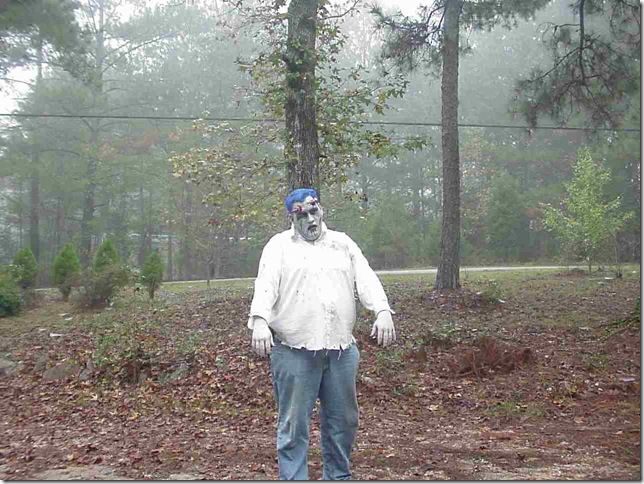
Several years ago at work we had a dress up day. I went all out, and got into Zombie mode. Which really wasn’t al that difficult, as most days we all sort of stagger around the office moaning “brains, brains, need brains”, at least until after that first pot of coffee.

So without further ado, here are some pics you can use to scare your coworkers. Just imagine their delight when they open up an e-mal with my lovely visage on it! (Note you can click on any photo to see it in full size.)

Zombie001

I can just hear it now. “This is Thriller, thrill of the night… “


Zombie002

Everybody boogie down!


Zombie003

Brains… want brains… with a side order of hash browns, biscuits, and a pumpkin spice chai tea latte


Zombie004

BOO!


Zombie005

For some reason I’ve got a headache. Wonder why?


Zombie006

I know, I should really cut down on the in-between meal snacks.


Zombie007

They gave me a prize for best costume. I didn’t have the heart to tell them this is how I normally

look until I’ve consumed a few pots of coffee!


Happy Halloween Everyone


from


The Arcane Coder!


SQL Saturday Orlando Full Text Searching Session

On October 25th, 2008 I presented “Getting Started with SQL Server 2008 Full Text Searching” at SQL Saturday in Orlando. First off, I want to apologize to the attendees for taking so long to get this material posted. But I can finally reveal what has been sucking up my spare time lately!

I, along with other MVP’s have been working on something called the SQL Server 2008 MVP book project. Many SQL MVP’s, myself included, volunteered to write one or more chapters for the book. Once published, all proceeds will go to charity. I’m very excited at the opportunity to contribute the chapter on Full Text Searching, which I submitted today. I’ll keep you posted as things progress.

We’re not the first ones to go down this road, Sara Ford is donating the proceeds from her Visual Studio Tips book to supply scholarships for the young folks in the hurricane ravaged town of Waveland MS. I hope you’ll support her efforts as well.

Meanwhile, what you really came for was the links relevant to my talk.

Detailed descriptive material can be found on my blog, ArcaneCode.com, with links to specific posts below.

First off, the slides and sample code can be located at the Code Gallery site I setup specifically for Full Text Searching with SQL Server:

http://code.msdn.microsoft.com/SqlServerFTS

Look on the downloads page to see various projects around SQL Server Full Text Searching. I’ve created one “release” for each of the projects around FTS. Be sure to look on the right side at the various releases in order to see the various projects.

Next, you can get started with the basics by reading these entries on my blog:

Lesson 0 – Getting the Bits to do Full Text Searching in SQL Server 2005
Lesson 1 – The Catalog
Lesson 2 – The Indexes
Lesson 3 – Using SQL
Lesson 4 – Valid Data Types
Lesson 5 – Advanced Searching

After that you’ll be ready for some advanced topics.

Can you hear me now? Checking to see if FTS is installed.
Exploring SQL Servers FullTextCatalogProperty Function
Using the ObjectPropertyEx Function
Using FORMSOF in SQL Server Full Text Searching
Creating Custom Thesaurus Entries in SQL Server 2005 and 2008 Full Text Search
Creating and Customizing Noise Words in SQL Server 2005 Full Text Search
Creating and Customizing Noise Words / StopWords in SQL Server 2008 Full Text Search
Advanced Queries for Using SQL Server 2008 Full Text Search StopWords / StopLists

SQL Server Reporting Services, Oracle, and Multivalued Parameters

I am working on a series of reports that will use SQL Server Reporting Services 2005 for the reporting tool, with the data stored in Oracle. One of the requirements was that several of the parameters had to be Multivalued, users could pick from one to all of the items in a drop down list. Sounds like it should be straight forward, but there were a lot of gotcha’s that drove me nuts trying to get this to work. Some of the workarounds I had seen on the web, one I figured out for myself, but none had this information consolidated in one spot. So I thought I’d pass along the hard fought hours I spent and perhaps save you some time.

I’m going to keep my example very simple. I’m also going to assume you are familiar with using parameters and reporting services, perhaps just not with Oracle. We’ll pull our data out of a table called “table1”, and have four fields, field1, field2, field3, and field4. Field1 will be the one we’ll use for our multivalued parameter.

So the first thing we’d do with our report is create two datasets. The first will be used to populate the dropdown list for the parameter. We’ll call it dataset1, and it will have some simple SQL with it:

Select field1 from table1 order by field1

Pretty easy so far. Now create a parameter for the report. Name the parameter prmField1, and have it supply the values and labels from dataset1. This should all be familiar so far if you’ve done parameters with SQL Server. Now let’s create dataset2, which will be the main one to supply data to the report. When you create the new dataset, use this for the SQL:

Select field1, field2, field3, field4 
  from table1
 where field1 in ( :prmField1 )

Then click on the parameters tab, and bind :prmField1 to the Parameters!prmField1 parameter.

Now if you’ve used parameters with SQL Server, you’re probably scratching your head. It’s time for that first “gotcha” I mentioned. While SQL Server uses an @ sign for it’s parameters, Oracle uses a : (colon) to prefix it’s parameters. Thus :prmField1 is the parameter in this SQL. Note I could have named it anything, I just used :prmField1 to make it consistent with the parameter we setup to make debugging easier.

There’s one other potential gotcha here, depending on your version of Oracle. Only Oracle 9 and greater support this multivalued parameter syntax. It wasn’t an issue for me since we are on a version later than 9, but if you are on version 8 or earlier, you will have to turn the whole thing into an expression and break out the multivalues manually. Very ugly.

OK, if you run the report it would work, but it would have a few drawbacks. If you use the “Select All” check mark, Reporting Services will create SQL that looks like:

Select field1, field2, field3, field4 from table1 where field1 in ( ‘a’, ‘b’, ‘c’, ‘d’, …

Which works OK if you only have a limited number of items in the list, but if you have a lot of items selected your performance is going to be poor, and if you have more than 1000 Oracle won’t run the query at all. So how do we get around this gotcha?

The common wisdom here is to add your own ‘ALL’ selection to your drop down multiparameter list. Let’s go back to dataset1, and change the SQL statement to read:

selectALLas field1 
  from dual
union all
select field1 
  from table1
 order by field1

This will add ‘ALL’ as the first item in your list. If you are not familiar with Oracle, I’ll also mention “from dual” is just a way to tell Oracle that no table really exists, just return this one row with the fields I specify. Now we need to modify the query in dataset2 to take advantage of this shortcut. My first pass looked like:

select field1, field2, field3, field4 
  from table1
 where ( field1 in ( :prmField1 ) OR :prmField1 = ‘ALL’ )

Only problem is, this didn’t work right. If I picked ‘ALL’, or one item in my list the report worked, but if I picked more than one item from the list the report errored out. I believe that by using the :prmField1 = ‘ALL’ syntax, my multivalued parameter was getting converted to a single valued parameter. After several hours of head bashing though, I finally came up with this rewrite:

select field1, field2, field3, field4 
  from table1
 where ( field1 in ( :prmField1 ) orALLin ( :prmField1 ) )

Success! By changing my syntax to check for IN on both items I don’t coerce prmField1 into a single valued parameter, instead leaving it as multivalued. Another benefit / gotcha. You can execute this query from the dataset editor window. When you do a small dialog pops up and asks you to supply values for each parameter in the query. Through this dialog you can supply one value, thus I could use ‘ALL’, or some other valid value for prmField1, but only 1. This dialog does not allow you to enter more than one value, if you want to test your multivalue functionality, you’ll have to actually execute the full report.

You may also be wondering why I wrapped my where clause in parenthesis. Future maintenance. It will make it easier should I come back later and add more items to the where clause, like so.

select field1, field2, field3, field4 
  from table1
 where ( field1 in ( :prmField1 ) orALLin ( :prmField1 ) )
   and field2 = ‘Arcane Code’

Because there’s an OR in there, wrapping in parenthesis will keep my and/or logic correct for the rest of the query.

There is one final “gotcha” you need to be aware of when using this approach. While it does indeed solve the problem, it will take some education to train the users to use your ‘ALL’ feature instead of the built in ‘select all’ that comes with SQL Server Reporting Services. Once our users got used to it, it worked fine, but did take some education.

So let me summarize the key points for quick reference:

  1. Be sure your Oracle version is 9 or greater, none of this works on versions 8 or older.
  2. When using parameters with Oracle, use a : instead of an @ sign – :param instead of @param.
  3. Add an ‘ALL’ option to your datasets that supply values for multivalued drop down parameters.
  4. Check for the ALL in your where clause by using “where ( field1 in ( :prmField1 ) or ‘ALL’ in ( :prmField1 ) )” syntax.
  5. You can execute your query from the dataset window, but can only supply 1 value. However that value can be ‘ALL’.
  6. Educate your users on ‘ALL’ versus ‘(select all)’ .

Hopefully this will help you as you create your own SQL Server Reporting Services reports against Oracle databases using multivalued parameters.

Blog Action Day – Fighting Poverty with Tech

Today is Blog Action Day, a day for bloggers to rally to a cause. This year the cause is poverty. I firmly believe one of the best ways to fight poverty is via education. Since what I know is development technology, I’d like to offer some suggestions and advice for someone aspiring to get into a career as a developer. Assuming someone has access to even a moderately low end computer, there are some great ways to educate yourself about development technologies at no cost, even ways to get development software at no charge that you can put to use to begin making money.

First are the express editions of Microsoft Visual Studio and SQL Server. You can find these at http://www.microsoft.com/Express/.

If you are still in school, Microsoft gives you access to more full featured versions of their development tools through their DreamSpark program. The site has complete instructions on getting your school added if it’s not already.

There are many ways to learn how to use these products. One of the main ways is through podcasts and video training. There are many I listen to, but the ones I’d suggest starting with are DNRTV, DotNetRocks, Channel 9 and Security Now. Other shows are linked to on my links page.

If you want something to help you manage and find other podcasts, consider the Zune software. Even if you can’t afford to purchase a Zune, you can download the Zune software for free and use it to manage and listen to your podcasts. You can go to the marketplace to find and subscribe, for free, to many podcasts. Once subscribed the software will download them automatically for you.

Finally, check out the free educational opportunities available to you at local user groups. Again on my links page you’ll find a list of groups local to my area. At these user groups, most of which are free, you can learn, and more importantly make contact with people in the tech industry. These contacts will be valuable to you as you seek to begin your career. They can tip you off to better paying jobs, prep you on how to look / talk, and more.

Of course, most of the links I’ve provided here revolve around Microsoft technologies. There are also other technologies available, surrounding languages such as Java, Perl, PHP, Ruby and more that are also free to the aspiring developer. Since they are a bit out of my areas of expertise I’d suggest searching the web for what interests you. If you are not sure, check the want ads (both newspaper and on-line) for the skill sets that are in demand in your area.

Using your time to advance your education can give you knowledge with makes your more valuable in the workplace, a proven path to escaping poverty.

October Open Spaces at BSDA

Come join us in October for a very special Birmingham Software Developers Association meeting. We will be having a Open Spaces session, to expose members and visitors to the concept. In Open Spaces, participants place topics for discussion on the board, then the group votes on the topics they’d like to discuss. A moderator moves the discussion along, and when the topic is worked out moves onto the next topic.

Some possible topics might include open source software, imperative versus declarative languages, and more. Any topic is open for debate and discussion, so please come prepared to discuss!

The meeting will begin at 6:30 p.m. on Thursday October 9th at the New Horizons Training Center in Homewood, AL. Everyone is welcome.

Avoid String Concatenation Inside T-SQL Loops

Recently I became aware of something that is probably obvious, it quickly became so to me in hindsight. But just in case I thought I’d share my blunder and happy discovery with the rest of the universe.

I had a task to clean up some records that had gotten duplicated in one of our system. The exact details are not important, but as part of it I had to do a loop and in the loop create a dynamic SQL query. To do that I created a big string, and did the lazy coder thing and just started typing where the cursor landed. As a result I was concatening my rather large SQL statement inside the loop. Here is a very simplified example demonstrating what I did, instead of a SQL query I’m just looping and concatenating something approximately the same size as my query was.

declare @cnt int;
declare @bigdata varchar(2000);
 
set @cnt = 1;
 
while @cnt < 1000000 begin
    set @cnt = @cnt + 1;
    set @bigdata = '12345678901234567890123456789012345678901234567890'
    set @bigdata = @bigdata + '12345678901234567890123456789012345678901234567890'
    set @bigdata = @bigdata + '12345678901234567890123456789012345678901234567890'
    set @bigdata = @bigdata + '12345678901234567890123456789012345678901234567890'
    set @bigdata = @bigdata + '12345678901234567890123456789012345678901234567890'
    set @bigdata = @bigdata + '12345678901234567890123456789012345678901234567890'
    set @bigdata = @bigdata + '12345678901234567890123456789012345678901234567890'
    set @bigdata = @bigdata + '12345678901234567890123456789012345678901234567890'
    set @bigdata = @bigdata + '12345678901234567890123456789012345678901234567890'
    set @bigdata = @bigdata + '12345678901234567890123456789012345678901234567890'
    set @bigdata = @bigdata + '12345678901234567890123456789012345678901234567890'
    set @bigdata = @bigdata + '12345678901234567890123456789012345678901234567890'
    set @bigdata = @bigdata + '12345678901234567890123456789012345678901234567890'
    set @bigdata = @bigdata + '12345678901234567890123456789012345678901234567890'
    set @bigdata = @bigdata + '12345678901234567890123456789012345678901234567890'
    set @bigdata = @bigdata + '12345678901234567890123456789012345678901234567890'
    set @bigdata = @bigdata + '12345678901234567890123456789012345678901234567890'
    set @bigdata = @bigdata + '12345678901234567890123456789012345678901234567890'
    set @bigdata = @bigdata + '12345678901234567890123456789012345678901234567890'
    set @bigdata = @bigdata + '12345678901234567890123456789012345678901234567890'
    set @bigdata = @bigdata + '12345678901234567890123456789012345678901234567890'
    set @bigdata = @bigdata + '12345678901234567890123456789012345678901234567890'
    set @bigdata = @bigdata + '12345678901234567890123456789012345678901234567890'
    set @bigdata = @bigdata + '12345678901234567890123456789012345678901234567890'
    set @bigdata = @bigdata + '12345678901234567890123456789012345678901234567890'
    set @bigdata = @bigdata + '12345678901234567890123456789012345678901234567890'
    set @bigdata = @bigdata + '12345678901234567890123456789012345678901234567890'
    set @bigdata = @bigdata + '12345678901234567890123456789012345678901234567890'
    set @bigdata = @bigdata + '12345678901234567890123456789012345678901234567890'
    set @bigdata = @bigdata + '12345678901234567890123456789012345678901234567890'
    set @bigdata = @bigdata + '12345678901234567890123456789012345678901234567890'
    set @bigdata = @bigdata + '12345678901234567890123456789012345678901234567890'
    set @bigdata = @bigdata + '12345678901234567890123456789012345678901234567890'
    set @bigdata = @bigdata + '12345678901234567890123456789012345678901234567890'
    set @bigdata = @bigdata + '12345678901234567890123456789012345678901234567890'
    set @bigdata = @bigdata + '12345678901234567890123456789012345678901234567890'
    set @bigdata = @bigdata + '12345678901234567890123456789012345678901234567890'
    set @bigdata = @bigdata + '12345678901234567890123456789012345678901234567890'
    set @bigdata = @bigdata + '12345678901234567890123456789012345678901234567890'
end

On my PC this consistantly took 43 seconds to execute. Natually I started cleaning up my code to help performance, and did what I should have done to start with, moved the bulk of my concatenation outside the loop. This second example demonstrates this:

declare @cnt int;
declare @bigdata varchar(2000);
declare @moreBigData varchar(2000);
 
set @bigdata = '12345678901234567890123456789012345678901234567890'
set @bigdata = @bigdata + '12345678901234567890123456789012345678901234567890'
 
set @cnt = 1;
 
while @cnt < 1000000 begin
    set @cnt = @cnt + 1;
    set @moreBigData = @bigdata;
end


Executing the above query on my same PC now takes 1 second. Yes, 1. It ran in 1/43rd the time. It’s easy for even an experienced developer to get in a hurry and make a basic mistake like this, which is why I’m passing it along. Sometimes it’s easy to forget the basics. When working on your long procedures, make sure to avoid string concatenation within loops as much as possible to maximize performance.

Devs and Data Dudes Oh My!

Microsoft has made a big announcement regarding the next version of Visual Studio, Visual Studio 2010. Among other welcome news is that the Developer Edition and Database Editions of Team System will be merging into a single product. This is great news for folks like me (and I suspect many developers) who do a lot of work on both the database side as well as the application side.

The really great news though is that we don’t have to wait for 2010 to take advantage of this. As part of the announcement Microsoft said that effective October 1st, 2008 people who are MSDN Licensed for the 2008 (or 2005) version of Visual Studio Team System Developer will now have access to the Database version, and vice versa.

Database Edition has some great features. One of the ones I use the most is the database comparison tool. It lets me compare data in one database with another and get them into sync. This is great for keeping my local development database that sits on my computer identical with our production system.

I’m sure Database Edition will be new to many developers, so I’d like to mention to books that will help you get up and running with “Data Dude” (as Database Edition is often called).

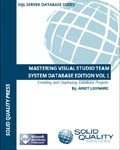
masteringvstsde The first I have mentioned before, it is SQL MVP Andy Leonard’s Mastering Visual Studio Team System Database Edition Volume 1. This is a great book that focuses exclusively on the database edition. It’s a great resource and one of my favorite books on the subject, I can’t wait for the next volume to come out.


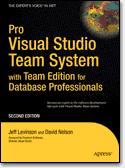
apressprovsts The other book is from APress, Pro Visual Studio Team System with Team Edition for Database Professionals. This book covers all aspects of VSTS, including the database tools. I think too often we make life harder on ourselves than we have to, if we took some time to learn the tools available to us, we could be much more productive. I’ve found this book to be a good aid to help me do just that.

Bug.Net meeting on SQL Server Compact Edition

A few months ago I did a presentation to the Birmingham .Net Users Group (BUG.NET). The subject was SQL Server Compact Edition, in it I discuss both the ‘traditional’ way of accessing a SSCE file as well as using LinqToSQL.

This is a recording of a live presentation, so the audio quality may not be as good as some of the previous presentations I’ve done, it was my first experiment in recording a session live. Let me know how it works for you, I did make every attempt to clean up where I could and ensure the audience was understandable as well.

The wmv is about 76 meg, you can download the wmv directly or watch streaming below.

LifeCam VX-5000

livecamvx5000 I decided to extend my web presence by getting a web camera. This will add to what I can post, plus let me start doing more video conferencing using tools like Live Messenger and Skype. After looking I decided on the Microsoft LifeCam VX-5000. I’ve only had it a few days but I have been really impressed. It does really great at very low light. It also has a built in microphone, so for travel I don’t have to lug around a separate headset or microphone to use with it.

So far I have tested with both Windows Live Messenger and Skype, and had no issues. I’m looking forward to doing some more experiments, and seeing what else I can do with it. I might try some vidoes on 12seconds.tv (if I can get in), or try using with with Camtasia.

I selected the VX-5000 for several reasons.

  1. The size. It’s quite small, for someone who moves around it’s nice and compact, doesn’t take up a lot of space in my backpack.
  2. Low light. I read it did well in low light, that was an understatement. This thing is great even in very dim light.
  3. Built in mic. As I mentioned, it has a built in mic, so I don’t have to use an external one (although I can). That’s great in travel situations where space is at a premium in my already over stuffed backpack.
  4. Price. This was less than 40 bucks, so it was a really good deal.

Well, don’t want to come off like an advertisement, I just had a cool new geek toy and thought I’d share. Hope to have some videos up in the future as I work with the product and learn it’s ins and outs.

SQL Saturday – Orlando – October 25th

Just a note for my friends in and near Orlando, I have agreed to come down and speak at the SQL Saturday event on October 25th. Just follow the link and pick SQL Saturday #8 for more details. My presentation will be on Full Text Searching. A big thanks to Andy Warren of End To End Training for inviting me and helping to make this possible.

WordCamp Birmingham – September 27 and 28

WordCamp is coming to town! September 27th and 28th, Saturday and Sunday. You may be aware, my own blog is hosted on WordPress. I like it’s simplicity, ease of use, and low cost. Plus I admit to a bit of nepitism, my brother in law is Dougal, who contributed to WordPress and will be one of the speakers at the upcoming event. Check out their website for all the details, look forward to seeing you there!