Tracking down SQL Server Integration Services issues with Collation

At work I’ve been developing a big suite of packages to convert data from an Oracle system into our Data Warehouse. A lot of the supporting tables are almost a straight pull, except we are of course adding our own primary key, and then setting up a non clustered unique index on what had been the primary key in the old system.

A few tables have been driving us batty though, giving us “duplicate value” errors when trying to insert the rows from our SSIS package. The first thing I did to try and track down the problem was create an error table, and instead of having the package fail have it redirect error rows to my new error table. In case you are wondering, this is going to be a “one time shot” use for the packages, so we chose not to invest a lot of time and effort into error handling. We either want all the rows or none, and we’ll be running the packages manually so we’ll be there to know the results. But I digress.

When I went to look at the error table, it had all the rows from our source system in it. I scratched my head, thinking that can’t be right. A quick search found the answer in the Technet Forums. I needed to go into the OLE DB Destination and set the Max Commit count to 1. Of course you wouldn’t want to leave it like that for production, but for debugging it worked great. Once I did that, I was able to rerun the package and quickly identify my misbehaving row.

Next I looked at the value, and then looked for a similar value in my table. What I found was my source system had two rows, something like this example:

Arcane Code

Arcane code

Yes, the only difference was the second row had a lowercase letter at the beginning of the second word. Our Oracle instance had case sensitivity turned on. To it, these were two entirely different values. However, by default SQL Server is case insensitive; to it these two were the same. So my dilemma, how to fix this one column without having to alter my entire database?

It turns out there is an option in the Create Table syntax to set the collation. First, you should find out what your collation is currently set to. This is easy enough, just open SQL Server Management Studio, right click on the database and pick properties. Right there on the front page is the Collation.

image

Alternatively I could have run this SQL in SSMS (substitute your database name where I have AdventureWorks2008):

select databasepropertyex('AdventureWorks2008', 'collation')

Either way, in this example the default is SQL_Latin1_General_CP1_CI_AS. The important thing to note is the “_CI_”, which indicates case insensitivity. If we wanted to set the entire database, we would issue commands to change this to SQL_Latin1_General_CP1_CS_AS, which stands for case sensitivity. But as I said, in my case I don’t want to affect the entire database, so instead I will use this collation name in the create table syntax. Here is a simple example:

create table TestTable
(
  BogusPK bigint identity
  , FieldFromOracle varchar(200) collate SQL_Latin1_General_CP1_CS_AS not null
  , AnotherField varchar(200) null
)

All that I had to do was insert the collate clause between the data type and the not null clause. Note that this only affects the one column I had an issue with. FieldFromOracle is now a case sensitive column, I can add “Arcane Code” and “Arcane code” and still be able to add a unique index. The second column, here named “AnotherField” will remain case insensitive, the behavior you normally expect.

Before I wrap this up, I know someone will point out that allowing primary keys in your system that only differ in case is bad practice. For the record I totally agree, however this is a soon to be legacy system built by a vendor. Additionally, for various reasons I was not allowed to do any data cleansing to the source system. Just pull it like it is and put it in the warehouse. I imagine most of you are like me, that you don’t get to live in the ideal world, so hopefully knowing how to diagnose and deal with collation issues between databases will make your life a little easier.
Jumpstart Today

Just wanted to mention my video, Altering SQL Server Full Text Catalogs is the video of the day on JumpStartTV. This is great timing after my weekend presentation of FulL Text Searching at the Alabama Code Camp. Thanks to everyone who attended my session, you were a lot of fun. Thanks also to the whole Code Camp team for putting on a great event. Also thanks to the contestants and the MVPs who allowed me to draft them into being judges for the Speaker Idol contest.

If you happen to pick this up after Ground Hog’s Day, you can jump right to it at http://jumpstarttv.com/altering-sql-server-full-text-catalogs-_547.aspx . You can see all of the videos I did at http://jumpstarttv.com/profiles/3177/Robert-Cain.aspx, along with the videos I’ve watched.

Presenting SQL Server 2005 2008 Full Text Searching at Alabama Code Camp

On January 31st, 2009 I am presenting “Getting Started with SQL Server 2005/2008” at the Alabama Code Camp that is taking placin Montgomery, Alabama. This post has all the links relevant to my talk.

First off, the slides and sample code can be located at the Code Gallery site I setup specifically for Full Text Searching with SQL Server:

http://code.msdn.microsoft.com/SqlServerFTS

Look on the downloads page to see various projects around SQL Server Full Text Searching. I’ve created one “release” for each of the projects around FTS. Be sure to look on the right side at the various releases in order to see the various projects.

Next, you can get started with the basics by reading these entries on my blog:

Lesson 0 – Getting the Bits to do Full Text Searching in SQL Server 2005
Lesson 1 – The Catalog
Lesson 2 – The Indexes
Lesson 3 – Using SQL
Lesson 4 – Valid Data Types
Lesson 5 – Advanced Searching

After that you’ll be ready for some advanced topics.

Can you hear me now? Checking to see if FTS is installed.
Exploring SQL Servers FullTextCatalogProperty Function
Using the ObjectPropertyEx Function
Using FORMSOF in SQL Server Full Text Searching
Creating Custom Thesaurus Entries in SQL Server 2005 and 2008 Full Text Search
Creating and Customizing Noise Words in SQL Server 2005 Full Text Search
Creating and Customizing Noise Words / StopWords in SQL Server 2008 Full Text Search
Advanced Queries for Using SQL Server 2008 Full Text Search StopWords / StopLists

Presenting SQL Server Full Text Searching at Alabama Code Camp

This Saturday, January 31st is the Alabama Code Camp in Montgomery AL. I’ll have the privilege of once again presenting one of my favorite subjects, SQL Server Full Text Searching. Don’t think this session is just for DBAs, I think developers will find it useful as well since I will include a demo code sample that calls a full text search query from a C# application. My session is currently scheduled last session of the day, and rumor has it attendees might have an extra chance at a give away at the end of my talk.

Speaking of give a ways, don’t forget the Speaker Idol contest. Still no entries, they are due to my in-box by noon this Friday the 30th! Five minute talk gets you a shot at a 1 year Premium MSDN Subscription.

See ya’ll there!

Oslo – Not just for Norwegians any more

I’ve been looking heavily into Oslo, the new technology announced at PDC 2008. So what exactly is Oslo? Well I couldn’t find a simple explanation, so after digging into it all weekend let me see if I can take a stab at it.

If you are familiar with Sharepoint, you know that it provides you a bunch of web templates. You can take these and create certain types of lists. Documents, lists, forums, etc. What many don’t realize is that all of this gets stored in a “repository” that is in SQL Server.

Oslo takes this concept to the next level. It allows you to create your own “lists” if you will, of fairly complex data types. These are stored in a repository in SQL Server. Along with your data is a lot of meta-data. Oslo also provides a query tool to easily get data back out of the repository, along with runtime components you can use with your favorite programming language. Or, because it’s all in SQL Server you can bypass Oslo runtimes and go directly into the SQL Server repository using traditional tools like ADO.NET or Linq To SQL.

So how does Oslo accomplish this? By providing several tools to us: M the programming language; Quadrant, the graphical tool; and the Repository itself. Lets take a brief look at each one.

M is a new programming language that has three components: MSchema, MGrammer, and MGraph. MSchema is used to define a new chunk of data, it is a representation of how you want the data stored. The product of an MSchema definition is directly translated into T-SQL as a Create Table statement and stored in the Repository.

MGrammer is used to create a translation between one layout of information and the schema created with MSchema. Let’s say you had created an MSchema definition for album names, artists, and ratings. Then let’s say you had an input file that looked something like:

The Thirteenth Hour by Midnight Syndicate rates 5 stars.

Greatest Tuba Hits of 1973 by The Tuba Dudes rates 1 star.

You could create a language template in MGrammer that looked for the words “by” and “rates” and divides up the input into the appropriate fields in your schema. Then run the input file through the MGrammer layout and you’ve now got all that data into a format known as MGraph.

MGraph is a tree like structure that represents the transformed data. If I understand it correctly, you take your data, run it through the DSL you setup with MGrammer and it produces an MGraph. This MGraph can then be loaded into a database schema created with MSchema, passed off to a calling routine, and more.

Quadrant is the tool used to look at data once it’s in the Repository. You can browse data, and create different representations of the data in a tool similar to what you see with Office. For example, you can render a table created by MSchema as a tree, as a grid, as a list, or even as a graph. You can use it to show relationships between MSchemas, and write queries with it. Quadrant could be used by developers or advanced users to create a template representation of the data that could be given to other users to do their data analysis.

Quadrant is also highly extensible and customizable. You can write your own modules to add to it. Although to do so you have to write them in Python, which I have to admit leaves me scratching my head. I don’t have anything against Python, but I would have to imagine most developers who work with Microsoft tools are much more familiar with VB.Net or C#. I have to wonder why they picked a language most Microsoft developers are unfamiliar with and would have to learn in order to extend the Quadrant tool.

The final piece of the puzzle I have mentioned several times, it’s the Repository. The Repository is a database that holds everything about your schemas and data. Currently Oslo only supports SQL Server as the database for a Repository. Interesting thing though, Microsoft will be distributing Oslo under the OSP (Open Specifications Promise). This means a third party vendor could develop a back-end Repository engine so that an Oslo Repository could be stored in something like MySQL or Oracle.

Finally I will mention Oslo will be callable from your favorite .Net language, indeed the Runtime components as they are called are a critical piece of Oslo. There are .Net APIs which can be used to get and retrieve data from the Repository.

Microsoft is serious about Oslo. In a Channel 9 interview about M, I believe it was Chris Anderson who said there were 180 folks working on the Oslo team. Even though it’s early in its development, I get the strong impression Oslo will be a key factor in future of Microsoft development technologies, which is why I intend to invest time now to get up and running with it.

For more information about Oslo, and to download the current Oslo SDK CTP, see the site at http://msdn.microsoft.com/oslo .

SQL Server 2008 Books On Line Update

The SQL Server Books On Line have been updated and are available for download. Having your local copy is important when you develop off-line, or if you have a slow connection. Just like your software should be kept up to date, so should your documentation. Click on the link below to be taken to the Microsoft site to download the books on line.

SQL Server 2008 Books on Line Update

Even though they haven’t been updated in a bit, if you have never updated your SQL Server 2005 Books you should do so from the link below.

SQL Server 2005 Books on Line Update

If you do prefer to read on-line, you can jump right to the MSDN site for SQL Server 2008 Books on Line at http://msdn.microsoft.com/en-us/library/ms130214.aspx. The 2005 version is at http://msdn.microsoft.com/en-us/library/bb418498.aspx

SQL Saturday Orlando Full Text Searching Session

On October 25th, 2008 I presented “Getting Started with SQL Server 2008 Full Text Searching” at SQL Saturday in Orlando. First off, I want to apologize to the attendees for taking so long to get this material posted. But I can finally reveal what has been sucking up my spare time lately!

I, along with other MVP’s have been working on something called the SQL Server 2008 MVP book project. Many SQL MVP’s, myself included, volunteered to write one or more chapters for the book. Once published, all proceeds will go to charity. I’m very excited at the opportunity to contribute the chapter on Full Text Searching, which I submitted today. I’ll keep you posted as things progress.

We’re not the first ones to go down this road, Sara Ford is donating the proceeds from her Visual Studio Tips book to supply scholarships for the young folks in the hurricane ravaged town of Waveland MS. I hope you’ll support her efforts as well.

Meanwhile, what you really came for was the links relevant to my talk.

Detailed descriptive material can be found on my blog, ArcaneCode.com, with links to specific posts below.

First off, the slides and sample code can be located at the Code Gallery site I setup specifically for Full Text Searching with SQL Server:

http://code.msdn.microsoft.com/SqlServerFTS

Look on the downloads page to see various projects around SQL Server Full Text Searching. I’ve created one “release” for each of the projects around FTS. Be sure to look on the right side at the various releases in order to see the various projects.

Next, you can get started with the basics by reading these entries on my blog:

Lesson 0 – Getting the Bits to do Full Text Searching in SQL Server 2005
Lesson 1 – The Catalog
Lesson 2 – The Indexes
Lesson 3 – Using SQL
Lesson 4 – Valid Data Types
Lesson 5 – Advanced Searching

After that you’ll be ready for some advanced topics.

Can you hear me now? Checking to see if FTS is installed.
Exploring SQL Servers FullTextCatalogProperty Function
Using the ObjectPropertyEx Function
Using FORMSOF in SQL Server Full Text Searching
Creating Custom Thesaurus Entries in SQL Server 2005 and 2008 Full Text Search
Creating and Customizing Noise Words in SQL Server 2005 Full Text Search
Creating and Customizing Noise Words / StopWords in SQL Server 2008 Full Text Search
Advanced Queries for Using SQL Server 2008 Full Text Search StopWords / StopLists

SQL Server Reporting Services, Oracle, and Multivalued Parameters

I am working on a series of reports that will use SQL Server Reporting Services 2005 for the reporting tool, with the data stored in Oracle. One of the requirements was that several of the parameters had to be Multivalued, users could pick from one to all of the items in a drop down list. Sounds like it should be straight forward, but there were a lot of gotcha’s that drove me nuts trying to get this to work. Some of the workarounds I had seen on the web, one I figured out for myself, but none had this information consolidated in one spot. So I thought I’d pass along the hard fought hours I spent and perhaps save you some time.

I’m going to keep my example very simple. I’m also going to assume you are familiar with using parameters and reporting services, perhaps just not with Oracle. We’ll pull our data out of a table called “table1”, and have four fields, field1, field2, field3, and field4. Field1 will be the one we’ll use for our multivalued parameter.

So the first thing we’d do with our report is create two datasets. The first will be used to populate the dropdown list for the parameter. We’ll call it dataset1, and it will have some simple SQL with it:

Select field1 from table1 order by field1

Pretty easy so far. Now create a parameter for the report. Name the parameter prmField1, and have it supply the values and labels from dataset1. This should all be familiar so far if you’ve done parameters with SQL Server. Now let’s create dataset2, which will be the main one to supply data to the report. When you create the new dataset, use this for the SQL:

Select field1, field2, field3, field4 
  from table1
 where field1 in ( :prmField1 )

Then click on the parameters tab, and bind :prmField1 to the Parameters!prmField1 parameter.

Now if you’ve used parameters with SQL Server, you’re probably scratching your head. It’s time for that first “gotcha” I mentioned. While SQL Server uses an @ sign for it’s parameters, Oracle uses a : (colon) to prefix it’s parameters. Thus :prmField1 is the parameter in this SQL. Note I could have named it anything, I just used :prmField1 to make it consistent with the parameter we setup to make debugging easier.

There’s one other potential gotcha here, depending on your version of Oracle. Only Oracle 9 and greater support this multivalued parameter syntax. It wasn’t an issue for me since we are on a version later than 9, but if you are on version 8 or earlier, you will have to turn the whole thing into an expression and break out the multivalues manually. Very ugly.

OK, if you run the report it would work, but it would have a few drawbacks. If you use the “Select All” check mark, Reporting Services will create SQL that looks like:

Select field1, field2, field3, field4 from table1 where field1 in ( ‘a’, ‘b’, ‘c’, ‘d’, …

Which works OK if you only have a limited number of items in the list, but if you have a lot of items selected your performance is going to be poor, and if you have more than 1000 Oracle won’t run the query at all. So how do we get around this gotcha?

The common wisdom here is to add your own ‘ALL’ selection to your drop down multiparameter list. Let’s go back to dataset1, and change the SQL statement to read:

selectALLas field1 
  from dual
union all
select field1 
  from table1
 order by field1

This will add ‘ALL’ as the first item in your list. If you are not familiar with Oracle, I’ll also mention “from dual” is just a way to tell Oracle that no table really exists, just return this one row with the fields I specify. Now we need to modify the query in dataset2 to take advantage of this shortcut. My first pass looked like:

select field1, field2, field3, field4 
  from table1
 where ( field1 in ( :prmField1 ) OR :prmField1 = ‘ALL’ )

Only problem is, this didn’t work right. If I picked ‘ALL’, or one item in my list the report worked, but if I picked more than one item from the list the report errored out. I believe that by using the :prmField1 = ‘ALL’ syntax, my multivalued parameter was getting converted to a single valued parameter. After several hours of head bashing though, I finally came up with this rewrite:

select field1, field2, field3, field4 
  from table1
 where ( field1 in ( :prmField1 ) orALLin ( :prmField1 ) )

Success! By changing my syntax to check for IN on both items I don’t coerce prmField1 into a single valued parameter, instead leaving it as multivalued. Another benefit / gotcha. You can execute this query from the dataset editor window. When you do a small dialog pops up and asks you to supply values for each parameter in the query. Through this dialog you can supply one value, thus I could use ‘ALL’, or some other valid value for prmField1, but only 1. This dialog does not allow you to enter more than one value, if you want to test your multivalue functionality, you’ll have to actually execute the full report.

You may also be wondering why I wrapped my where clause in parenthesis. Future maintenance. It will make it easier should I come back later and add more items to the where clause, like so.

select field1, field2, field3, field4 
  from table1
 where ( field1 in ( :prmField1 ) orALLin ( :prmField1 ) )
   and field2 = ‘Arcane Code’

Because there’s an OR in there, wrapping in parenthesis will keep my and/or logic correct for the rest of the query.

There is one final “gotcha” you need to be aware of when using this approach. While it does indeed solve the problem, it will take some education to train the users to use your ‘ALL’ feature instead of the built in ‘select all’ that comes with SQL Server Reporting Services. Once our users got used to it, it worked fine, but did take some education.

So let me summarize the key points for quick reference:

  1. Be sure your Oracle version is 9 or greater, none of this works on versions 8 or older.
  2. When using parameters with Oracle, use a : instead of an @ sign – :param instead of @param.
  3. Add an ‘ALL’ option to your datasets that supply values for multivalued drop down parameters.
  4. Check for the ALL in your where clause by using “where ( field1 in ( :prmField1 ) or ‘ALL’ in ( :prmField1 ) )” syntax.
  5. You can execute your query from the dataset window, but can only supply 1 value. However that value can be ‘ALL’.
  6. Educate your users on ‘ALL’ versus ‘(select all)’ .

Hopefully this will help you as you create your own SQL Server Reporting Services reports against Oracle databases using multivalued parameters.

Avoid String Concatenation Inside T-SQL Loops

Recently I became aware of something that is probably obvious, it quickly became so to me in hindsight. But just in case I thought I’d share my blunder and happy discovery with the rest of the universe.

I had a task to clean up some records that had gotten duplicated in one of our system. The exact details are not important, but as part of it I had to do a loop and in the loop create a dynamic SQL query. To do that I created a big string, and did the lazy coder thing and just started typing where the cursor landed. As a result I was concatening my rather large SQL statement inside the loop. Here is a very simplified example demonstrating what I did, instead of a SQL query I’m just looping and concatenating something approximately the same size as my query was.

declare @cnt int;
declare @bigdata varchar(2000);
 
set @cnt = 1;
 
while @cnt < 1000000 begin
    set @cnt = @cnt + 1;
    set @bigdata = '12345678901234567890123456789012345678901234567890'
    set @bigdata = @bigdata + '12345678901234567890123456789012345678901234567890'
    set @bigdata = @bigdata + '12345678901234567890123456789012345678901234567890'
    set @bigdata = @bigdata + '12345678901234567890123456789012345678901234567890'
    set @bigdata = @bigdata + '12345678901234567890123456789012345678901234567890'
    set @bigdata = @bigdata + '12345678901234567890123456789012345678901234567890'
    set @bigdata = @bigdata + '12345678901234567890123456789012345678901234567890'
    set @bigdata = @bigdata + '12345678901234567890123456789012345678901234567890'
    set @bigdata = @bigdata + '12345678901234567890123456789012345678901234567890'
    set @bigdata = @bigdata + '12345678901234567890123456789012345678901234567890'
    set @bigdata = @bigdata + '12345678901234567890123456789012345678901234567890'
    set @bigdata = @bigdata + '12345678901234567890123456789012345678901234567890'
    set @bigdata = @bigdata + '12345678901234567890123456789012345678901234567890'
    set @bigdata = @bigdata + '12345678901234567890123456789012345678901234567890'
    set @bigdata = @bigdata + '12345678901234567890123456789012345678901234567890'
    set @bigdata = @bigdata + '12345678901234567890123456789012345678901234567890'
    set @bigdata = @bigdata + '12345678901234567890123456789012345678901234567890'
    set @bigdata = @bigdata + '12345678901234567890123456789012345678901234567890'
    set @bigdata = @bigdata + '12345678901234567890123456789012345678901234567890'
    set @bigdata = @bigdata + '12345678901234567890123456789012345678901234567890'
    set @bigdata = @bigdata + '12345678901234567890123456789012345678901234567890'
    set @bigdata = @bigdata + '12345678901234567890123456789012345678901234567890'
    set @bigdata = @bigdata + '12345678901234567890123456789012345678901234567890'
    set @bigdata = @bigdata + '12345678901234567890123456789012345678901234567890'
    set @bigdata = @bigdata + '12345678901234567890123456789012345678901234567890'
    set @bigdata = @bigdata + '12345678901234567890123456789012345678901234567890'
    set @bigdata = @bigdata + '12345678901234567890123456789012345678901234567890'
    set @bigdata = @bigdata + '12345678901234567890123456789012345678901234567890'
    set @bigdata = @bigdata + '12345678901234567890123456789012345678901234567890'
    set @bigdata = @bigdata + '12345678901234567890123456789012345678901234567890'
    set @bigdata = @bigdata + '12345678901234567890123456789012345678901234567890'
    set @bigdata = @bigdata + '12345678901234567890123456789012345678901234567890'
    set @bigdata = @bigdata + '12345678901234567890123456789012345678901234567890'
    set @bigdata = @bigdata + '12345678901234567890123456789012345678901234567890'
    set @bigdata = @bigdata + '12345678901234567890123456789012345678901234567890'
    set @bigdata = @bigdata + '12345678901234567890123456789012345678901234567890'
    set @bigdata = @bigdata + '12345678901234567890123456789012345678901234567890'
    set @bigdata = @bigdata + '12345678901234567890123456789012345678901234567890'
    set @bigdata = @bigdata + '12345678901234567890123456789012345678901234567890'
end

On my PC this consistantly took 43 seconds to execute. Natually I started cleaning up my code to help performance, and did what I should have done to start with, moved the bulk of my concatenation outside the loop. This second example demonstrates this:

declare @cnt int;
declare @bigdata varchar(2000);
declare @moreBigData varchar(2000);
 
set @bigdata = '12345678901234567890123456789012345678901234567890'
set @bigdata = @bigdata + '12345678901234567890123456789012345678901234567890'
 
set @cnt = 1;
 
while @cnt < 1000000 begin
    set @cnt = @cnt + 1;
    set @moreBigData = @bigdata;
end


Executing the above query on my same PC now takes 1 second. Yes, 1. It ran in 1/43rd the time. It’s easy for even an experienced developer to get in a hurry and make a basic mistake like this, which is why I’m passing it along. Sometimes it’s easy to forget the basics. When working on your long procedures, make sure to avoid string concatenation within loops as much as possible to maximize performance.

Devs and Data Dudes Oh My!

Microsoft has made a big announcement regarding the next version of Visual Studio, Visual Studio 2010. Among other welcome news is that the Developer Edition and Database Editions of Team System will be merging into a single product. This is great news for folks like me (and I suspect many developers) who do a lot of work on both the database side as well as the application side.

The really great news though is that we don’t have to wait for 2010 to take advantage of this. As part of the announcement Microsoft said that effective October 1st, 2008 people who are MSDN Licensed for the 2008 (or 2005) version of Visual Studio Team System Developer will now have access to the Database version, and vice versa.

Database Edition has some great features. One of the ones I use the most is the database comparison tool. It lets me compare data in one database with another and get them into sync. This is great for keeping my local development database that sits on my computer identical with our production system.

I’m sure Database Edition will be new to many developers, so I’d like to mention to books that will help you get up and running with “Data Dude” (as Database Edition is often called).

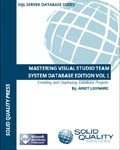
masteringvstsde The first I have mentioned before, it is SQL MVP Andy Leonard’s Mastering Visual Studio Team System Database Edition Volume 1. This is a great book that focuses exclusively on the database edition. It’s a great resource and one of my favorite books on the subject, I can’t wait for the next volume to come out.


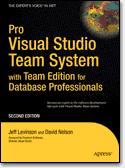
apressprovsts The other book is from APress, Pro Visual Studio Team System with Team Edition for Database Professionals. This book covers all aspects of VSTS, including the database tools. I think too often we make life harder on ourselves than we have to, if we took some time to learn the tools available to us, we could be much more productive. I’ve found this book to be a good aid to help me do just that.

Bug.Net meeting on SQL Server Compact Edition

A few months ago I did a presentation to the Birmingham .Net Users Group (BUG.NET). The subject was SQL Server Compact Edition, in it I discuss both the ‘traditional’ way of accessing a SSCE file as well as using LinqToSQL.

This is a recording of a live presentation, so the audio quality may not be as good as some of the previous presentations I’ve done, it was my first experiment in recording a session live. Let me know how it works for you, I did make every attempt to clean up where I could and ensure the audience was understandable as well.

The wmv is about 76 meg, you can download the wmv directly or watch streaming below.

My Dev Kit

There’s a new meme of sorts on the web, folks talking about the tools they use to develop with. I first saw it on Shawn Wildermuth’s blog. Shawn’s a great guy, he co-wrote most of those .Net MCTS/MCPD study guides from MS Press, and does a lot of training on Silverlight. So I thought I would keep the meme alive and talk about my own tools.

Hardware

I do a lot on the road, so a laptop is essential. Mine’s getting up there in age, it’s an HP Pavillion dv8000. 2 gig ram, two internal 160 gig hard disks, 17 inch wide screen, single core 64 bit processor. It’s OK, but will hopefully get replaced next year with something with more cores and horsepower. I don’t care much for the keyboard, so I bought an external keyboard from Lenovo. It’s got a trackpoint so I don’t have to take my hands off the keyboard very often, and I use it with both my laptop and the Dell that work supplies me.

At home I use a larger wireless Microsoft mouse, on the road I use one of the smaller Microsoft travel mice. Also in my hardware list is an external Seagate 1TB drive. It hooks up via either firewire or USB, which is nice when my USB ports are all full.

Also in my list is my Zune. Yes my Zune. Cubical farms can get noisy at times, some good tunes on my Zune really help me to zone out and ignore my surroundings, focusing on my code. It’s also nice on my commute or daily walk, I listen to podcasts to keep up my technical knowledge. At night I hook it to my TV via my X-Box 360 to watch video podcasts, or sometimes I lay in bed before going to sleep and watch.

My final piece of hardware is my iPaq, it helps keep my appointments in line and my contacts, plus I have lots of e-books loaded on it for reading. I also used to use it for podcasts prior to getting my Zune.

Operating System and Dev Tools

My laptop currently runs 32 bit Vista Ultimate with Service Pack 1. Since it maxes out at 2 gig, and some 64 bit drivers were not available when Vista first arrived, I saw no benefit to 64 bit and took the path of least resistance. I have quite a few virtual machines in a variety of OS (Server 2008, 2003, XP, Vista, and Ubuntu) for testing, development, and running Beta versions of programs. For a web browser, I bounce back and forth between FireFox and IE7. For a while I was using FF most of the time, but IE7 was a big improvement over 6, and I’m now using them about 50/50. I suspect when IE8 comes out I may be using it more, but will have to see.

Like Shawn I also use Outlook 2007 for my e-mail client. It’s so much easier to organize my mail in Outlook than the g-mail host. But I also use the other features, such as the calendar and task list to help manage my life. I also use the rest of the Office suite for my daily tasks.

I use SnagIt for grabbing still screen captures, awesome tool, and Camtasia for video screen captures. I’m working on several video tutorials now, which is fun but time consuming (which also explains while my blog posts have been off of late). I use Paint.Net for basic photo / image editing. For creating my blog posts, I write them originally in Word 2007, then use Windows Live Writer to post them to my blog.

For quick access to my daily programs, I use one of two things. I really like Bayden Systems SlickRun. I also create a shortcut menu using a technique I blogged about in February.

Developer Tools

As you might expect I use both SQL Server Management Studio and Visual Studio 2008 Team System for day to day development. My top add-ins are Red-Gates SQL Prompt bundle for SSMS and CodeRush for Visual Studio. For a text editor, I absolutely love UltraEdit. Since I have blogged a lot about my dev tools in the past, I will keep this section short.

The Cloud

I’m on a couple of social networking sites, in addition to this blog:

· Twitter

· Posterous

· LinkedIn

· MSDN Code Gallery – One site for SQL Server Full Text Searching and one for SQL Server Compact Edition.

Passing the Baton

OK, your turn, let’s see your blog with your tools!

SQL Server Compact Edition Connection Strings

In my recent presentation I talked about an important but subtle difference with connection strings when using SQL Server Compact Edition. It was so important I thought I’d make a special blog post out of it.

There are two methods for programmatically accessing data in SQL Server Compact Edition (SSCE). The first method is using the System.Data.SqlServerCe library. When you create an instance of the SqlCeEngine, you need to pass a connection string formatted like so:

DataSource=”mydatabasename.sdf”; Password=’mypassword’

This method is valid, by the way, for version 3.1 or 3.5 of SSCE. The second method, available with Visual Studio 2008 and the 3.5 version of SSCE is to use LINQ to SQL. When creating the DataContext object, you also need a connection string formatted like so:

Data Source=mydatabasename.sdf; Password=’mypassword’

Note very carefully the two differences. First, the name of the sdf file lacks the double quote marks in the LINQ to SQL version. Second, note the Data Source phrase has a space between the words in the LINQ version, where the SqlCeEngine version lacks the space.

It’s a small distinction, but it’ll drive you nuts if you don’t catch it. I drove myself nuts for quite a while because I didn’t notice the extra space in Data Source when I began experimenting with LINQ to SQL! Hopefully my pain will save others some hair pulling.

Presenting Getting Started with SQL Server Compact Edition 3.5 at BUG.NET Meeting

Just wanted to let everyone know I’ll be doing a presentation this coming Tuesday night, August the 12th for the Birmingham .Net Users Group (BUG.NET). My topic, as you may have guessed from the title, will be using SQL Server Compact Edition.

While I will be using Visual Studio 2008, I will point out which pieces are 2005 compatible. I will also cover the use of both traditional coding techniques as well as how to use LinqToSQL to talk to the Compact Edition.

The meeting takes place at 6:30 pm at New Horizons Training Center in Homewood.

I also plan a new series of blog posts to start later this week on the subject, and will be creating a new Code Gallery site to hold my examples.

Also, don’t forget the regular BSDA meeting this coming Thursday night, the 14th. Also starting at 6:30 pm at New Horizons, Shannon Brooks-Hamilton, a software usability expert, will be there to talk about user interface design. Lots of good thought material on how we can make better UIs for our users.