Getting into the Mix – Mix 09 that is

First, I want to say I think it’s incredibly generous of Microsoft to provide videos of all the sessions for free, to anyone. Many people spent thousands to attend, so giving this away is a real boon to us who were unable to attend for whatever reason.

If you haven’t downloaded the sessions yet, you can go to http://videos.visitmix.com/mix09/all to see everything, in various formats. The fastest way to get them all is to use Firefox with an add on called DownThemAll. When you use down them all, it will let you quickly select all the links on a page for a specific file time, or with words in their links. To grab all of the high quality ones, you can use the Fast Filtering feature, and type in wmv-hq which is part of the path name. For the portable format you can use mp4,or pptx will snare you all the slides.

A couple of things to note, Ask The Gu is only available in high quality, while the day 2 keynote is only available in standard quality. Also not all the sessions have slides. There’s also one session I noticed, T17F that only has a high quality session, no low or MP4 version.

If I had any complaint, it is around the file names. They are very short, just the session numbers, such as T20F. Not very useful when I’m looking through a directory trying to decide what to watch. So, I created a simple batch file to rename them. I thought others may find it useful as well, so here it is. They, actually, three, one for the WMVs, one for the MP4, and one for the Powerpoint slides.

WMVs

rename B01M.wmv "B01M – Scaling a Rich Client to Half a Billion Users.wmv"
rename B02M.wmv "B02M – Software Entrepreneurs – Go Big with BizSpark.wmv"
rename B03M.wmv "B03M – Copyright Laws for Web Designers and Developers.wmv"
rename B04M.wmv "B04M – Enhancing Large Windows Media Platforms with Microsoft.wmv"
rename B05M.wmv "B05M – Exposing Web Content to a Global Audience Using Machine.wmv"
rename C01F.wmv "C01F – Sketch Flow – From Concept to Production.wmv"
rename C02F.wmv "C02F – Improving UX through Application Lifecycle Management.wmv"
rename C03F.wmv "C03F – Microsoft Expression Web – No Platform Left Behind.wmv"
rename C04F.wmv "C04F – The Future of Microsoft Expression Blend.wmv"
rename C05F.wmv "C05F – C Sharp for Designers.wmv"
rename C06F.wmv "C06F – Ten Ways to Ensure RIA Failure.wmv"
rename C07F.wmv "C07F – Deep Zoomplusplus  – Build Dynamic Deep Zoom Applications with.wmv"
rename C08F.wmv "C08F – Using Total Experience Design to Transform the Digital.wmv"
rename C09F.wmv "C09F – A Website Named Desire.wmv"
rename C10F.wmv "C10F – Design Prototyping – Bringing Wireframes to Life.wmv"
rename C11F.wmv "C11F – Escaping Flatland in Application Design – Rich User.wmv"
rename C12F.wmv "C12F – Go Beyond Best Practices – Evolving Next Practices to.wmv"
rename C13F.wmv "C13F – Interaction Techniques Using the Wii Remote (and Other.wmv"
rename C14F.wmv "C14F – Interactive Prototyping with DHTML.wmv"
rename C15F.wmv "C15F – Touch and Gesture Computing, What You Haven’t Heard.wmv"
rename C16F.wmv "C16F – The Way of the Whiteboard – Persuading with Pictures.wmv"
rename C17F.wmv "C17F – Web Form Design.wmv"
rename C18F.wmv "C18F – Wireframes That Work – Designing (Rich Internet).wmv"
rename C19F.wmv "C19F – How Razorfish Lights Up Brand with Microsoft SharePoint.wmv"
rename C20F.wmv "C20F – State of the Art in Web Site Design on Microsoft.wmv"
rename C21F.wmv "C21F – User Experience Design Patterns for Business.wmv"
rename C22F.wmv "C22F – Creating a Great Experience on Digg with Windows.wmv"
rename C23F.wmv "C23F – Windows Internet Explorer 8 in the Real World – How Is.wmv"
rename C24F.wmv "C24F – Measuring Social Media Marketing.wmv"
rename C26F.wmv "C26F – Designing the Windows 7 Desktop Experience.wmv"
rename C27M.wmv "C27M – Creating Interactivity with Microsoft Expression Blend.wmv"
rename C28M.wmv "C28M – Integrating Microsoft Expression Blend with Adobe.wmv"
rename C29M.wmv "C29M – Effective Infographics with Interactivity.wmv"
rename C30M.wmv "C30M – User Experience Design for Non-Designers.wmv"
rename KEY01.wmv "KEY1 – Day One Keynote.wmv"
rename KEY02.wmv "KEY2 – Day Two Keynote.wmv"
rename T01F.wmv "T01F – A Lap around Microsoft .NET Services.wmv"
rename T02F.wmv "T02F – Simplifying Distributed Access Control with Microsoft.wmv"
rename T03F.wmv "T03F – Connecting Applications across Networks with Microsoft.wmv"
rename T04F.wmv "T04F – Mesh-Enabled Web Applications.wmv"
rename T05F.wmv "T05F – Live Framework and Mesh Services – Live Services for.wmv"
rename T06F.wmv "T06F – What’s New in Microsoft SQL Data Services.wmv"
rename T07F.wmv "T07F – Overview of Windows Azure.wmv"
rename T08F.wmv "T08F – Windows Azure Storage.wmv"
rename T09F.wmv "T09F – Building Web Applications with Windows Azure.wmv"
rename T10F.wmv "T10F – RESTful Services for the Programmable Web with Windows.wmv"
rename T11F.wmv "T11F – Developing RESTful Services and Clients with.wmv"
rename T12F.wmv "T12F – Principles of Microsoft Silverlight Animation.wmv"
rename T13F.wmv "T13F – Working across the Client Continuum.wmv"
rename T14F.wmv "T14F – What’s New in Microsoft Silverlight 3.wmv"
rename T15F.wmv "T15F – High-Speed RIA Development with the Microsoft.wmv"
rename T16F.wmv "T16F – Building Microsoft Silverlight Controls.wmv"
rename T17F.wmv "T17F – Deep Dive into Microsoft Silverlight Graphics.wmv"
rename T18F.wmv "T18F – Delivering Ads to a Silverlight Media Player.wmv"
rename T19F.wmv "T19F – Creating Media Content for Microsoft Silverlight Using.wmv"
rename T20F.wmv "T20F – Using Microsoft ASP.NET MVC to Easily Extend a Web Site.wmv"
rename T21F.wmv "T21F – Running PHP on Microsoft Servers and Services.wmv"
rename T22F.wmv "T22F – Using Dynamic Languages to Develop Microsoft.wmv"
rename T23F.wmv "T23F – Choosing between ASP.NET Web Forms and MVC.wmv"
rename T24F.wmv "T24F – The Microsoft Web Sandbox – An Open Source Framework for.wmv"
rename T25F.wmv "T25F – Web Development Using Microsoft Visual Studio – Now and.wmv"
rename T26F.wmv "T26F – Love the New Windows Live Messenger Web Toolkit for.wmv"
rename T27F.wmv "T27F – Protecting Online Identities.wmv"
rename T28F.wmv "T28F – Standards for Aggregating Activity Feeds and Social.wmv"
rename T29F.wmv "T29F – Adding Microsoft Silverlight to Your Company’s.wmv"
rename T30F.wmv "T30F – Advance Your Design with UX Design Patterns.wmv"
rename T31F.wmv "T31F – Microsoft Xbox Lips and Fable II -.wmv"
rename T32F.wmv "T32F – Cloud Computing – What’s in It for Me?.wmv"
rename T33F.wmv "T33F – Customized Live Search for Web and Client Applications.wmv"
rename T34F.wmv "T34F – Introducing the Microsoft Virtual Earth Silverlight Map.wmv"
rename T35F.wmv "T35F – Building a Rich Social Network Application.wmv"
rename T36F.wmv "T36F – Modeling RESTful Data Services – Present and Future.wmv"
rename T37F.wmv "T37F – Extending Your Brand to the Desktop with Windows 7.wmv"
rename T38F.wmv "T38F – See through the Clouds – Introduction to the Azure.wmv"
rename T39F.wmv "T39F – What’s New in Windows Presentation Foundation (WPF).wmv"
rename T40F.wmv "T40F – Building Amazing Business Centric Applications with.wmv"
rename T41F.wmv "T41F – .NET RIA Services – Building Data-Driven Applications.wmv"
rename T42F.wmv "T42F – Consuming Web Services in Microsoft Silverlight 3.wmv"
rename T43F.wmv "T43F – Microsoft Silverlight Media End-to-End.wmv"
rename T44F.wmv "T44F – Microsoft ASP.NET Model View Controller (MVC) – Ninja on.wmv"
rename T45F.wmv "T45F – Building Out of Browser Experiences with Microsoft.wmv"
rename T46F.wmv "T46F – Microsoft ASP.NET 4.0  – What’s Next?.wmv"
rename T47F.wmv "T47F – Microsoft ASP.NET 4.0 Data Access – Patterns for Success.wmv"
rename T48F.wmv "T48F – Microsoft ASP.NET – Taking AJAX to the Next Level.wmv"
rename T49F.wmv "T49F – File-New – Company – Creating NerdDinner.com.wmv"
rename T50F.wmv "T50F – ASP.NET MVC – America’s Next Top Model View.wmv"
rename T51F.wmv "T51F – The Microsoft Web Platform – Starring Internet.wmv"
rename T52F.wmv "T52F – A Lap around Windows Internet Explorer 8.wmv"
rename T53F.wmv "T53F – Building High Performance Web Applications and Sites.wmv"
rename T54F.wmv "T54F – Securing Web Applications.wmv"
rename T55F.wmv "T55F – Creating a Next Generation E-Commerce.wmv"
rename T56F.wmv "T56F – Delivering Media with Internet Information Services 7.wmv"
rename T57F.wmv "T57F – Developing and Deploying Applications on Internet.wmv"
rename T58F.wmv "T58F – Build Applications on the Microsoft Platform Using.wmv"
rename T59F.wmv "T59F – Building Scalable and Available Web Applications with.wmv"
rename T60F.wmv "T60F – Miss March and Other Distractions.wmv"
rename T61F.wmv "T61F – Windows Mobile 6.5 Overview.wmv"
rename T62F.wmv "T62F – There’s a Little Scripter in All of Us – Building a.wmv"
rename T63M.wmv "T63M – Building Data-Driven Scalable AJAX Web Pages.wmv"
rename T64M.wmv "T64M – Caching REST with Windows Communication Foundation.wmv"
rename T65M.wmv "T65M – Building Accessible RIAs in Microsoft Silverlight.wmv"
rename T66M.wmv "T66M – Building Microsoft Silverlight Applications with.wmv"
rename T67M.wmv "T67M – Building an Optimized, Graphics-Intensive Application.wmv"
rename T68M.wmv "T68M – When Errors Happen – Debugging Microsoft Silverlight.wmv"
rename T69M.wmv "T69M – Microsoft Silverlight Is Ready for Business.wmv"
rename T70M.wmv "T70M – Optimizing Performance for Microsoft Expression Encoder.wmv"
rename T71M.wmv "T71M – Going Inside Microsoft Silverlight – Exploring the Core.wmv"
rename T72M.wmv "T72M – Making XML Really, Really Easy with Microsoft Visual.wmv"
rename T73M.wmv "T73M – What’s New for Microsoft Silverlight and Microsoft.wmv"
rename T74M.wmv "T74M – Protecting Against Internet Service Abuse.wmv"
rename T75M.wmv "T75M – Five Killer Scenarios for the Windows Live Messenger.wmv"
rename T76M.wmv "T76M – Lighting Up Web and Client Applications with Microsoft.wmv"
rename T77M.wmv "T77M – Oomph – A Microformat Toolkit.wmv"
rename T78M.wmv "T78M – Offline Network Detection in Microsoft Silverlight 3.wmv"
rename T79M.wmv "T79M – How’d they do it? Real App. Real Code. Two Weeks..wmv"
rename T80M.wmv "T80M – How I Learned to Stop Worrying and Love the Microsoft.wmv"
rename T81M.wmv "T81M – Using the Windows Azure Tools for Microsoft Visual.wmv"
rename T82M.wmv "T82M – Introducing the Microsoft Web Platform.wmv"
rename T83M.wmv "T83M – Automated User Interface (UI) Testing with Microsoft.wmv"
rename T84M.wmv "T84M – A Shot of Windows Live Messenger and a Pint of.wmv"
rename T85M.wmv "T85M – Improving Mobile Experiences with the Microsoft Mobile.wmv"
rename T86M.wmv "T86M – Search Engine Optimization (SEO) for Web Developers.wmv"
rename T87F.wmv "T87F – Microsoft Silverlight and Windows Presentation.wmv"

MP4

rename B01M.mp4 "B01M – Scaling a Rich Client to Half a Billion Users.mp4"
rename B02M.mp4 "B02M – Software Entrepreneurs – Go Big with BizSpark.mp4"
rename B03M.mp4 "B03M – Copyright Laws for Web Designers and Developers.mp4"
rename B04M.mp4 "B04M – Enhancing Large Windows Media Platforms with Microsoft.mp4"
rename B05M.mp4 "B05M – Exposing Web Content to a Global Audience Using Machine.mp4"
rename C01F.mp4 "C01F – Sketch Flow – From Concept to Production.mp4"
rename C02F.mp4 "C02F – Improving UX through Application Lifecycle Management.mp4"
rename C03F.mp4 "C03F – Microsoft Expression Web – No Platform Left Behind.mp4"
rename C04F.mp4 "C04F – The Future of Microsoft Expression Blend.mp4"
rename C05F.mp4 "C05F – C Sharp for Designers.mp4"
rename C06F.mp4 "C06F – Ten Ways to Ensure RIA Failure.mp4"
rename C07F.mp4 "C07F – Deep Zoomplusplus  – Build Dynamic Deep Zoom Applications with.mp4"
rename C08F.mp4 "C08F – Using Total Experience Design to Transform the Digital.mp4"
rename C09F.mp4 "C09F – A Website Named Desire.mp4"
rename C10F.mp4 "C10F – Design Prototyping – Bringing Wireframes to Life.mp4"
rename C11F.mp4 "C11F – Escaping Flatland in Application Design – Rich User.mp4"
rename C12F.mp4 "C12F – Go Beyond Best Practices – Evolving Next Practices to.mp4"
rename C13F.mp4 "C13F – Interaction Techniques Using the Wii Remote (and Other.mp4"
rename C14F.mp4 "C14F – Interactive Prototyping with DHTML.mp4"
rename C15F.mp4 "C15F – Touch and Gesture Computing, What You Haven’t Heard.mp4"
rename C16F.mp4 "C16F – The Way of the Whiteboard – Persuading with Pictures.mp4"
rename C17F.mp4 "C17F – Web Form Design.mp4"
rename C18F.mp4 "C18F – Wireframes That Work – Designing (Rich Internet).mp4"
rename C19F.mp4 "C19F – How Razorfish Lights Up Brand with Microsoft SharePoint.mp4"
rename C20F.mp4 "C20F – State of the Art in Web Site Design on Microsoft.mp4"
rename C21F.mp4 "C21F – User Experience Design Patterns for Business.mp4"
rename C22F.mp4 "C22F – Creating a Great Experience on Digg with Windows.mp4"
rename C23F.mp4 "C23F – Windows Internet Explorer 8 in the Real World – How Is.mp4"
rename C24F.mp4 "C24F – Measuring Social Media Marketing.mp4"
rename C26F.mp4 "C26F – Designing the Windows 7 Desktop Experience.mp4"
rename C27M.mp4 "C27M – Creating Interactivity with Microsoft Expression Blend.mp4"
rename C28M.mp4 "C28M – Integrating Microsoft Expression Blend with Adobe.mp4"
rename C29M.mp4 "C29M – Effective Infographics with Interactivity.mp4"
rename C30M.mp4 "C30M – User Experience Design for Non-Designers.mp4"
rename KEY01.mp4 "KEY1 – Day One Keynote.mp4"
rename KEY02.mp4 "KEY2 – Day Two Keynote.mp4"
rename T01F.mp4 "T01F – A Lap around Microsoft .NET Services.mp4"
rename T02F.mp4 "T02F – Simplifying Distributed Access Control with Microsoft.mp4"
rename T03F.mp4 "T03F – Connecting Applications across Networks with Microsoft.mp4"
rename T04F.mp4 "T04F – Mesh-Enabled Web Applications.mp4"
rename T05F.mp4 "T05F – Live Framework and Mesh Services – Live Services for.mp4"
rename T06F.mp4 "T06F – What’s New in Microsoft SQL Data Services.mp4"
rename T07F.mp4 "T07F – Overview of Windows Azure.mp4"
rename T08F.mp4 "T08F – Windows Azure Storage.mp4"
rename T09F.mp4 "T09F – Building Web Applications with Windows Azure.mp4"
rename T10F.mp4 "T10F – RESTful Services for the Programmable Web with Windows.mp4"
rename T11F.mp4 "T11F – Developing RESTful Services and Clients with.mp4"
rename T12F.mp4 "T12F – Principles of Microsoft Silverlight Animation.mp4"
rename T13F.mp4 "T13F – Working across the Client Continuum.mp4"
rename T14F.mp4 "T14F – What’s New in Microsoft Silverlight 3.mp4"
rename T15F.mp4 "T15F – High-Speed RIA Development with the Microsoft.mp4"
rename T16F.mp4 "T16F – Building Microsoft Silverlight Controls.mp4"
rename T17F.mp4 "T17F – Deep Dive into Microsoft Silverlight Graphics.mp4"
rename T18F.mp4 "T18F – Delivering Ads to a Silverlight Media Player.mp4"
rename T19F.mp4 "T19F – Creating Media Content for Microsoft Silverlight Using.mp4"
rename T20F.mp4 "T20F – Using Microsoft ASP.NET MVC to Easily Extend a Web Site.mp4"
rename T21F.mp4 "T21F – Running PHP on Microsoft Servers and Services.mp4"
rename T22F.mp4 "T22F – Using Dynamic Languages to Develop Microsoft.mp4"
rename T23F.mp4 "T23F – Choosing between ASP.NET Web Forms and MVC.mp4"
rename T24F.mp4 "T24F – The Microsoft Web Sandbox – An Open Source Framework for.mp4"
rename T25F.mp4 "T25F – Web Development Using Microsoft Visual Studio – Now and.mp4"
rename T26F.mp4 "T26F – Love the New Windows Live Messenger Web Toolkit for.mp4"
rename T27F.mp4 "T27F – Protecting Online Identities.mp4"
rename T28F.mp4 "T28F – Standards for Aggregating Activity Feeds and Social.mp4"
rename T29F.mp4 "T29F – Adding Microsoft Silverlight to Your Company’s.mp4"
rename T30F.mp4 "T30F – Advance Your Design with UX Design Patterns.mp4"
rename T32F.mp4 "T32F – Cloud Computing – What’s in It for Me?.mp4"
rename T33F.mp4 "T33F – Customized Live Search for Web and Client Applications.mp4"
rename T34F.mp4 "T34F – Introducing the Microsoft Virtual Earth Silverlight Map.mp4"
rename T35F.mp4 "T35F – Building a Rich Social Network Application.mp4"
rename T36F.mp4 "T36F – Modeling RESTful Data Services – Present and Future.mp4"
rename T37F.mp4 "T37F – Extending Your Brand to the Desktop with Windows 7.mp4"
rename T38F.mp4 "T38F – See through the Clouds – Introduction to the Azure.mp4"
rename T39F.mp4 "T39F – What’s New in Windows Presentation Foundation (WPF).mp4"
rename T40F.mp4 "T40F – Building Amazing Business Centric Applications with.mp4"
rename T41F.mp4 "T41F – .NET RIA Services – Building Data-Driven Applications.mp4"
rename T42F.mp4 "T42F – Consuming Web Services in Microsoft Silverlight 3.mp4"
rename T43F.mp4 "T43F – Microsoft Silverlight Media End-to-End.mp4"
rename T44F.mp4 "T44F – Microsoft ASP.NET Model View Controller (MVC) – Ninja on.mp4"
rename T45F.mp4 "T45F – Building Out of Browser Experiences with Microsoft.mp4"
rename T46F.mp4 "T46F – Microsoft ASP.NET 4.0  – What’s Next?.mp4"
rename T47F.mp4 "T47F – Microsoft ASP.NET 4.0 Data Access – Patterns for Success.mp4"
rename T48F.mp4 "T48F – Microsoft ASP.NET – Taking AJAX to the Next Level.mp4"
rename T49F.mp4 "T49F – File-New – Company – Creating NerdDinner.com.mp4"
rename T50F.mp4 "T50F – ASP.NET MVC – America’s Next Top Model View.mp4"
rename T51F.mp4 "T51F – The Microsoft Web Platform – Starring Internet.mp4"
rename T52F.mp4 "T52F – A Lap around Windows Internet Explorer 8.mp4"
rename T53F.mp4 "T53F – Building High Performance Web Applications and Sites.mp4"
rename T54F.mp4 "T54F – Securing Web Applications.mp4"
rename T56F.mp4 "T56F – Delivering Media with Internet Information Services 7.mp4"
rename T57F.mp4 "T57F – Developing and Deploying Applications on Internet.mp4"
rename T58F.mp4 "T58F – Build Applications on the Microsoft Platform Using.mp4"
rename T59F.mp4 "T59F – Building Scalable and Available Web Applications with.mp4"
rename T60F.mp4 "T60F – Miss March and Other Distractions.mp4"
rename T61F.mp4 "T61F – Windows Mobile 6.5 Overview.mp4"
rename T62F.mp4 "T62F – There’s a Little Scripter in All of Us – Building a.mp4"
rename T63M.mp4 "T63M – Building Data-Driven Scalable AJAX Web Pages.mp4"
rename T64M.mp4 "T64M – Caching REST with Windows Communication Foundation.mp4"
rename T65M.mp4 "T65M – Building Accessible RIAs in Microsoft Silverlight.mp4"
rename T66M.mp4 "T66M – Building Microsoft Silverlight Applications with.mp4"
rename T67M.mp4 "T67M – Building an Optimized, Graphics-Intensive Application.mp4"
rename T68M.mp4 "T68M – When Errors Happen – Debugging Microsoft Silverlight.mp4"
rename T69M.mp4 "T69M – Microsoft Silverlight Is Ready for Business.mp4"
rename T70M.mp4 "T70M – Optimizing Performance for Microsoft Expression Encoder.mp4"
rename T71M.mp4 "T71M – Going Inside Microsoft Silverlight – Exploring the Core.mp4"
rename T72M.mp4 "T72M – Making XML Really, Really Easy with Microsoft Visual.mp4"
rename T73M.mp4 "T73M – What’s New for Microsoft Silverlight and Microsoft.mp4"
rename T74M.mp4 "T74M – Protecting Against Internet Service Abuse.mp4"
rename T75M.mp4 "T75M – Five Killer Scenarios for the Windows Live Messenger.mp4"
rename T76M.mp4 "T76M – Lighting Up Web and Client Applications with Microsoft.mp4"
rename T77M.mp4 "T77M – Oomph – A Microformat Toolkit.mp4"
rename T78M.mp4 "T78M – Offline Network Detection in Microsoft Silverlight 3.mp4"
rename T79M.mp4 "T79M – How’d they do it? Real App. Real Code. Two Weeks..mp4"
rename T80M.mp4 "T80M – How I Learned to Stop Worrying and Love the Microsoft.mp4"
rename T81M.mp4 "T81M – Using the Windows Azure Tools for Microsoft Visual.mp4"
rename T82M.mp4 "T82M – Introducing the Microsoft Web Platform.mp4"
rename T83M.mp4 "T83M – Automated User Interface (UI) Testing with Microsoft.mp4"
rename T84M.mp4 "T84M – A Shot of Windows Live Messenger and a Pint of.mp4"
rename T85M.mp4 "T85M – Improving Mobile Experiences with the Microsoft Mobile.mp4"
rename T86M.mp4 "T86M – Search Engine Optimization (SEO) for Web Developers.mp4"
rename T87F.mp4 "T87F – Microsoft Silverlight and Windows Presentation.mp4"
rename T55F.mp4 "T55F – Creating a Next Generation E-Commerce.mp4"
rename T31F.mp4 "T31F – Microsoft Xbox Lips and Fable II -.mp4"

Powerpoint

rename B01M.pptx "B01M – Scaling a Rich Client to Half a Billion Users.pptx"
rename B02M.pptx "B02M – Software Entrepreneurs – Go Big with BizSpark.pptx"
rename B03M.pptx "B03M – Copyright Laws for Web Designers and Developers.pptx"
rename B04M.pptx "B04M – Enhancing Large Windows Media Platforms with Microsoft.pptx"
rename B05M.pptx "B05M – Exposing Web Content to a Global Audience Using Machine.pptx"
rename C01F.pptx "C01F – Sketch Flow – From Concept to Production.pptx"
rename C02F.pptx "C02F – Improving UX through Application Lifecycle Management.pptx"
rename C03F.pptx "C03F – Microsoft Expression Web – No Platform Left Behind.pptx"
rename C04F.pptx "C04F – The Future of Microsoft Expression Blend.pptx"
rename C05F.pptx "C05F – C Sharp for Designers.pptx"
rename C06F.pptx "C06F – Ten Ways to Ensure RIA Failure.pptx"
rename C07F.pptx "C07F – Deep Zoomplusplus  – Build Dynamic Deep Zoom Applications with.pptx"
rename C08F.pptx "C08F – Using Total Experience Design to Transform the Digital.pptx"
rename C09F.pptx "C09F – A Website Named Desire.pptx"
rename C10F.pptx "C10F – Design Prototyping – Bringing Wireframes to Life.pptx"
rename C11F.pptx "C11F – Escaping Flatland in Application Design – Rich User.pptx"
rename C12F.pptx "C12F – Go Beyond Best Practices – Evolving Next Practices to.pptx"
rename C13F.pptx "C13F – Interaction Techniques Using the Wii Remote (and Other.pptx"
rename C14F.pptx "C14F – Interactive Prototyping with DHTML.pptx"
rename C15F.pptx "C15F – Touch and Gesture Computing, What You Haven’t Heard.pptx"
rename C16F.pptx "C16F – The Way of the Whiteboard – Persuading with Pictures.pptx"
rename C17F.pptx "C17F – Web Form Design.pptx"
rename C18F.pptx "C18F – Wireframes That Work – Designing (Rich Internet).pptx"
rename C19F.pptx "C19F – How Razorfish Lights Up Brand with Microsoft SharePoint.pptx"
rename C20F.pptx "C20F – State of the Art in Web Site Design on Microsoft.pptx"
rename C21F.pptx "C21F – User Experience Design Patterns for Business.pptx"
rename C22F.pptx "C22F – Creating a Great Experience on Digg with Windows.pptx"
rename C23F.pptx "C23F – Windows Internet Explorer 8 in the Real World – How Is.pptx"
rename C24F.pptx "C24F – Measuring Social Media Marketing.pptx"
rename C26F.pptx "C26F – Designing the Windows 7 Desktop Experience.pptx"
rename C27M.pptx "C27M – Creating Interactivity with Microsoft Expression Blend.pptx"
rename C28M.pptx "C28M – Integrating Microsoft Expression Blend with Adobe.pptx"
rename C29M.pptx "C29M – Effective Infographics with Interactivity.pptx"
rename C30M.pptx "C30M – User Experience Design for Non-Designers.pptx"
rename KEY01.pptx "KEY1 – Day One Keynote.pptx"
rename KEY02.pptx "KEY2 – Day Two Keynote.pptx"
rename T01F.pptx "T01F – A Lap around Microsoft .NET Services.pptx"
rename T02F.pptx "T02F – Simplifying Distributed Access Control with Microsoft.pptx"
rename T03F.pptx "T03F – Connecting Applications across Networks with Microsoft.pptx"
rename T04F.pptx "T04F – Mesh-Enabled Web Applications.pptx"
rename T05F.pptx "T05F – Live Framework and Mesh Services – Live Services for.pptx"
rename T06F.pptx "T06F – What’s New in Microsoft SQL Data Services.pptx"
rename T07F.pptx "T07F – Overview of Windows Azure.pptx"
rename T08F.pptx "T08F – Windows Azure Storage.pptx"
rename T09F.pptx "T09F – Building Web Applications with Windows Azure.pptx"
rename T10F.pptx "T10F – RESTful Services for the Programmable Web with Windows.pptx"
rename T11F.pptx "T11F – Developing RESTful Services and Clients with.pptx"
rename T12F.pptx "T12F – Principles of Microsoft Silverlight Animation.pptx"
rename T13F.pptx "T13F – Working across the Client Continuum.pptx"
rename T14F.pptx "T14F – What’s New in Microsoft Silverlight 3.pptx"
rename T15F.pptx "T15F – High-Speed RIA Development with the Microsoft.pptx"
rename T16F.pptx "T16F – Building Microsoft Silverlight Controls.pptx"
rename T17F.pptx "T17F – Deep Dive into Microsoft Silverlight Graphics.pptx"
rename T18F.pptx "T18F – Delivering Ads to a Silverlight Media Player.pptx"
rename T19F.pptx "T19F – Creating Media Content for Microsoft Silverlight Using.pptx"
rename T20F.pptx "T20F – Using Microsoft ASP.NET MVC to Easily Extend a Web Site.pptx"
rename T21F.pptx "T21F – Running PHP on Microsoft Servers and Services.pptx"
rename T22F.pptx "T22F – Using Dynamic Languages to Develop Microsoft.pptx"
rename T23F.pptx "T23F – Choosing between ASP.NET Web Forms and MVC.pptx"
rename T24F.pptx "T24F – The Microsoft Web Sandbox – An Open Source Framework for.pptx"
rename T25F.pptx "T25F – Web Development Using Microsoft Visual Studio – Now and.pptx"
rename T26F.pptx "T26F – Love the New Windows Live Messenger Web Toolkit for.pptx"
rename T27F.pptx "T27F – Protecting Online Identities.pptx"
rename T28F.pptx "T28F – Standards for Aggregating Activity Feeds and Social.pptx"
rename T29F.pptx "T29F – Adding Microsoft Silverlight to Your Company’s.pptx"
rename T30F.pptx "T30F – Advance Your Design with UX Design Patterns.pptx"
rename T31F.pptx "T31F – Microsoft Xbox Lips and Fable II -.pptx"
rename T32F.pptx "T32F – Cloud Computing – What’s in It for Me?.pptx"
rename T33F.pptx "T33F – Customized Live Search for Web and Client Applications.pptx"
rename T34F.pptx "T34F – Introducing the Microsoft Virtual Earth Silverlight Map.pptx"
rename T35F.pptx "T35F – Building a Rich Social Network Application.pptx"
rename T36F.pptx "T36F – Modeling RESTful Data Services – Present and Future.pptx"
rename T37F.pptx "T37F – Extending Your Brand to the Desktop with Windows 7.pptx"
rename T38F.pptx "T38F – See through the Clouds – Introduction to the Azure.pptx"
rename T39F.pptx "T39F – What’s New in Windows Presentation Foundation (WPF).pptx"
rename T40F.pptx "T40F – Building Amazing Business Centric Applications with.pptx"
rename T41F.pptx "T41F – .NET RIA Services – Building Data-Driven Applications.pptx"
rename T42F.pptx "T42F – Consuming Web Services in Microsoft Silverlight 3.pptx"
rename T43F.pptx "T43F – Microsoft Silverlight Media End-to-End.pptx"
rename T44F.pptx "T44F – Microsoft ASP.NET Model View Controller (MVC) – Ninja on.pptx"
rename T45F.pptx "T45F – Building Out of Browser Experiences with Microsoft.pptx"
rename T46F.pptx "T46F – Microsoft ASP.NET 4.0  – What’s Next?.pptx"
rename T47F.pptx "T47F – Microsoft ASP.NET 4.0 Data Access – Patterns for Success.pptx"
rename T48F.pptx "T48F – Microsoft ASP.NET – Taking AJAX to the Next Level.pptx"
rename T49F.pptx "T49F – File-New – Company – Creating NerdDinner.com.pptx"
rename T50F.pptx "T50F – ASP.NET MVC – America’s Next Top Model View.pptx"
rename T51F.pptx "T51F – The Microsoft Web Platform – Starring Internet.pptx"
rename T52F.pptx "T52F – A Lap around Windows Internet Explorer 8.pptx"
rename T53F.pptx "T53F – Building High Performance Web Applications and Sites.pptx"
rename T54F.pptx "T54F – Securing Web Applications.pptx"
rename T55F.pptx "T55F – Creating a Next Generation E-Commerce.pptx"
rename T56F.pptx "T56F – Delivering Media with Internet Information Services 7.pptx"
rename T57F.pptx "T57F – Developing and Deploying Applications on Internet.pptx"
rename T58F.pptx "T58F – Build Applications on the Microsoft Platform Using.pptx"
rename T59F.pptx "T59F – Building Scalable and Available Web Applications with.pptx"
rename T60F.pptx "T60F – Miss March and Other Distractions.pptx"
rename T61F.pptx "T61F – Windows Mobile 6.5 Overview.pptx"
rename T62F.pptx "T62F – There’s a Little Scripter in All of Us – Building a.pptx"
rename T63M.pptx "T63M – Building Data-Driven Scalable AJAX Web Pages.pptx"
rename T64M.pptx "T64M – Caching REST with Windows Communication Foundation.pptx"
rename T65M.pptx "T65M – Building Accessible RIAs in Microsoft Silverlight.pptx"
rename T66M.pptx "T66M – Building Microsoft Silverlight Applications with.pptx"
rename T67M.pptx "T67M – Building an Optimized, Graphics-Intensive Application.pptx"
rename T68M.pptx "T68M – When Errors Happen – Debugging Microsoft Silverlight.pptx"
rename T69M.pptx "T69M – Microsoft Silverlight Is Ready for Business.pptx"
rename T70M.pptx "T70M – Optimizing Performance for Microsoft Expression Encoder.pptx"
rename T71M.pptx "T71M – Going Inside Microsoft Silverlight – Exploring the Core.pptx"
rename T72M.pptx "T72M – Making XML Really, Really Easy with Microsoft Visual.pptx"
rename T73M.pptx "T73M – What’s New for Microsoft Silverlight and Microsoft.pptx"
rename T74M.pptx "T74M – Protecting Against Internet Service Abuse.pptx"
rename T75M.pptx "T75M – Five Killer Scenarios for the Windows Live Messenger.pptx"
rename T76M.pptx "T76M – Lighting Up Web and Client Applications with Microsoft.pptx"
rename T77M.pptx "T77M – Oomph – A Microformat Toolkit.pptx"
rename T78M.pptx "T78M – Offline Network Detection in Microsoft Silverlight 3.pptx"
rename T79M.pptx "T79M – How’d they do it? Real App. Real Code. Two Weeks..pptx"
rename T80M.pptx "T80M – How I Learned to Stop Worrying and Love the Microsoft.pptx"
rename T81M.pptx "T81M – Using the Windows Azure Tools for Microsoft Visual.pptx"
rename T82M.pptx "T82M – Introducing the Microsoft Web Platform.pptx"
rename T83M.pptx "T83M – Automated User Interface (UI) Testing with Microsoft.pptx"
rename T84M.pptx "T84M – A Shot of Windows Live Messenger and a Pint of.pptx"
rename T85M.pptx "T85M – Improving Mobile Experiences with the Microsoft Mobile.pptx"
rename T86M.pptx "T86M – Search Engine Optimization (SEO) for Web Developers.pptx"
rename T87F.pptx "T87F – Microsoft Silverlight and Windows Presentation.pptx"

Scott Hanselman Takes Over MSN

Yesterday I was browsing around on the web, including a visit to Scott Hanselmans site to read an article on his blog. A little later I rebooted my Windows 7 machine and went to bed. The next day I open up Internet Explorer to do something. In the Windows 7 beta the default homepage for IE is MSN. Imagine my surprise then when I see this:

MSNHanselman

Yes, you are seeing right. The MSN Logo was replaced by Scott Hanselman’s. From this I can only assume that Scott’s plans to become the benevolent overlord of Microsoft are proceeding well, and that he has successfully taken over the MSN division. I imagine it won’t be long then before Baby Smash becomes the primary IDE for developing C# applications.

Oslo – Not just for Norwegians any more

I’ve been looking heavily into Oslo, the new technology announced at PDC 2008. So what exactly is Oslo? Well I couldn’t find a simple explanation, so after digging into it all weekend let me see if I can take a stab at it.

If you are familiar with Sharepoint, you know that it provides you a bunch of web templates. You can take these and create certain types of lists. Documents, lists, forums, etc. What many don’t realize is that all of this gets stored in a “repository” that is in SQL Server.

Oslo takes this concept to the next level. It allows you to create your own “lists” if you will, of fairly complex data types. These are stored in a repository in SQL Server. Along with your data is a lot of meta-data. Oslo also provides a query tool to easily get data back out of the repository, along with runtime components you can use with your favorite programming language. Or, because it’s all in SQL Server you can bypass Oslo runtimes and go directly into the SQL Server repository using traditional tools like ADO.NET or Linq To SQL.

So how does Oslo accomplish this? By providing several tools to us: M the programming language; Quadrant, the graphical tool; and the Repository itself. Lets take a brief look at each one.

M is a new programming language that has three components: MSchema, MGrammer, and MGraph. MSchema is used to define a new chunk of data, it is a representation of how you want the data stored. The product of an MSchema definition is directly translated into T-SQL as a Create Table statement and stored in the Repository.

MGrammer is used to create a translation between one layout of information and the schema created with MSchema. Let’s say you had created an MSchema definition for album names, artists, and ratings. Then let’s say you had an input file that looked something like:

The Thirteenth Hour by Midnight Syndicate rates 5 stars.

Greatest Tuba Hits of 1973 by The Tuba Dudes rates 1 star.

You could create a language template in MGrammer that looked for the words “by” and “rates” and divides up the input into the appropriate fields in your schema. Then run the input file through the MGrammer layout and you’ve now got all that data into a format known as MGraph.

MGraph is a tree like structure that represents the transformed data. If I understand it correctly, you take your data, run it through the DSL you setup with MGrammer and it produces an MGraph. This MGraph can then be loaded into a database schema created with MSchema, passed off to a calling routine, and more.

Quadrant is the tool used to look at data once it’s in the Repository. You can browse data, and create different representations of the data in a tool similar to what you see with Office. For example, you can render a table created by MSchema as a tree, as a grid, as a list, or even as a graph. You can use it to show relationships between MSchemas, and write queries with it. Quadrant could be used by developers or advanced users to create a template representation of the data that could be given to other users to do their data analysis.

Quadrant is also highly extensible and customizable. You can write your own modules to add to it. Although to do so you have to write them in Python, which I have to admit leaves me scratching my head. I don’t have anything against Python, but I would have to imagine most developers who work with Microsoft tools are much more familiar with VB.Net or C#. I have to wonder why they picked a language most Microsoft developers are unfamiliar with and would have to learn in order to extend the Quadrant tool.

The final piece of the puzzle I have mentioned several times, it’s the Repository. The Repository is a database that holds everything about your schemas and data. Currently Oslo only supports SQL Server as the database for a Repository. Interesting thing though, Microsoft will be distributing Oslo under the OSP (Open Specifications Promise). This means a third party vendor could develop a back-end Repository engine so that an Oslo Repository could be stored in something like MySQL or Oracle.

Finally I will mention Oslo will be callable from your favorite .Net language, indeed the Runtime components as they are called are a critical piece of Oslo. There are .Net APIs which can be used to get and retrieve data from the Repository.

Microsoft is serious about Oslo. In a Channel 9 interview about M, I believe it was Chris Anderson who said there were 180 folks working on the Oslo team. Even though it’s early in its development, I get the strong impression Oslo will be a key factor in future of Microsoft development technologies, which is why I intend to invest time now to get up and running with it.

For more information about Oslo, and to download the current Oslo SDK CTP, see the site at http://msdn.microsoft.com/oslo .

Second Chances – The MSDN Developer Conference

If you are like me, you missed PDC this year, and are probably pretty bummed about it. Fortunately you do get second chances sometimes! Microsoft is hosting a series of developer conferences around the country called the MSDN Developer Conference. This is a one day event that highlights the best of the PDC presentations, put on by a mix of Microsoft employees and community leaders in the area where the conference is held. I’ll be attending the Atlanta event on December 16 2008, but there are events in Houston, Orlando, Chicago, and other areas beginning in December and running into February of next year. Be sure to check the site for more info.

There will be three tracks at the event, the new Azure Services Platform, Client and Presentation, and Tools Languages and Frameworks. There is a $99 attendance fee, but if you compare that to the cost of PDC that’s quite a bargain. There’s also going to be some cool swag, and attendance is limited so be sure to register today. 

PDC2008 – What’s in a name?

As many of you know, the Microsoft PDC (Public Deveopers Conference) 2008 took place last week. Lots of new announcements, and in a class move Microsoft has made all of the sessions available for download from their site.

However, navigating the site, as pretty as it is, and downloading all of the sessions can be a bit time consuming. One of my twitter friends, Luciano Guerche (@guercheLE ) has posted a series of blog posts for each day with quick hyperlinks to everything for faster download. He’s even done a post on how to bulk download using Firefox and DownThemAll.

PDC 2008 – Day 1 (46 matching sessions)

PDC 2008 – Day 2 (50 matching sessions)

PDC 2008 – Day 3 (60 matching sessions)

PDC 2008 – Day 4 (49 matching sessions)

How to download PDC Sessions using DownThemAll! Firefox addon

While this makes it much easer to download, my one complaint, regardless of where you download from, is knowing what you have. Microsoft simply named each file for it’s session number, leaving you with files such as PC47.wmv or BB08.wmv. Come on folks, what’s the point of having long file names if we’re not going to use them?

So I wrote a series of batch files that will rename each file, adding the name of the session after the session number. This will make it much easier to determine what you have when browsing with explorer or when watching on your Zune. Simply copy the text below into your favorite text editor and save them as one or more .bat files.


RenamePDC2008Day1.bat
rename TL02.wmv "TL02 Under the Hood- Advances in the .NET Type System.wmv"
rename TL47.wmv "TL47 Microsoft Visual Studio Team System- A Lap Around VSTS 2010.wmv"
rename BB08.wmv "BB08 Microsoft Dynamics CRM- The Appealing Business Application.wmv"
rename TL29.wmv "TL29 Live Labs Web Sandbox- Securing Mash-ups, Site Extensibility, and Gadgets.wmv"
rename BB53.wmv "BB53 SharePoint Online- Extending Your Service.wmv"
rename BB48.wmv "BB48 Microsoft Advertising Platform- A Lap Around.wmv"
rename BB11.wmv "BB11 Identity Roadmap for Software plus Services.wmv"
rename PC12.wmv "PC12 Deep Dive- The New Rendering Engine in Microsoft Internet Explorer 8.wmv"
rename ES16.wmv "ES16 A Lap Around Windows Azure.wmv"
rename TL46.wmv "TL46 Microsoft Visual C Sharp IDE- Tips and Tricks.wmv"
rename BB58.wmv "BB58 Case Study- Bridging On-Premises with the Cloud.wmv"
rename ES30.wmv "ES30 Datacenters and Resilient Services.wmv"
rename PC47.wmv "PC47 Microsoft Expression Blend- Tips and Tricks.wmv"
rename BB56.wmv "BB56 Showcase- Industry Leaders Moving to the Cloud.wmv"
rename BB49.wmv "BB49 Microsoft Advertising Platform- A Day in the Life of a Click.wmv"
rename TL40.wmv "TL40 Dublin and .NET Services- Extending On-Premises Applications to the Cloud.wmv"
rename PC53.wmv "PC53 Building High Performance JScript Applications.wmv"
rename PC17.wmv "PC17 Developing for Microsoft Surface.wmv"
rename PC20.wmv "PC20 ASP.NET 4.0 Roadmap.wmv"
rename BB42.wmv "BB42 Identity- Geneva Server and Framework Overview.wmv"
rename BB09.wmv "BB09 Microsoft Office Communications Server and Exchange- Platform Futures.wmv"
rename TL33.wmv "TL33 Managed Extensibility Framework- Overview.wmv"
rename TL19.wmv "TL19 Microsoft Visual Studio- Bringing out the Best in Multicore Systems.wmv"
rename TL30.wmv "TL30 Microsoft Sync Framework Advances.wmv"
rename TL16.wmv "TL16 The Future of C Sharp.wmv"
rename TL52.wmv "TL52 Team Foundation Server 2010- Cool New Features.wmv"
rename PC21.wmv "PC21 ASP.NET MVC- A New Framework for Building Web Applications.wmv"
rename PC27.wmv "PC27 Microsoft Silverlight, WPF and the Microsoft .NET Framework- Sharing Skills and Code.wmv"
rename PC59.wmv "PC59 Commerce Server Mojave- Overview.wmv"
rename TL25.wmv "TL25 Parallel Programming for Cplusplus Developers in the Next Version of Microsoft Visual Studio.wmv"
rename TL10.wmv "TL10 Deep Dive- Dynamic Languages in Microsoft .NET.wmv"
rename TL03.wmv "TL03 Microsoft Visual Studio Team System- Software Diagnostics and Quality for Services.wmv"
rename BB29.wmv "BB29 Identity- Connecting Active Directory to Microsoft Services.wmv"
rename BB01.wmv "BB01 A Lap Around the Azure Services Platform.wmv"
rename TL17.wmv "TL17 WF 4.0- A First Look.wmv"
rename TL48.wmv "TL48 Microsoft Visual Studio- Web Development Futures.wmv"
rename PC58.wmv "PC58 Framework Design Guidelines.wmv"
rename BB45.wmv "BB45 Office Communications Server 2007 R2- Enabling Unified Communications.wmv"
rename TL13.wmv "TL13 Microsoft Visual Cplusplus- 10 Is the New 6.wmv"
rename BB15.wmv "BB15 SQL Server- Database to Data Platform - Road from Server to Devices to the Cloud.wmv"
rename TL49.wmv "TL49 Microsoft .NET Framework- Overview and Applications for Babies.wmv"
rename TL45.wmv "TL45 Microsoft Visual Studio Team System Database Edition- Overview.wmv"
rename TL09.wmv "TL09 Agile Development with Microsoft Visual Studio.wmv"
rename ES32.wmv "ES32 Microsoft Application Virtualization 4.5.wmv"
rename TL44.wmv "TL44 IronRuby- The Right Language for the Right Job.wmv"
rename ES01.wmv "ES01 Developing and Deploying Your First Windows Azure Service.wmv"


RenamePDC2008Day2.bat
rename BB36.wmv "BB36 FAST- Building Search-Driven Portals with Microsoft Office SharePoint Server 2007 and Microsoft Silverlight.wmv"
rename TL39.wmv "TL39 Coding4Fun- Windows Presentation Foundation Animation, YouTube, iTunes, Twitter, and Nintendo's Wiimote.wmv"
rename TL54.wmv "TL54 Natural Interop with Silverlight, Office, and Python in Microsoft Visual C Sharp and Microsoft Visual Basic.wmv"
rename BB57.wmv "BB57 Microsoft Dynamics AX- Building Business Process into Your Application.wmv"
rename ES29.wmv "ES29 Showcase- Windows Azure Enables - Nsoftware and Full Armor.wmv"
rename PC44.wmv "PC44 Windows 7- Programming Sync Providers That Work Great with Windows.wmv"
rename TL59.wmv "TL59 Visual Studio Debugger Tips and Tricks.wmv"
rename BB52.wmv "BB52 SQL Services- Tips and Tricks for High-Throughput Data-Driven Applications.wmv"
rename BB41.wmv "BB41 Live Services- What I Learned Building My First Mesh Application.wmv"
rename TL38.wmv "TL38 WCF- Zen of Performance and Scale.wmv"
rename PC24.wmv "PC24 Windows 7- Welcome to the Windows 7 Desktop.wmv"
rename TL07.wmv "TL07 Developing Applications Using Data Services.wmv"
rename BB04.wmv "BB04 Live Services- A Lap around the Live Framework and Mesh Services.wmv"
rename TL14.wmv "TL14 Project Velocity- A First Look.wmv"
rename BB16.wmv "BB16 SQL Server 2008- Beyond Relational.wmv"
rename ES13.wmv "ES13 How to Develop Supercomputer Applications.wmv"
rename TL55.wmv "TL55 The Concurrency and Coordination Runtime and Decentralized Software Services Toolkit.wmv"
rename PC52.wmv "PC52 Windows 7- Writing World-Ready Applications.wmv"
rename BB07.wmv "BB07 SQL Server 2008- Developing Large Scale Web Applications and Services.wmv"
rename PC51.wmv "PC51 Windows 7- Best Practices for Developing for Windows Standard User.wmv"
rename ES04.wmv "ES04 Windows Azure- Essential Cloud Storage Services.wmv"
rename BB26.wmv "BB26 SQL Server 2008- Business Intelligence and Data Visualization.wmv"
rename PC46.wmv "PC46 WPF Roadmap.wmv"
rename TL23.wmv "TL23 A Lap around Oslo.wmv"
rename TL27.wmv "TL27 Oslo- The Language.wmv"
rename PC11.wmv "PC11 Microsoft Silverlight Futures- Building Business Focused Applications.wmv"
rename TL56.wmv "TL56 Project Velocity- Under the Hood.wmv"
rename PC50.wmv "PC50 Windows 7- Using Instrumentation and Diagnostics to Develop High Quality Software.wmv"
rename PC33.wmv "PC33 Microsoft Visual Studio- Easing ASP.NET Web Deployment.wmv"
rename PC10.wmv "PC10 Microsoft Silverlight 2 for Mobile- Developing for Mobile Devices.wmv"
rename BB43.wmv "BB43 Identity- Geneva Deep Dive.wmv"
rename BB20.wmv "BB20 Live Services- Making your Application More Social.wmv"
rename BB23.wmv "BB23 A Lap around SQL Services.wmv"
rename PC23.wmv "PC23 Windows 7- Integrate with the Windows 7 Desktop.wmv"
rename BB02.wmv "BB02 Architecture of the .NET Services.wmv"
rename TL20.wmv "TL20 Entity Framework Futures.wmv"
rename PC06.wmv "PC06 Deep Dive- Building an Optimized, Graphics-Intensive Application in Microsoft Silverlight.wmv"
rename ES10.wmv "ES10 Developing Solutions for Windows Server 2008 Hyper-V Using WMI.wmv"
rename PC31.wmv "PC31 ASP.NET and JQuery.wmv"
rename BB22.wmv "BB22 Identity- Live Identity Services Drilldown.wmv"
rename TL12.wmv "TL12 Future Directions for Microsoft Visual Basic.wmv"
rename BB40.wmv "BB40 Sync Framework- Enterprise Data in the Cloud and on Devices.wmv"
rename PC04.wmv "PC04 Windows 7- Writing Your Application to Shine on Modern Graphics Hardware.wmv"
rename ES11.wmv "ES11 Developing Connected Home Applications and Services for Windows Home Server.wmv"
rename TL50.wmv "TL50 Research- BAM, AjaxScope, and Doloto.wmv"
rename BB05.wmv "BB05 Live Services- Building Applications with the Live Framework.wmv"
rename ES20.wmv "ES20 Developing Applications for More Than 64 Logical Processors in Windows Server 2008 R2.wmv"
rename PC16.wmv "PC16 Windows 7- Empower users to find, visualize and organize their data with Libraries and the Explorer.wmv"
rename ES02.wmv "ES02 Windows Azure- Architecting and Managing Cloud Services.wmv"


RenamePDC2008Day3.bat
rename TL06.wmv "TL06 WCF 4.0- Building WCF Services with WF in Microsoft .NET 4.0.wmv"
rename BB19.wmv "BB19 Live Services- Live Framework Programming Model Architecture and Insights.wmv"
rename TL57.wmv "TL57 Panel- The Future of Programming Languages.wmv"
rename BB38.wmv "BB38 .NET Services- Connectivity, Messaging, Events, and Discovery with the Service Bus.wmv"
rename ES14.wmv "ES14 IIS 7.0 and Beyond- The Microsoft Web Platform Roadmap.wmv"
rename BB14.wmv "BB14 SQL Services- Futures.wmv"
rename ES12.wmv "ES12 Exposing Connected Home Services to the Internet via Windows Home Server.wmv"
rename ES31.wmv "ES31 Showcase- How HP Built their Magcloud Service on Windows Azure.wmv"
rename TL58.wmv "TL58 Research- Concurrency Analysis Platform and Tools for Finding Concurrency Bugs.wmv"
rename PC27.wmv "PC27-R Microsoft Silverlight, WPF and the Microsoft .NET Framework- Sharing Skills and Code [REPEAT].wmv"
rename PC25.wmv "PC25 Windows 7- The Sensor and Location Platform- Building Context-Aware Applications.wmv"
rename TL26.wmv "TL26 Parallel Programming for Managed Developers with the Next Version of Microsoft Visual Studio.wmv"
rename TL42.wmv "TL42 Microsoft SQL Server 2008- Powering MSDN.wmv"
rename PC48.wmv "PC48 Research- Designing the World Wide Telescope.wmv"
rename PC35.wmv "PC35 Silverlight Controls Roadmap.wmv"
rename TL61.wmv "TL61 Panel- The Future of Unit Testing.wmv"
rename ES25.wmv "ES25 Showcase- Windows Azure Enables Live Meeting.wmv"
rename TL37.wmv "TL37 Microsoft Visual Studio Team System- Leveraging Virtualization to Improve Code Quality with Team Lab.wmv"
rename TL60.wmv "TL60 Improving Code Quality with Code Analysis.wmv"
rename TL43.wmv "TL43 Microsoft XNA Game Studio- An Overview.wmv"
rename TL46-R.wmv "TL46-R Microsoft Visual C Sharp IDE- Tips and Tricks [REPEAT].wmv"
rename BB37.wmv "BB37 SQL Server 2008- Developing Secure Applications.wmv"
rename BB59.wmv "BB59 Behind the Scenes- How We Built a Multi-Enterprise Supply Chain Application.wmv"
rename PC22.wmv "PC22 Windows 7- Design Principles for Windows 7.wmv"
rename TL18.wmv "TL18 Oslo- Customizing and Extending the Visual Design Experience.wmv"
rename TL24.wmv "TL24 Improving .NET Application Performance and Scalability.wmv"
rename ES07.wmv "ES07 Windows Azure- Modeling Data for Efficient Access at Scale.wmv"
rename ES22.wmv "ES22 Extending Terminal Services and Hyper-V VDI in Windows 7.wmv"
rename PC18.wmv "PC18 Windows 7- Introducing Direct2D and DirectWrite.wmv"
rename TL22.wmv "TL22 Concurrency Runtime Deep Dive- How to Harvest Multicore Computing Resources.wmv"
rename PC39.wmv "PC39 Inside the Olympics- An Architecture and Development Review.wmv"
rename BB51.wmv "BB51 Live Services- Programming Live Services Using Non-Microsoft Technologies.wmv"
rename PC03.wmv "PC03 Windows 7- Developing Multi-touch Applications.wmv"
rename BB25.wmv "BB25 SQL Server 2008- New and Future T-SQL Programmability.wmv"
rename BB39.wmv "BB39 .NET Services- Logging, Diagnosing, and Troubleshooting Applications Running Live in the Cloud.wmv"
rename TL28.wmv "TL28 Oslo- Repository and Models.wmv"
rename BB06.wmv "BB06 Live Services- Mesh Services Architecture and Concepts.wmv"
rename PC40.wmv "PC40 SQL Server Compact- Embedding in Desktop and Device Applications.wmv"
rename BB18.wmv "BB18 Dublin- Hosting and Managing Workflows and Services in Windows Application Server.wmv"
rename BB24.wmv "BB24 SQL Server 2008- Deep Dive into Spatial Data.wmv"
rename PC43.wmv "PC43 Deep Dive- What's New with user32 and comctl32 in Win32.wmv"
rename TL08.wmv "TL08 Offline-Enabled Data Services and Desktop Applications.wmv"
rename BB55.wmv "BB55 .NET Services- Access Control In Microsoft .NET Services.wmv"
rename ES23.wmv "ES23 Windows 7- Optimizing Applications for Remote File Services over the WAN.wmv"
rename PC30.wmv "PC30 ASP.NET Dynamic Data.wmv"
rename PC55.wmv "PC55 Oomph- A Microformat Toolkit.wmv"
rename TL16.wmv "TL16-R The Future of C Sharp [REPEAT].wmv"
rename ES06.wmv "ES06 Developing with Microsoft .NET and ASP.NET for Server Core.wmv"
rename ES03.wmv "ES03 Windows Azure- Cloud Service Development Best Practices.wmv"
rename PC14.wmv "PC14 Windows 7- New Shell User Experience APIs.wmv"
rename BB30.wmv "BB30 Live Services- Building Mesh-Enabled Web Applications Using the Live Framework.wmv"
rename TL15.wmv "TL15 Architecture without Big Design Up Front.wmv"
rename BB32.wmv "BB32 Microsoft Dynamics CRM- Building Line-of-Business Applications.wmv"
rename ES15.wmv "ES15 Web Application Packaging and Deployment.wmv"
rename TL21.wmv "TL21 WF 4.0- Extending with Custom Activities.wmv"
rename TL33.wmv "TL33-R Managed Extensibility Framework- Overview [REPEAT].wmv"
rename PC56.wmv "PC56 Windows Embedded Quebec- Developing for Devices.wmv"
rename TL23.wmv "TL23-R A Lap around Oslo [REPEAT].wmv"
rename BB28.wmv "BB28 .NET Services- Access Control Service Drilldown.wmv"
rename PC54.wmv "PC54 Mono and .NET.wmv"


RenamePDC2008Day4.bat

rename TL04.wmv "TL04 Microsoft Visual Studio Team System Team Foundation Server- How We Use It at Microsoft.wmv"
rename BB31.wmv "BB31 Live Services- FeedSync and Mesh Synchronization Services.wmv"
rename BB09-R.wmv "BB09-R Microsoft Office Communications Server and Exchange- Platform Futures [REPEAT].wmv"
rename TL51.wmv "TL51 Research- Contract Checking and Automated Test Generation with Pex.wmv"
rename BB03.wmv "BB03 SQL Services - Under the Hood.wmv"
rename ES24.wmv "ES24 PowerShell- Creating Manageable Web Services.wmv"
rename PC02.wmv "PC02 Windows 7- Extending Battery Life with Energy Efficient Applications.wmv"
rename BB46.wmv "BB46 Exchange Web Services Managed API- Unified Communications Development for Exchange.wmv"
rename BB33.wmv "BB33 Dynamics Online- Building Business Applications with Commerce and Payment APIs.wmv"
rename BB13.wmv "BB13 SharePoint 2007- Creating SharePoint Applications with Visual Studio 2008.wmv"
rename PC01.wmv "PC01 Windows 7- Web Services in Native Code.wmv"
rename TL35.wmv "TL35 WCF- Developing RESTful Services.wmv"
rename SYMP01.wmv "SYMP01 Parallel Symposium- Addressing the Hard Problems with Concurrency.wmv"
rename SYMP04.wmv "SYMP04 Services Symposium- Expanding Applications to the Cloud.wmv"
rename TL36.wmv "TL36 Microsoft .NET Framework- Declarative Programming Using XAML.wmv"
rename ES19.wmv "ES19 Under the Hood- Inside the Windows Azure Hosting Environment.wmv"
rename PC49.wmv "PC49 Microsoft .NET Framework- CLR Futures.wmv"
rename PC34.wmv "PC34 Open XML Format SDK- Developing Open XML Solutions.wmv"
rename PC41.wmv "PC41 ASP.NET- Cache Extensibility.wmv"
rename TL32.wmv "TL32 Microsoft Visual Studio- Customizing and Extending the Development Environment.wmv"
rename PC42.wmv "PC42 Windows 7- Deploying Your Application with Windows Installer (MSI) and ClickOnce.wmv"
rename BB12.wmv "BB12 .NET Services- Messaging Services - Protocols, Protection, and How We Scale.wmv"
rename ES21.wmv "ES21 Windows 7 Presentation Virtualization- Graphics Remoting ( RDP) Today and Tomorrow.wmv"
rename BB35.wmv "BB35 Live Services- The Future of the Device Mesh.wmv"
rename PC26.wmv "PC26 Microsoft Visual Studio- Building Applications with MFC.wmv"
rename SYMP02.wmv "SYMP02 Parallel Symposium- Application Opportunities and Architectures.wmv"
rename SYMP05.wmv "SYMP05 Services Symposium- Enterprise Grade Cloud Applications.wmv"
rename PC29.wmv "PC29 Microsoft Silverlight 2- Control Model.wmv"
rename PC13.wmv "PC13 Windows 7- Building Great Audio Communications Applications.wmv"
rename BB34.wmv "BB34 Live Services- Notifications, Awareness, and Communications.wmv"
rename ES09.wmv "ES09 Enabling Test Automation Using Windows Server 2008 Hyper-V.wmv"
rename BB47.wmv "BB47 SharePoint 2007- Advanced Asynchronous Workflow Messaging.wmv"
rename TL34.wmv "TL34 Managed and Native Code Interoperability- Best Practices.wmv"
rename PC45.wmv "PC45 WPF- Data-centric Applications Using the DataGrid and Ribbon Controls.wmv"
rename PC05.wmv "PC05 Windows 7- Unlocking the GPU with Direct3D.wmv"
rename TL01.wmv "TL01 Office Business Applications- Enhanced Deployment.wmv"
rename BB54.wmv "BB54 Designing Your Application to Scale.wmv"
rename TL31.wmv "TL31 Oslo- Building Textual DSLs.wmv"
rename SYMP03.wmv "SYMP03 Parallel Symposium- Future of Parallel Computing.wmv"
rename SYMP06.wmv "SYMP06 Services Symposium- Cloud or No Cloud, the Laws of Physics Still Apply.wmv"
rename ES17.wmv "ES17 Windows Azure- Programming in the Cloud.wmv"
rename BB27.wmv "BB27 .NET Services- Orchestrating Services and Business Processes Using Cloud-Based Workflow.wmv"
rename PC07.wmv "PC07 WPF- Extensible BitmapEffects, Pixel Shaders, and WPF Graphics Futures.wmv"
rename BB10.wmv "BB10 Live Services- Deep Dive on Microsoft Virtual Earth.wmv"
rename PC19.wmv "PC19 Windows 7- Designing Efficient Background Processes.wmv"
rename BB44.wmv "BB44 Identity- Windows CardSpace Geneva Under the Hood.wmv"
rename PC15.wmv "PC15 Windows 7- Benefiting from Documents and Printing Convergence.wmv"
rename TL11.wmv "TL11 An Introduction to Microsoft F Sharp.wmv"
rename PC32.wmv "PC32 ASP.NET AJAX Futures.wmv"


Update – After I wrote this, I found @Jorriss (another twitter friend) post which essentially does the same thing as what I do above, only he uses some cool C# and reading the sessions names from the web, rather than the simple batch file approach I took above. Read his post then choose which solution best fits your needs.

Devs and Data Dudes Oh My!

Microsoft has made a big announcement regarding the next version of Visual Studio, Visual Studio 2010. Among other welcome news is that the Developer Edition and Database Editions of Team System will be merging into a single product. This is great news for folks like me (and I suspect many developers) who do a lot of work on both the database side as well as the application side.

The really great news though is that we don’t have to wait for 2010 to take advantage of this. As part of the announcement Microsoft said that effective October 1st, 2008 people who are MSDN Licensed for the 2008 (or 2005) version of Visual Studio Team System Developer will now have access to the Database version, and vice versa.

Database Edition has some great features. One of the ones I use the most is the database comparison tool. It lets me compare data in one database with another and get them into sync. This is great for keeping my local development database that sits on my computer identical with our production system.

I’m sure Database Edition will be new to many developers, so I’d like to mention to books that will help you get up and running with “Data Dude” (as Database Edition is often called).

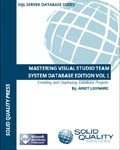
masteringvstsde The first I have mentioned before, it is SQL MVP Andy Leonard’s Mastering Visual Studio Team System Database Edition Volume 1. This is a great book that focuses exclusively on the database edition. It’s a great resource and one of my favorite books on the subject, I can’t wait for the next volume to come out.


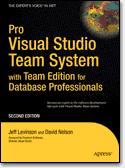
apressprovsts The other book is from APress, Pro Visual Studio Team System with Team Edition for Database Professionals. This book covers all aspects of VSTS, including the database tools. I think too often we make life harder on ourselves than we have to, if we took some time to learn the tools available to us, we could be much more productive. I’ve found this book to be a good aid to help me do just that.

MSDN Southern Fried Roadshow Comes To Alabama

bucketsmall Since there are so many events coming to Alabama, we decided to create an uber-post listing them all! MSDN Southern Fried Roadshow – September Edition The MSDN Southern Fried Roadshow is a half day free developer event with a southern flair, where you will learn about some of the latest developments in Microsoft technologies. For September, 2008 the Roadshow will be presented by Architect Evangelist Chad Brooks and Developer Evangelist Glen Gordon. Chad and Glen will be loading up a minivan with lots of goodies, and trying to hit 5 cities in 5 days. We’ll start the morning with a quick update on a variety of developer topics. The we’ll spend the rest of the morning exploring the impact that REST has had on solutions architecture and the Microsoft Technologies that you need to leverage it. Every attendee will receive an MS Press book (while supplies last) as well as pointers to tons of resources for further learning. Register today using the links below. We’re trying to finalize the last cities, so check back for more.

Join our Facebook group! Come join our Facebook group and stay up to date on our travel adventures. Chime in with questions or comments, or just cheer us on. Resources Stay tuned for links, downloads and more about the topics we’ll be presenting on. Agenda Microsoft Developer Update First, we will do a survey of the set of just-released products and how they will impact developers. See what’s new in Windows Server 2008: Hypervisor Technology, IIS7, and others. SQL 2008 is also packed with goodies for Developers; see the geospatial capabilities as well as the LINQ enhancements. And don’t forget the myriad of enhancements that come with the .Net Framework 3.5! REST with WCF, ADO.NET Data Services, and ASP.NET MVC The evolution of the web has seen many changes in patterns and standards for working with services. In a world of AJAX and other lightweight clients, not all services need to be implemented with the bells and whistles that SOAP and its many specifications allow for. And not all services need to be “transport-neutral”. An alternative architectural approach known as REST is well suited for many web-based scenarios. You can implement a RESTful architecture using a variety of current and future Microsoft technologies. But how do you decide which ones are the best choices for your scenarios? These sessions of technical deep dives helps to answer that question. We will examine implementing RESTful services with WCF 3.5, using ADO.NET Data Services, and introduce the ASP.NET MVC framework.


MSDN Southern Fried Roadshow MSDN Southern Fried Roadshow

My Dev Kit

There’s a new meme of sorts on the web, folks talking about the tools they use to develop with. I first saw it on Shawn Wildermuth’s blog. Shawn’s a great guy, he co-wrote most of those .Net MCTS/MCPD study guides from MS Press, and does a lot of training on Silverlight. So I thought I would keep the meme alive and talk about my own tools.

Hardware

I do a lot on the road, so a laptop is essential. Mine’s getting up there in age, it’s an HP Pavillion dv8000. 2 gig ram, two internal 160 gig hard disks, 17 inch wide screen, single core 64 bit processor. It’s OK, but will hopefully get replaced next year with something with more cores and horsepower. I don’t care much for the keyboard, so I bought an external keyboard from Lenovo. It’s got a trackpoint so I don’t have to take my hands off the keyboard very often, and I use it with both my laptop and the Dell that work supplies me.

At home I use a larger wireless Microsoft mouse, on the road I use one of the smaller Microsoft travel mice. Also in my hardware list is an external Seagate 1TB drive. It hooks up via either firewire or USB, which is nice when my USB ports are all full.

Also in my list is my Zune. Yes my Zune. Cubical farms can get noisy at times, some good tunes on my Zune really help me to zone out and ignore my surroundings, focusing on my code. It’s also nice on my commute or daily walk, I listen to podcasts to keep up my technical knowledge. At night I hook it to my TV via my X-Box 360 to watch video podcasts, or sometimes I lay in bed before going to sleep and watch.

My final piece of hardware is my iPaq, it helps keep my appointments in line and my contacts, plus I have lots of e-books loaded on it for reading. I also used to use it for podcasts prior to getting my Zune.

Operating System and Dev Tools

My laptop currently runs 32 bit Vista Ultimate with Service Pack 1. Since it maxes out at 2 gig, and some 64 bit drivers were not available when Vista first arrived, I saw no benefit to 64 bit and took the path of least resistance. I have quite a few virtual machines in a variety of OS (Server 2008, 2003, XP, Vista, and Ubuntu) for testing, development, and running Beta versions of programs. For a web browser, I bounce back and forth between FireFox and IE7. For a while I was using FF most of the time, but IE7 was a big improvement over 6, and I’m now using them about 50/50. I suspect when IE8 comes out I may be using it more, but will have to see.

Like Shawn I also use Outlook 2007 for my e-mail client. It’s so much easier to organize my mail in Outlook than the g-mail host. But I also use the other features, such as the calendar and task list to help manage my life. I also use the rest of the Office suite for my daily tasks.

I use SnagIt for grabbing still screen captures, awesome tool, and Camtasia for video screen captures. I’m working on several video tutorials now, which is fun but time consuming (which also explains while my blog posts have been off of late). I use Paint.Net for basic photo / image editing. For creating my blog posts, I write them originally in Word 2007, then use Windows Live Writer to post them to my blog.

For quick access to my daily programs, I use one of two things. I really like Bayden Systems SlickRun. I also create a shortcut menu using a technique I blogged about in February.

Developer Tools

As you might expect I use both SQL Server Management Studio and Visual Studio 2008 Team System for day to day development. My top add-ins are Red-Gates SQL Prompt bundle for SSMS and CodeRush for Visual Studio. For a text editor, I absolutely love UltraEdit. Since I have blogged a lot about my dev tools in the past, I will keep this section short.

The Cloud

I’m on a couple of social networking sites, in addition to this blog:

· Twitter

· Posterous

· LinkedIn

· MSDN Code Gallery – One site for SQL Server Full Text Searching and one for SQL Server Compact Edition.

Passing the Baton

OK, your turn, let’s see your blog with your tools!

Deep Fried Debugging

I was listening to the current episode of Deep Fried Bytes and was reminded of an important lesson. In case you haven’t heard of it, Deep Fried Bytes is a relatively new but very good development podcast. I highly recommend the podcast, it’s become a favorite on my Zune.

The hosts, Keith and Woody were interviewing members of the Microsoft.com support team. Yes, the guys who keep the actual Microsoft.com website up and running. Keith Woody asked them about a really challenging problem they hand, and one of the team recounted the tale of a site that had been in production about a year, when performance suddenly tanked. Naturally they went through the standard debugging questions, including “has anything changed in the code?” Since nothing had, they said “oh, well can’t possibly be the code” and went on to look at other things.

They went on to look at other things before finally, in desperation, coming back to the code. It turned out there was a scalability bug that had been there since day one, buried deep in a stored procedure. The select statement inside the stored proc caused a table scan. Not so bad when there were few records but after being up for a year the number of records was bogging down the stored proc.

I have been on many projects where a developer insisted the bug couldn’t possibly be in the code as it’s been running “perfect” and no recent changes have been made. The lesson to learn is never to rule out anything when looking for bugs. True, you should start with the most likely suspects, if no changes have been made to code then the probabilities of it being code are low as compared to say a hardware issue, but don’t rule it out completely. Get the entire team working in parallel. Let the developers look at the code, the DBAs at the database, admins at the server and network, and so on. Through teamwork, and being open to all possibilities you can achieve some deep fried debugging.

The SQL Server Developer

This is a subject I’ve been thinking about for quite a while; perhaps others are drawing similar conclusions. I may even be late to the game, but if so I haven’t seen it discussed on the blogs or podcasts, and I keep up with these pretty regularly. After a lot of consideration, I’ve decided there is a new type of IT professional, the SQL Server Developer, of which I consider myself one.

Let’s start out with a basic definition. What is a SQL Server Developer? In my mind they fall into two categories. The first is the developer who works with the SQL Server Business Intelligence (SSBI) tools, namely SQL Server Integration Services (SSIS), SQL Server Reporting Services (SSRS), or SQL Server Analysis Services (SSAS). The second is the type of developer who works in the server end, developing stored procedures in both T-SQL and CLR, scripts, designing tables and views, and other tasks not centered on the day to day activities around the actual running of the Server itself. In many organizations these two areas are covered by the same person.

So what has caused this new breed of IT professional to emerge? Two reasons as I see it. First is the introduction of SQL Server 2005 itself. It brought along a new flood of tools, many outside the experiences of the typical DBA. The ability to write CLR inside the database is very new to DBAs, most of whom have no experience with .Net coding. Note this is in no way any sort of knock against DBAs, I would not expect one to have any experience with it. Likewise with many of the other tools.

The bigger reason though is Sarbanes Oxley. For a complete background see the Wikipedia article on Sarbanes Oxley, but in brief “SOX” is a US law that makes the leaders of publically held companies accountable for the financial dealings in their company. Auditors are responsible for ensuring compliance. As a result, most corporations have put in place rules in IT that place a wall between production systems and the developers who created those systems. In my own company’s environment, and those of many others I speak with, this means the DBAs are no longer allowed to develop code. No table designs, to stored procedures, etc. They are able to develop scripts if they are used in maintaining the health of the server; those are OK because financial decisions are not being made based on those scripts.

Somebody then, had to step in and fill the gap. In many companies since these were considered development tasks the coding fell to the development group. In other organizations DBAs were divided into production DBAs and development DBAs. In either case these folks are responsible for developing solutions to business issues, and are not responsible (at least not directly) for the day to day running of the server.

Now that you understand what a SQL Server Developer is and why they came into existence, you may be asking what the point of this article is? Well, I suppose it’s a plea of sorts. I see a lot of activities / training for both the DBA and the .Net pro, but little for the SS Dev. Even Tech-Ed this year demonstrated the schizophrenia when it split the event in two. There were just as many events in the Dev week as there were in the IT Pro week that applied to the SS Dev. Don’t get me wrong, I have seen training videos, mostly from Microsoft, that cover the technologies involved. But little that talk about the overall experiences that a SS Dev. In addition, almost every book I read assumes the reader comes from a DBA background. Doing so only covers half of the target audience; keep in mind there’s a lot of us who came from a .Net background.

So what would I like to see? Well to begin with, books that don’t assume everyone has the same background. Next I’d like to see more events targeted at the SQL Server Developer. Here in Birmingham we’re planning on a SQL Saturday next spring, I’d like to see many sessions devoted to the SS Dev. Finally, there seems to be very little software, outside the tools that ship from Microsoft, to assist the SS Dev. RedGate has some nice tools, and I’ve just started investigating the ApexSQL tools, most tools seem to target the DBA primarily though. It’d be nice to see collections and offerings more targeted at development.

What can you do? Well if you recognize yourself as a SQL Server Developer, start referring to yourself as such. Talk to Microsoft and vendors, start bringing the gap to them, ask them to start providing tools and events to cover our needs. Finally, evangelize! Do presentations, blog, whatever it takes to let the world know there’s a new breed of IT Professional out there.

Arcane Code, MVP

Just a few minutes ago I received an e-mail. “Dear Robert Cain,” it began, “Congratulations! We are pleased to present you with the 2008 Microsoft MVP Award! The MVP Award is our way to say thank you for promoting the spirit of community and improving people’s lives and the industry’s success every day.”

Wow.

I admit it’s a goal I’ve had for the last year and a half, and have worked hard to achieve, but I still have a hard time believing it’s finally happened. For those who are unfamiliar with the award, MVP stands for Most Valuable Professional. Microsoft gives the award for work in the user group communities. My award was given in the SQL area. I am humbled to be joining an elite crowd, worldwide the website shows only 223 people in this category. Even though the award is for my efforts, those efforts were in the community and I had a lot of help from the community. Thus there are some folks I’d like to publicly thank.

The first is Doug Turnure, who up until Monday was the Developer Evangelist (DE) for AL/MS/GA. Doug mentored me, and gave me a lot of practical, valuable advice. I’d also like to thank the new DE for the area, Glen Gordon, who also gave me aid. Two other DE’s, Joe Healy and Brian Hitney also deserve a word of thanks. Even though I lived out of their normal operating areas they still took time to answer my questions and let me know of speaking opportunities.

There are also some 2007 MVPs who took time to give me advice and guidance. Todd Miranda, Jeff Barnes, Wally McClure, Kevin Boles and Keith Elder deserve a big thank you.

Next I’d like to thank all my co-workers, too numerous to mention, who tolerated my constant e-mails about user group meetings, events, and suffered as I practiced my presentations on them.

I would also be neglectful if I failed to say thanks to everyone in the various user groups I attend. BSDA, BUG.Net, Steel City SQL, SOA Society, TechBirmingham and others opened their doors to me and gave me chances to give back to the community. I should also say thanks to the various user groups across the south east, such as Atlanta, Orlando, Tallahassee, and Huntsville (to name a few) who opened their doors to me.

To all the readers of my blog I also need to give thanks. Your participation via comments and e-mail feedback helped keep my blog alive as a source of ongoing information for the community.

Next I want to thank my daughters, Raven and Anna, for putting up with Daddy being gone weekly to user groups, having his nose constantly in a book or laptop, or having to travel and spend time in hotel rooms while Daddy was in code camps. (Don’t worry, they didn’t suffer too much, they invented popcorn and “chick flick” night to compensate, and with Mommy’s help easily found the shopping malls.)

Finally, and most importantly I need to thank my wonderful wife ‘Ammie’, for taking care of the household while I was giving presentations, for bringing me dinner at my computer while I worked on blog posts, and for putting up with all the late nights I’d crawl in bed after getting immersed with some fascinating new technology and losing all track of time. Thanks honey!

TechEd 2008 Wrap Up

Whew. I’m finally home from TechEd 2008. It was an incredible week. First off, it was quite lucky for me in terms of swag. I came home with: XBox 360 Elite; Office 2007 Ultimate; Book on Sharepoint Web Part Programming; 2 games for the XBox; 8 Gig Zune; and more extra large t-shirts than I could carry.

I also got to meet a lot of great people, and find some speakers to add to my favorites list. Having heard them on Dot Net Rocks I knew Kimberly Trip and Paul Randall were good speakers, and just as friendly off stage as on. Matthew Roche, Buck Woody, Dan Jones, Donald Farmer, Peter Ward, Allen White, Maciej Pilecki, well I could go on with the list of great speakers but these were among the ones that stand out.

The InBetween weekend event was outstanding. The user groups really did a great job in a short amount of time putting together an awesome weekend. In addition to presenting my own session I also enjoyed attending ones by Barry Ralston, Andy Warren, Brian Knight, well there I go again. It is well worth staying over, or arriving early and getting in on the weekend event if you are going to TechEd.

By far though, the most important thing I came home with was knowledge. I learned an incredible amount. That knowledge will make me more valuable to my employer, who invested their money to send me. It will also make me more valuable to my coworkers, as I share the knowledge and have more answers to their questions. I’m also more valuable to the community, as I go back to user groups and share what I’ve learned there in presentations.

All in all I’d say TechEd was a great investment of time, money, and brain power.

The TechEd Day 1 Report

Wow, what a day. It was go go go all day long. I even attended sessions during lunch, so as to get every last bit of knowledge I could. I went to a lot of good sessions today, but by far my favorite was the session Kimberly Tripp did on Indexing Strategies. She was able to take a boring subject like indexing and not only make it understandable but entertaining. When you find yourself excited about the thought of spending time looking at your indexes, you know you’ve been trained by a master!

After the session she stayed and answered questions, and again from the floor she and her husband Paul were there again sharing their brain power. I enjoyed the session so much I’ve just spent 20 minutes juggling my schedule for the rest of the week so I can squeeze in another session they are doing later in the week. If you ever get a chance to see them speak, I would highly recommend it. If you cannot in person, at least check out their blogs at SQL Skills. She also did a series of webcasts, you can find links at http://www.sqlskills.com/blogs/kimberly/2005/11/05/MSDNWebcastSeriesWrapupResources.aspx.

Enough fun for today, need some rest for tomorrow is another day of geeking out.