Fun With PowerShell Classes – Constructors

Introduction

In our previous two posts, we covered the use of static properties and methods in classes, then saw how to use method overloading.

This is our final post of the series, and will cover the use of constructors. Constructors are functions that execute automatically when a class is instantiated.

For all of the examples we’ll display the code, then (when applicable) under it the result of our code. In this article I’ll be using PowerShell Core, 7.2.1, and VSCode. The examples should work in PowerShell 5.1 in the PowerShell IDE, although they’ve not been tested there.

You may notice a backtick ` character at the end of many lines in the code samples. This is PowerShell’s line continuation character. The blog formatting has a limited width, so using the line continuation character makes the examples much easier to read. I have a section dedicated to the line continuation character in my post Fun With PowerShell Pipelined Functions if you want to learn more.

To run a snippet of code highlight the lines (or parts of a line) you want to execute, then in VSCode press F8 or in the IDE F5. You can display the contents of any variable by highlighting it and using F8/F5.

Starting Point

As a reminder, this is our demo class TwittererRedux as we left it at the end of the last post. We’ll start from it in this post.

class TwittererRedux
{
  # Create a property
  [string]$TwitterHandle

  # Create a property and set a default value
  [string]$Name = 'Robert C. Cain'

  # Static Properties
  static [string] $Version = '2022.01.07.002'

  # Function that returns a string
  [string] TwitterURL()
  {
    $url = "https://twitter.com/$($this.TwitterHandle)"
    return $url
  }

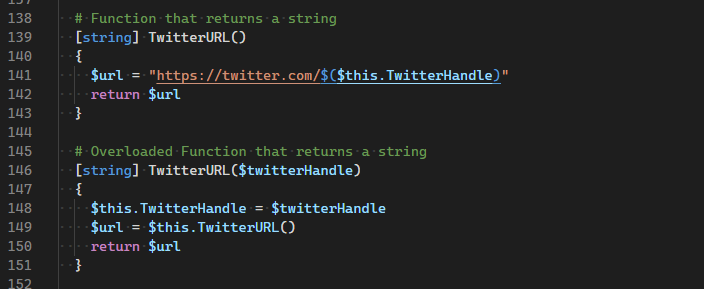
  # Overloaded Function that returns a string
  [string] TwitterURL($twitterHandle)
  {
    $this.TwitterHandle = $twitterHandle
    $url = $this.TwitterURL()
    return $url
  }

  # Function that has no return value
  [void] OpenTwitter()
  {
    Start-Process $this.TwitterURL()
  }

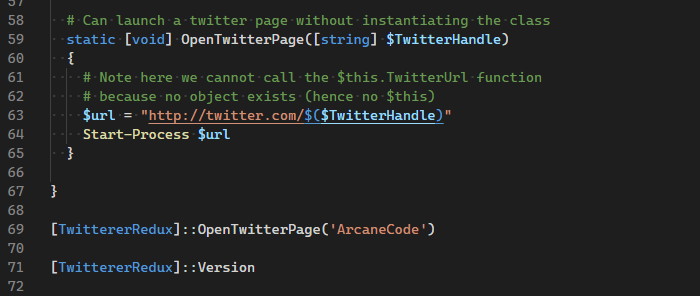
  # Can launch a twitter page without instantiating the class
  static [void] OpenTwitterPage([string] $TwitterHandle)
  {
    # Note here we cannot call the $this.TwitterUrl function
    # because no object exists (hence no $this)
    $url = "http://twitter.com/$($TwitterHandle)"
    Start-Process $url
  }

}

# Create a new instance and update the handle
$twit = [TwittererRedux]::new()
$twit.TwitterHandle = 'ArcaneCode'

Constructors

In the original version of our class, we created a new instance of the class by calling the ::new() static method. Then, we assigned a value to our TwitterHandle property. Wouldn’t it have been nice to do it all in one step?

Well that is possible through the use of a constructor. A constructor is a function that gets run automatically when the object is instantiated, as part of the ::new() static method. Every class gets a constructor automatically, it’s just empty.

Below is an example of our class with a constructor. For brevity I’m omitting most of the class code, and will reproduce the full class sample at the end of this post.

class TwittererRedux
{
  # Default Constructor
  TwittererRedux ()
  {
  }

  # Create a property
  [string]$TwitterHandle

  # ... rest of class goes here

A constructor is a function, with the exact same name as the class. As you can see in the sample above, TwitterRedux is both the name of the class, as well as of the function.

In this case the function is empty, it doesn’t do anything, which is what the behavior of the default constructor should be.

Having constructors allows us to create more compact code. For example, in previous examples we create a new instance of our class, then assign a handle to the TwitterHandle property on the next line. Using a constructor we can provide the ability to compress our code, creating a new instance and assigning the TwitterHandle value all in one step.

To do so, we need to create another function with the same name as our class, TwittererRedux.

class TwittererRedux
{
  # Default Constructor
  TwittererRedux ()
  {
  }

  # Constructor passing in Twitter Handle
  TwittererRedux ([string]$TwitterHandle)
  {
    $this.TwitterHandle = $TwitterHandle
  }

  # Create a property
  [string]$TwitterHandle

  # ... rest of class goes here

This technique uses overloading, as discussed in a previous post. Here we have added a single parameter, $TwitterHandle. Within the function we take the value passed in and assign it to the TwitterHandle property for the current instance, represented by $this.

Before I go on, I need to mention an important rule. When you override a constructor, you must manually add the default constructor! You can see that was done in the above sample.

So how do we use it? Pretty simple actually, when we instantiate our object by using new, we pass in the value.

# Create a new instance using an overloaded constructor
$twit = [TwittererRedux]::new('ArcaneCode')

# Display the result
$twit.TwitterHandle

Result:

ArcaneCode

Here when we called new, instead of leaving the parameter area empty we passed in a single string value. PowerShell then followed the rules of overloading as seen in the previous post. It looked over the set of constructors and found one that had a single parameter of type string and executed the code associated with it.

Let’s further expand by adding another constructor so we can assign both the handle and the name when we instantiate a new object from our class.

class TwittererRedux
{
  # Default Constructor
  TwittererRedux ()
  {
  }

  # Constructor passing in Twitter Handle
  TwittererRedux ([string]$TwitterHandle)
  {
    $this.TwitterHandle = $TwitterHandle
  }

  # Constructor passing in Twitter Handle and Name
  TwittererRedux ([string]$TwitterHandle, [string]$Name)
  {
    $this.TwitterHandle = $TwitterHandle
    $this.Name = $Name
  }

  # Create a property
  [string]$TwitterHandle

  # ... rest of class goes here

In our second constructor we have two string parameters, which will be assigned to the handle and name properties of the current object.

$twit = [TwittererRedux]::new('ArcaneCode', 'Mr. Code')
$twit.TwitterHandle
$twit.Name

Result:

ArcaneCode
Mr. Code

The Final Version

As promised, here is the final version of our TwitterRedux class.

class TwittererRedux
{
  # Default Constructor
  TwittererRedux ()
  {
  }

  # Constructor passing in Twitter Handle
  TwittererRedux ([string]$TwitterHandle)
  {
    $this.TwitterHandle = $TwitterHandle
  }

  # Constructor passing in Twitter Handle and Name
  TwittererRedux ([string]$TwitterHandle, [string]$Name)
  {
    $this.TwitterHandle = $TwitterHandle
    $this.Name = $Name
  }

  # Create a property
  [string]$TwitterHandle

  # Create a property and set a default value
  [string]$Name = 'Robert C. Cain'

  # Static Properties
  static [string] $Version = '2022.01.07.002'

  # Function that returns a string
  [string] TwitterURL()
  {
    $url = "https://twitter.com/$($this.TwitterHandle)"
    return $url
  }

  # Overloaded Function that returns a string
  [string] TwitterURL($twitterHandle)
  {
    $this.TwitterHandle = $twitterHandle
    $url = $this.TwitterURL()
    return $url
  }

  # Function that has no return value
  [void] OpenTwitter()
  {
    Start-Process $this.TwitterURL()
  }

  # Can launch a twitter page without instantiating the class
  static [void] OpenTwitterPage([string] $TwitterHandle)
  {
    # Note here we cannot call the $this.TwitterUrl function
    # because no object exists (hence no $this)
    $url = "http://twitter.com/$($TwitterHandle)"
    Start-Process $url
  }

}

Constructors vs Overloading

Constructors are very similar to overloading a function, but not exactly the same.

Just like overloading, each constructor declaration must be different in terms of the number of parameters and their data types.

Unlike overloads, you have access to the properties and methods of the object. This is what let us assign values to our properties when we created the new instance of the object.

Conclusion

Constructors can aid in making our code more compact, and allowing us to assign values when we instantiate new objects. Be cautious though, it can be tempting to make far more constructors than you need. Ensure that your constructors cover only the most common situations, otherwise you’ll have a confusing mess that you have to document and maintain.

The demos in this series of blog posts were inspired by my Pluralsight course PowerShell 7 Quick Start for Developers on Linux, macOS and Windows, one of many PowerShell courses I have on Pluralsight. All of my courses are linked on my About Me page.

If you don’t have a Pluralsight subscription, just go to my list of courses on Pluralsight . At the top is a Try For Free button you can use to get a free 10 day subscription to Pluralsight, with which you can watch my courses, or any other course on the site.
Fun With PowerShell Classes – Overloading

Introduction

This is the next installment in our series of advanced techniques for PowerShell classes. In the previous installment we saw how to implement static properties and methods. In this one, we’ll see how to overload your methods.

We’ll take a deeper look at overloading in a moment, but first let me mention that for all of the examples we’ll display the code, then under it the result of our code when applicable. In this article I’ll be using PowerShell Core, 7.2.1, and VSCode. The examples should work in PowerShell 5.1 in the PowerShell IDE, although they’ve not been tested there.

Additionally, many of the code samples have lines which end in a backtick `, PowerShell’s line continuation character. The blog formatting has a limited width, so using the line continuation character makes the examples much easier to read. My post Fun With PowerShell Pipelined Functions dedicates a section to the line continuation character if you want to learn more.

In VSCode you can highlight snippet of code then press F8 to execute it. In the IDE, use F5. You can display the contents of any variable by highlighting it and using F8/F5.

Starting Point

For easy reference, here is our demo class as we left it at the end of the previous post.

class TwittererRedux
{
  # Create a property
  [string]$TwitterHandle

  # Create a property and set a default value
  [string]$Name = 'Robert C. Cain'

  # Static Properties
  static [string] $Version = '2022.01.07.002'

  # Function that returns a string
  [string] TwitterURL()
  {
    $url = "https://twitter.com/$($this.TwitterHandle)"
    return $url
  }

  # Function that has no return value
  [void] OpenTwitter()
  {
    Start-Process $this.TwitterURL()
  }

  # Can launch a twitter page without instantiating the class
  static [void] OpenTwitterPage([string] $TwitterHandle)
  {
    # Note here we cannot call the $this.TwitterUrl function
    # because no object exists (hence no $this)
    $url = "http://twitter.com/$($TwitterHandle)"
    Start-Process $url
  }

}

The Need to Overload a Method

About half way into our class definition we have a method named TwitterURL. This function is pretty simple, it takes the value in the TwitterHandle property, composes the URL to the Twitter site for it, then returns it.

Here is what it would look like in action.

$twit = [TwittererRedux]::new()
$twit.TwitterHandle = 'ArcaneCode'
$twit.TwitterURL()

Result:

http://twitter.com/ArcaneCode

What if we had a lot of handles we wanted to get URLs for. It would be a two step process for each one, first assigning the handle to the TwitterHandle property, then calling the TwitterURL method.

$twit.TwitterHandle = 'ArcaneCode'
$twit.TwitterURL()
$twit.TwitterHandle = 'N4IXT'
$twit.TwitterURL()
$twit.TwitterHandle = 'ArcaneTC'
$twit.TwitterURL()
$twit.TwitterHandle = 'BuckWoodyMSFT'
$twit.TwitterURL()
$twit.TwitterHandle = 'tradney'
$twit.TwitterURL()
$twit.TwitterHandle = 'VKCsh'
$twit.TwitterURL()
$twit.TwitterHandle = 'TechTrainerTime'
$twit.TwitterURL()

Of course these could all be put into an array, or read in from a file and run through a foreach loop, even so it still takes two calls to our $twit object. Wouldn’t it be nice to set the TwitterHandle property and return the URL all in one method call?

But what to call the method? We could go with SetHandleAndGetURL, or perhaps UpdateAndGetTwitter, or even HeyHeresAMethodToSetTheTwitterHandleAndGetTheURL.

But in fact we already have a great name in TwitterURL. Its short and explains just what it does. It’s too bad we can’t use it more than once.

Oh wait, we can!

Implementing an Overloaded Method

To create an overload, create a new function within your class and use the same name. To differentiate, you need to have it accept a different number of parameters. Let’s make this clearer by the example below.

  [string] TwitterURL()
  {
    $url = "https://twitter.com/$($this.TwitterHandle)"
    return $url
  }

  [string] TwitterURL($twitterHandle)
  {
    $this.TwitterHandle = $twitterHandle
    $url = $this.TwitterURL()
    return $url
  }

At the top is our original function. Below it is the overloaded version. In it I pass in a single parameter, the $TwitterHandle. PowerShell can use this to determine which version of the function to call.

If you execute the TwitterURL method with no parameters, the version of the function at the top is executed.

When you call TwitterURL and pass in a parameter, the version of the function at the bottom gets run. In here I first access the TwitterHandle property of the current object (represented by $this) and update it from the parameter $twitterHandle.

Next, I called the original function to get the properly formatted URL from the (newly updated) TwitterHandle property.

I chose to do it this way to demonstrate it is possible to call the original version of a function from its overloaded version. It’s certainly not required though, as the code to format the URL could have been copied from the original function. The downside to this however is if I make a change to one area, I have to make it to both.

Also be aware that setting the TwitterHandle property may be considered a side effect by some. It’s not intuitively obvious this will happen, and some users may think this to be a bug. It’s important then to make sure you document this thoroughly in your documentation.

Let’s see it in action. First, here is the complete class with the new overloaded function added.

class TwittererRedux
{
  # Create a property
  [string]$TwitterHandle

  # Create a property and set a default value
  [string]$Name = 'Robert C. Cain'

  # Static Properties
  static [string] $Version = '2022.01.07.002'

  # Function that returns a string
  [string] TwitterURL()
  {
    $url = "https://twitter.com/$($this.TwitterHandle)"
    return $url
  }

  # Overloaded Function that returns a string
  [string] TwitterURL($twitterHandle)
  {
    $this.TwitterHandle = $twitterHandle
    $url = $this.TwitterURL()
    return $url
  }

  # Function that has no return value
  [void] OpenTwitter()
  {
    Start-Process $this.TwitterURL()
  }

  # Can launch a twitter page without instantiating the class
  static [void] OpenTwitterPage([string] $TwitterHandle)
  {
    # Note here we cannot call the $this.TwitterUrl function
    # because no object exists (hence no $this)
    $url = "http://twitter.com/$($TwitterHandle)"
    Start-Process $url
  }

}

After running this to get the updated class definition in memory let’s call it both ways.

# Create a new instance
$twit = [TwittererRedux]::new()

# Assign the handle, then call TwitterURL
$twit.TwitterHandle = 'ArcaneCode'
$twit.TwitterURL()

Result:

https://twitter.com/ArcaneCode

Now let’s call the overloaded version.

# Now call the overloaded version
$twit.TwitterURL('N4IXT')

Result:

https://twitter.com/N4IXT

We can also check the TwitterHandle property to ensure it has been updated.

$twit.TwitterHandle

Result:

N4IXT

We could have added additional overloads with more parameters. We could have defined [string] TwitterURL($twitterHandle, $anotherParameter), for example.

Other Ways to Differentiate an Overload

In the previous section I stated PowerShell differentiates overloads by the number of parameters passed into our function. There is one other way PowerShell can differentiate, and that is by the data type of each parameter. Let’s look at this simple example.

class over
{
  [string] hello()
    { return 'hello world' }

  [string] hello([string] $name)
    { return "hello string of $name"}

  [string] hello([int] $number)
    { return "hello integer of $number"}
}

As you can see, my class has three overloads. In the second two, we pass in a single parameter. What makes them different though is the data type for the parameter. In the first we use a string, the second an integer. To be accurate then, we need to say PowerShell can tell which overload to call by the number of parameters and the data type of each.

As should be obvious, you will need to strongly type all of your parameters for this to work, but when it comes to classes that’s not a bad idea anyway.

Just as proof, let’s see these working.

$o = [over]::new()
$o.hello()
$o.hello('mom')
$o.hello(33)

Result:

hello world
hello string of mom
hello integer of 33

You can also mix and match, with multiple data types and parameters. For example…

hello([string] $name, [int] $number)
hello([int] $number,  [string] $name)

Both of these are both valid. Just to reiterate, what you could not do is:

hello([string] $nameA, [int] $number)
hello([string] $nameB, [int] $anotherNumber)

PowerShell can’t make the distinction between the two, as they have the same number of parameters and data types in the same order.

Conclusion

Overloads can be very useful when working with classes. They allow you to continue to use method names you are familiar with yet alter them to meet your changing needs.

In our next installment we’ll cover the topic of class constructors, a way to populate properties when you instantiate your new object from the class definition.

The demos in this series of blog posts were inspired by my Pluralsight course PowerShell 7 Quick Start for Developers on Linux, macOS and Windows, one of many PowerShell courses I have on Pluralsight. All of my courses are linked on my About Me page.

If you don’t have a Pluralsight subscription, just go to my list of courses on Pluralsight . At the top is a Try For Free button you can use to get a free 10 day subscription to Pluralsight, with which you can watch my courses, or any other course on the site.

Fun With PowerShell Classes – Static Properties and Methods

Introduction

Over the last few articles we’ve been covering PowerShell objects. The first article in the series, Fun With PowerShell Classes – The Basics, covered the basics of using of the PowerShell class construct introduced in PowerShell version 5.

If you’ve not read it I’d suggest you do so now as we’ll be building on it in this article, as well as in the next two, as we explore the advanced capabilities of PowerShell classes. In this post we’ll cover the concept of static properties and methods.

Let me mention that for all of the examples we’ll display the code, then under it the result of our code if applicable. In this article I’ll be using PowerShell Core, 7.2, and VSCode. The examples should work in PowerShell 5.1 in the PowerShell IDE, although they’ve not been tested there.

At the end of the line in many code samples you may notice a backtick ` character. This is PowerShell’s line continuation character. The blog formatting has a limited width, so using the line continuation character makes the examples much easier to read. My post Fun With PowerShell Pipelined Functions dedicates a section to the line continuation character if you want to learn more.

To run a snippet of code highlight the lines you want to execute, then in VSCode press F8 or in the IDE F5. You can display the contents of any variable by highlighting it and using F8/F5.

Starting Point

Just as a refresher, here is the class we originally developed.

class Twitterer
{
  # Create a property
  [string]$TwitterHandle

  # Create a property and set a default value
  [string]$Name = 'Robert C. Cain'

  # Function that returns a string
  [string] TwitterURL()
  {
    $url = "https://twitter.com/$($this.TwitterHandle)"
    return $url
  }

  # Function that has no return value
  [void] OpenTwitter()
  {
    Start-Process $this.TwitterURL()
  }

}

We can create a new instance of the class by calling the static new method built into all PowerShell defined classes. Once created we can start assigning values to its properties.

$twit = [Twitterer]::new()
$twit.TwitterHandle = 'ArcaneCode'
$twit.TwitterHandle

With that reminder, let’s start diving in to some advanced features offered by classes.

Static Properties

In a previous post on creating PowerShell objects from C# code, I introduced the concept of static properties and methods. A static property or method is one that can be called without having to create a new instance of an object from the class.

To call a static method or property, use the name of the class in brackets, then two colons, then the name of the property or method you want to call. In fact, you’ve already done this in creating a new instance of a class when you used [Twitterer]::new().

It’s easy to create your own static properties and methods. Let’s create a new version of our class, and name it TwittererRedux. (Redux is a fancy word meaning ‘bring back’.) Then, we’ll add a new static property to it.

class TwittererRedux
{
  # Create a property
  [string]$TwitterHandle

  # Create a property and set a default value
  [string]$Name = 'Robert C. Cain'

  # Static Properties
  static [string] $Version = '2022.01.07.002'

  # Function that returns a string
  [string] TwitterURL()
  {
    $url = "https://twitter.com/$($this.TwitterHandle)"
    return $url
  }

  # Function that has no return value
  [void] OpenTwitter()
  {
    Start-Process $this.TwitterURL()
  }

}

In the properties area we add one new property, Version. At the front we added the keyword static. This, of course, is the indicator this property is available even without creating a new instance of the class.

Having a version number is a fairly common and useful thing to include in a class. Let’s see it in use. First though, make sure you’ve executed the above class definition for TwitterRedux to make sure it is memory.

[TwittererRedux]::Version

Result:

2022.01.07.002

Other examples of things you might wish to manifest as static properties include the author name, contact information, copyright, or perhaps a link to documentation or github where your class is stored.

Let’s turn now to the creation of a static method.

Static Methods

In our original version of the class we have a method called OpenTwitter. This accessed the objects function TwitterURL, which returned the formatted Twitter URL for the users handle, stored in the objects TwitterHandle property. Finally it opened up the Twitter page in the default browser.

It could be useful to have a function that would do something similar, only without having to go to the effort of creating a class, then populating the TwitterHandle property just so we could call this function.

We’ll do so by adding a new, static function to the class.

class TwittererRedux
{
  # Create a property
  [string]$TwitterHandle

  # Create a property and set a default value
  [string]$Name = 'Robert C. Cain'

  # Static Properties
  static [string] $Version = '2021.01.07.002'

  # Function that returns a string
  [string] TwitterURL()
  {
    $url = "https://twitter.com/$($this.TwitterHandle)"
    return $url
  }

  # Function that has no return value
  [void] OpenTwitter()
  {
    Start-Process $this.TwitterURL()
  }

  # Can launch a twitter page without instantiating the class
  static [void] OpenTwitterPage([string] $TwitterHandle)
  {
    # Note here we cannot call the $this.TwitterUrl function
    # because no object exists (hence no $this)
    $url = "http://twitter.com/$($TwitterHandle)"
    Start-Process $url
  }

}

We call the new method similar to the way we accessed our property, when we called the new method to create the class.

[TwittererRedux]::OpenTwitterPage('ArcaneCode')

If your coding went well, your default browser should open to my Twitter page (or whosever you passed in).

Restrictions on Static Properties and Methods

There is one restriction when working with static properties and methods, but it is one you need to know about.

> Static properties and methods must be self contained, and cannot reference other properties and methods of the class.

This makes sense if you think about it a moment. You are only accessing the class definition, i.e. the blue print. Normal properties and methods only exist once an object has been created from a class. While it makes sense, it isn’t intuitively obvious so I wanted to point it out.

A Note on Defining Classes

I just wanted to point out a little "gotcha" when working with classes. Within a single PowerShell script (i.e. PS1 file) you can only define a class once. Normally this is not a big issue.

However, if you are developing a class it’s possible you might want multiple versions of it. For example, at the top of the script you might want your original version.

Under it you might want basically the same code, but you’ve added a new method, or perhaps changed the code to an existing method. You want to do this for testing, so you can compare one version versus the other.

PowerShell, or more precisely VSCode or the PowerShell IDE, will generate an error for the second, third, or more versions in your code warning you it has already been defined.

The fix is pretty simple, you could just comment out all but one of the class definitions, leaving the one you are working with uncommented. Alternatively, you could just create multiple PS1 files and work with different versions in each. VSCode is especially nice for this as it lets you have your PS1 files side by side.

Conclusion

Static properties and methods are not difficult to implement, and can be quite useful. As you create your classes, think about situations where they may benefit from a static property or method.

In the next installment of this series we’ll continue our examination of the PowerShell class type by diving into overloads.

The demos in this series of blog posts were inspired by my Pluralsight course PowerShell 7 Quick Start for Developers on Linux, macOS and Windows, one of many PowerShell courses I have on Pluralsight. All of my courses are linked on my About Me page.

If you don’t have a Pluralsight subscription, just go to my list of courses on Pluralsight . At the top is a Try For Free button you can use to get a free 10 day subscription to Pluralsight, with which you can watch my courses, or any other course on the site.